Ai Tools

Discover the best AI tools across every category — writing, image, video, coding, chatbots, SEO, marketing, productivity, design, and more. Reviews, comparisons, and guides to help you find the right AI tool for any task.

Best AI Writing Tools for Bloggers in 2026 (Tested and Ranked)
AI Writing Tools, Ai Tools

6 Best AI Writing Tools for Bloggers in 2026

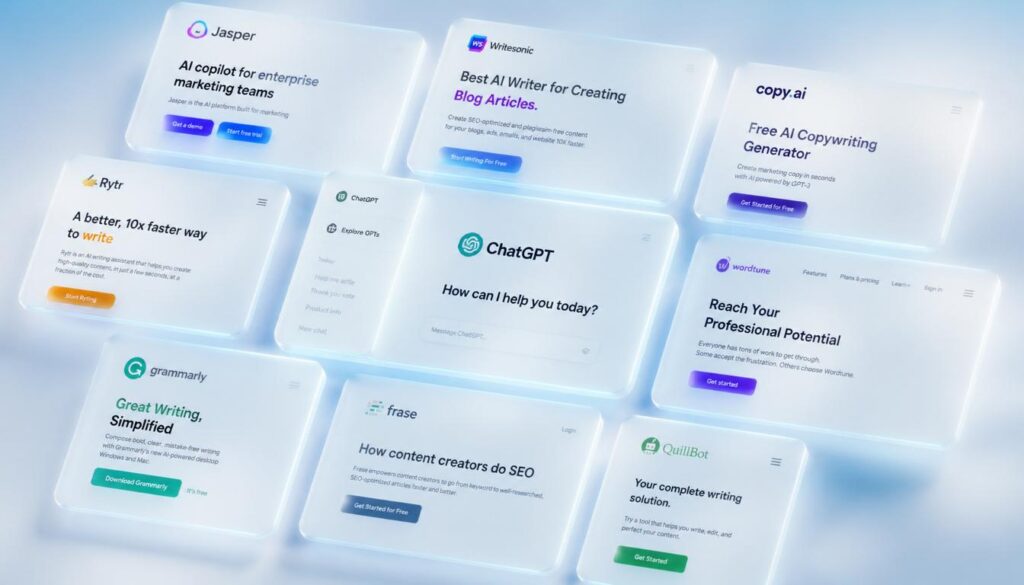
The best AI writing tools for Bloggers in 2026 are ChatGPT, Claude, Jasper, Writesonic, and Copy.ai. These tools help Bloggers write faster, improve SEO content quality, and beat writer’s block Many with a free plan Available. Bloggers who use AI writing tools report saving 3 to 5 hours per week on content creation Alone. Blogging used to mean spending six hours writing a single Article researching, outlining, drafting, editing, and praying it would rank. According to a 2024 HubSpot survey, 68% of bloggers say producing enough content consistently is their biggest challenge. That number has barely moved in five years. If you know the feeling of staring at a half-finished draft at midnight, wondering whether the post is even good enough to publish this guide is written for you. The struggle is not a lack of ideas. It is time, energy, and the grinding reality of doing it all alone. This post breaks down the best AI writing tools for bloggers available right now what each one does well, where it falls short, how much it costs, and exactly which type of blogger will get the most out of it. By the end, you will know which tool fits your workflow and how to use it to publish more without working more. What Are AI Writing Tools for Bloggers? AI writing tools are software platforms powered by large language Models (LLMs) that help you produce written content faster and with less effort. They use natural language processing to understand your prompts, follow instructions, and generate coherent text from a short paragraph to a full 3,000-word blog post. For bloggers specifically, these tools are not just Autocomplete on steroids. The best ones understand search intent, can structure content around a target keyword, suggest headings, write introductions, and even produce full drafts that require only light editing before publishing. There are several categories of AI writing tools in the Market today. Some are general-purpose Assistants like ChatGPT and Claude that handle any type of writing task. Others are purpose-built for content creators and Bloggers tools like Jasper and Writesonic come loaded with blog-specific templates and SEO integrations. Knowing which category fits your needs determines which tool you should use. Most platforms follow a freemium pricing model. You can start for free with limited usage and upgrade when you need more output or advanced features. For a solo blogger, free tiers are often enough to transform your weekly content output. Why Bloggers Need AI Writing Tools in 2025 The content game has changed significantly. Search engines Reward Depth, consistency, and Topical Authority. To rank for competitive keywords today, a single thin post is not Enough you need a cluster of well-structured, semantically complete articles covering your topic from every angle. That volume of content is Nearly impossible to produce manually on a one-person budget. AI content writing tools close that gap. A blogger who used to publish two posts per week can now publish four or five without burning out, because AI handles the first draft and the heavy structural lifting. According to Semrush’s 2024 State of Content Marketing report, Blogs that publish at least one article per week get 3.5 times more traffic than those that post monthly. AI makes that publishing frequency Achievable even for solo operators who do not have a writing team behind them. Beyond output volume, AI tools help with SEO content optimization. Many integrate directly with keyword Research data, suggest related terms, check reading level, and score your content against top-ranking competitors before you publish. That combination of speed and SEO intelligence is what makes these tools indispensable for serious bloggers right no Best AI Writing Tools for Bloggers in 2026: Full Breakdown Best AI Writing Tools for Bloggers: Side-by-Side Comparison Here is a quick comparison so you can find the right fit based on your budget, use case, and content volume needs: Tool Best For Free Plan Paid From SEO Integration Long-Form Quality ChatGPT All-around writing Yes $20/mo Manual prompting Excellent Claude Long-form, tone control Yes $20/mo Manual prompting Excellent Jasper Pro bloggers / agencies Trial only $49/mo Surfer SEO built-in Very Good Writesonic Free drafts + web data Yes $16/mo Basic keywords Good Copy.ai Multi-channel creators Yes (2K) $49/mo Template-based Good Koala AI SEO niche bloggers No $9/mo SERP-aware output Very Good How to Choose the Right AI Writing Tool for Your Blog With so many options, the easiest way to choose is to match the tool to your specific situation rather than looking for a universal best pick. If You Are Just Starting Out Start with the free tiers on ChatGPT and Claude. Use ChatGPT for brainstorming, outlines, and quick drafts. Use Claude when you need a full, coherent long-form article with consistent tone. Both are completely free to start, and together they cover 90% of a beginner blogger’s content needs. Do not buy any paid tool until you have published at least ten posts using the free versions. By that point, you will know exactly which limitations are actually costing you time and that tells you which upgrade is worth paying for. If You Are Focused on SEO and Organic Traffic Koala AI or Jasper with Surfer SEO integration is where you want to be. Both tools are designed around ranking they produce content that mirrors the structure, depth, and keyword distribution of top-ranking pages for your target query. The investment is real but so is the return. Bloggers who use AI-powered content generation tools paired with SEO data consistently report faster ranking timelines than those relying on manual writing or generic AI output. If You Run a Multi-Channel Content Operation Copy.ai gives you one platform for blog posts, social captions, email newsletters, and ad copy. If you are managing all of those channels solo, the template library saves significant time that you would otherwise spend switching between tools and re-prompting general-purpose AI assistants for different formats How to Use AI Writing Tools in Your Blogging Workflow: Step by Step A tool

FREE AI TOOL FOR CONTENT CREATION
AI Writing Tools, Ai Tools

10 Best Free AI Tools for Content Creators 2026

Free AI tools for content creation are software platforms that use artificial intelligence to help you write blog posts, generate social media captions, create ad copy, and automate publishing at zero cost. Top free options in 2026 include ChatGPT, Google Gemini, Copy.ai, Canva AI, and Writesonic’s free plan. Here is a number that should stop you mid-scroll: content creators who use AI tools produce content 3x faster than those who do not, According to a 2024 HubSpot report. Three times faster using tools that cost nothing. If you have been spending four hours writing one blog post, staring at a blank caption box for Instagram, or paying a freelancer for copy you could generate yourself, you already know the pain. Time runs out. Ideas dry up. The content calendar never stops demanding more. This guide breaks down the best free AI tools for content creation available right now what each one actually does, who it is best for, and how to start using them today. No fluff, no filler. Just what works. What Are Free AI Tools for Content Creation? Artificial intelligence has quietly Turned content creation into a skill Anyone can Execute at scale. These Tools use large language models (LLMs) and machine learning to Generate text, suggest ideas, Rewrite drafts, and even schedule posts all from a browser tab. The best part? A solid tier of these tools is completely free. Not free-trial free. Actually free, with usable limits that cover most solo creators and small businesses. Think of these platforms like a junior content team working inside your laptop. You bring the strategy and the brand voice. The AI brings speed, structure, and a never-Ending supply of first drafts.From my experience working with content Automation tools, the biggest mistake beginners make is expecting AI to replace thinking. It does not. It replaces the blank page which, for most creators, is the real enemy. The 10 Best Free AI Tools for Content Creation in 2026 1. ChatGPT (Free Plan by OpenAI) ChatGPT remains the most versatile free AI tool for content creation Available today. The free plan runs on GPT-4o mini and handles blog outlines, social captions, email drafts, product descriptions, and brainstorming sessions with surprising depth. What separates ChatGPT from other free tools is the quality of its conversational Memory within a session. You can refine, redirect, and iterate without starting over. That makes it ideal for long-form content workflows. Best for: Blog writers, newsletter creators, and anyone who needs a fast-Thinking writing partner. Free limit: Unlimited messages on GPT-4o mini; limited access to GPT-4o. 2. Google Gemini (Free via Google Account) Google Gemini is a free AI tool built directly into the Google Ecosystem. It connects with Google Docs, Gmail, and Google Search which makes it uniquely powerful for Research-heavy content creation. Unlike ChatGPT, Gemini can pull in live web data, making it stronger for fact-checking, Trend research, and content that needs up-to-Date information. If your content strategy depends on current events or fast-moving niches, Gemini Earns its place at the top. Best for: Content creators who live inside Google Workspace. Free limit: Free with any Google account; Gemini Advanced requires a subscription. 3. Copy.ai (Free Plan) Copy.ai is one of the Original AI copywriting tools, and its free plan still holds real value. You get access to over 90 templates from blog intros and Instagram captions to sales emails and YouTube scripts. The platform uses a workflow model, meaning you fill in context fields and the AI generates structured output based on your inputs. That makes it faster and more predictable than open-ended chat tools for specific copy tasks. Best for: Marketers, E-commerce store owners, and social media managers who need copy at volume. Free limit: 2,000 words per month on the free plan. 4. Canva AI (Magic Write — Free Plan) Canva is Already the go-to free tool for visual content. Magic Write, its AI text generator, pushes it into full content creation territory. You can generate captions, presentation copy, and short-form text directly inside your design canvas. The real Advantage is integration. You write and design in one place, which cuts the copy-paste cycle that slows most content workflows. For Instagram content creation tools, Canva AI is hard to beat when you want visuals and words together. Best for: Social media creators, designers, and small business owners. Free limit: 50 Magic Write uses included in the free Canva plan. 5. Writesonic (Free Plan) Writesonic offers one of the most capable free tiers Among AI content creation platforms. The free plan includes access to its Article Writer, AI Blog Builder, and Chatsonic a web-connected chatbot similar to Gemini. Chatsonic is especially useful for content with a news angle because it pulls real-time data. The article writer produces structured long-form drafts with SEO in mind, making it a legitimate free AI tool for bloggers who care about ranking. Best for: Bloggers and SEO-focused content creators. Free limit: 10,000 words per month on the free plan. 6. Notion AI (Limited Free Access) Notion AI turns your note-taking and project management tool into a content machine. It can summarize meeting notes into blog ideas, rewrite rough drafts, generate social posts from long articles, and create content calendars automatically. If you already use Notion to manage your content workflow, adding AI to the mix costs nothing extra on the free plan’s trial allocation. The content Automation built into Notion AI makes it one of the quietest productivity multipliers available. Best for: Content strategists and creators who manage editorial workflows. Free limit: 20 AI responses included before a paid upgrade is required. 7. Rytr (Free Plan) Rytr is a lightweight AI copywriting tool with a surprisingly capable free plan. It generates blog sections, email subject lines, product descriptions, and ad copy using over 40 use-case templates across 30 languages. The interface is clean and fast no learning curve. For beginners who want to try AI-powered content generation without commitment, Rytr is one of the easiest starting points available.

NotebookLM vs Elicit for Literature Review
AI Productivity Tools, Ai Tools

NotebookLM vs Elicit: Which AI Tool Wins for Literature Review?

NotebookLM and Elicit handle different stages of a Literature review. Elicit searches millions of Academic papers to help you find and screen sources. Notebook LM works only with Documents you already have, turning them into summaries and study Materials. Most students get better results using both tools Together, not picking just one. Here’s a number that should change how you think about this comparison , researchers analyzing AI-Assisted literature reviews have found that the bottleneck isn’t finding information anymore, it’s organizing what you’ve already found. That single fact explains why so many “NotebookLM vs Elicit” searches end with frustration. People Expect one tool to win outright, the way Coke beats Pepsi. It doesn’t work that way here. If you’ve spent the last hour bouncing between tabs trying to figure out which tool to commit to before your deadline closes in, you’re not alone, and you’re not missing something obvious. These two tools were built to solve Different problems, and most comparison Articles blur that line because they’re trying to sell you one of them. We’re not selling Either tool. AI Hustle HQ doesn’t have a partnership with Google or Elicit, so what follows is a Straight comparison built Around one question: which tool Actually helps you finish your NotebookLM vs Elicit for literature review, on your timeline, without getting flagged for Academic Dishonesty. By the end of this guide, you’ll know exactly which tool fits which stage of your work, what each one actually costs to use seriously, and whether you need one of them or both. NotebookLM vs Elicit — Quick Verdict Table Before the deep dive, here’s the short version for anyone skimming on a phone at midnight. Category Winner Finding new papers Elicit Understanding papers you already have NotebookLM Systematic review screening Elicit Audio and study material generation NotebookLM Free tier generosity NotebookLM Structured data extraction Elicit Best for a single thesis chapter on a budget Both, used together If you only remember one thing from this table: Elicit is your search engine, NotebookLM is your study partner. They’re not competing for the same job. NotebookLM vs Elicit: What’s the Actual Difference? The core difference comes down to where Each tool starts. Elicit begins with a research question and goes looking for papers across a Massive Academic database. You type something like “what does research say about sleep deprivation and memory in college students,” and Elicit returns a ranked list of relevant studies with extracted data points. NotebookLM begins with Documents you’ve Already collected. You upload PDFs, paste in lecture notes, or link a Google Doc, and NotebookLM Answers questions strictly based on what you gave it. It has no independent access to Academic Databases and can’t go find a Tenth paper if you’ve only uploaded nine. Think of it like grocery shopping versus cooking. Elicit is the trip to the store, picking out the right ingredients from Thousands of options. NotebookLM is what happens once you’re home with the ingredients already on the Counter, turning them into something useful. You genuinely need both steps to make a meal, and trying to skip one usually means a worse result. This distinction matters more than most comparison articles admit, because it changes which tool actually solves your problem depending on where you are in your literature review. Elicit vs NotebookLM for Finding Papers (Discovery) In the NotebookLM vs Elicit comparison, this category isn’t close. Elicit searches a Database of well over 100 million Academic papers using semantic search, meaning it understands the meaning behind your question rather than just matching keywords. Type in a specific research question, and Elicit reranks results by relevance, often shortlisting the 50 or so papers that actually matter out of thousands of possible matches. That shortlisting step is where Elicit earns its keep. Manually scanning through search results on Google Scholar, reading abstract after abstract to figure out what’s actually relevant, can eat an entire afternoon. Elicit compresses that into minutes by surfacing the papers most likely to answer your specific question, along with a quick summary of what each one found. NotebookLM, by contrast, has no discovery function at all. It cannot search the internet or any academic database on its own. If you open a blank NotebookLM notebook with zero sources uploaded, it has nothing to say about your topic, because there is genuinely nothing there for it to work from. This is worth verifying directly on each tool’s website before you commit, since AI products update their features constantly and search capabilities are exactly the kind of feature that could change between when this is written and when you’re reading it. But as of now, if you’re still in the “what papers should I even be reading” stage, Elicit is doing a job NotebookLM was never built to do. Picture two students starting the same psychology thesis on attachment style and relationship satisfaction. One opens NotebookLM first, stares at an empty notebook, and realizes there’s nothing to upload yet because she hasn’t found any papers. The other opens Elicit, types the actual research question, and has a ranked shortlist of 40 candidate papers within a couple of minutes. That gap, the difference between an empty workspace and a working shortlist, is the entire value of the discovery stage, and it’s why starting with the wrong tool can cost you an entire evening before you’ve made any real progress. It’s also worth understanding why Elicit’s search behaves differently than a standard database search. Traditional academic search tools like Google Scholar match keywords. Type “memory consolidation sleep” and you get every paper containing those exact words, regardless of whether the paper is actually about your specific question. Elicit’s semantic search instead tries to understand the meaning behind your question, which means it can surface a highly relevant paper even if it uses different terminology than what you searched for. This matters enormously in fields where the same concept gets described with five different academic terms depending on which subfield published the

free ai tools for literature review
Ai Tools, AI Productivity Tools

9 Free AI Tools for Literature Students in 2026

It’s 11 p.m. Your literature review is due in three weeks. You’ve got 40 browser tabs open, a Half-finished outline, and a professor who put “no AI-generated content” in bold letters on the syllabus. The best free AI tools for literature review in 2026 include Semantic Scholar, Elicit, Consensus, and NotebookLM. Each tool searches real Academic databases and shows its sources, instead of generating Text from Memory like ChatGPT does. This helps students avoid fake citations, save research time, and stay within academic integrity rules. Here’s the thing nobody tells you in that Syllabus warning there’s a massive Difference between using AI to write your literature review and using AI to find and organize the sources for it. One gets you flagged. The other is just research, done faster. Researchers using AI Assisted Literature review methods report cutting screening time significantly while keeping academic quality intact, According to multiple 2025-2026 studies on AI-assisted research workflows. If you’re staring down a Thesis chapter, a semester paper, or a systematic review with a Deadline that feels impossible, This guide walks you through nine free AI tools for literature review that Actually cite real papers plus how to use them without triggering a single academic integrity flag. Will Using AI Tools Get Your Literature Review Flagged? Short Answer: Not if you use the right kind of tool the right way. Your professor’s “no AI-generated content” rule is almost always about AI writing your sentences, not AI helping you find sources. Think about it like a calculator. Nobody accuses a student of cheating on a Math Test for using a calculator to add numbers the concern is whether you understand the Math, not whether you pressed buttons. AI tools for literature Review work the same way. They search Databases, summarize papers, and organize findings. You still have to read the key papers, evaluate the arguments, and write the actual analysis in your own words. The tools on this list are different from ChatGPT in one critical way they cite real, verifiable sources instead of Generating text from Memory. That distinction matters Enormously to your professor, even if they never say it explicitly. Most Universities now have written AI policies that distinguish between AI-Assisted research and AI generated writing Cambridge, for Example, allows students to use AI tools for personal study and research support, while still requiring original analysis and writing. Check your own university’s policy but in general, using a tool to discover 50 relevant papers is Treated very differently than asking ChatGPT to write your discussion section. The one Thing you should never skip Disclosure. If your department asks you to note which tools you used, a single sentence in your Methodology section (“Literature search was supported by Semantic Scholar and Elicit, with all sources manually verified”) covers you completely. The 100% Free Stack (No Credit Card Required) If you don’t have time to evaluate nine different Tools tonight, here’s the shortcut. These four cost nothing, Require no credit card, and cover the entire research process from search to summary. Start with Semantic Scholar to find your initial papers, drop the PDFs into NotebookLM to get organized summaries, and use Consensus when you need a fast gut-check on what the research actually says about a specific claim. That’s a full research workflow without spending a dollar. 9 Free AI Tools for Literature Review, Ranked This list focuses on tools with genuinely usable free tiers not products that dangle one free search before locking you into a paywall. 1. Semantic Scholar Semantic Scholar is built by the Allen Institute for AI and indexes over 200 Million Academic papers across every discipline. It’s the closest thing to a free, AI-powered Google Scholar. Its standout feature is the “TLDR” function a one-sentence, AI-generated summary that sits right in your search results, so you can scan dozens of papers in minutes instead of opening each one. The citation graph also shows you which papers influenced which, helping you trace how an idea developed over time. Best for: the very first stage of your search, when you’re still figuring out what’s even out there. Limitation: summaries occasionally miss field-specific nuance, so don’t skip reading your top 10-15 papers in full. 2. Elicit (Free Tier) Elicit Answers research questions by pulling structured data directly from papers, rather than just returning a list of links. Ask it something specific “What are the documented effects of sleep deprivation on memory consolidation in college-age adults?” and it extracts findings, methods, and sample sizes from Matching studies into a comparison table. The free tier gives you a working number of credits each Month, enough for a solid first pass on a thesis chapter. Every claim Elicit generates is tied to a sentence level citation from the actual paper, which is exactly the kind of source traceability your professor wants to see. Best for: systematic comparison once you’ve narrowed down to 20-30 key papers. Pro tip: ask narrow, specific questions instead of broad topics you’ll get sharper, more usable results. 3. Consensus Consensus pulls answers exclusively from peer-reviewed research and shows you a “consensus meter” a visual breakdown of how many studies say yes, no, or it’s complicated to your research question. This is the fastest way to get an evidence-backed answer when you’re still forming your thesis statement or trying to figure out if a claim you read somewhere is actually supported by research. It’s not a replacement for deep reading, but it’s an excellent first filter. Best for: early-stage hypothesis testing and debate prep. Limitation: it only covers indexed, peer-reviewed work, so very recent or niche papers may not show up. 4. NotebookLM NotebookLM is different from the other tools here because it works only with what you upload. Drop in 20 PDFs, a few lecture slides, and your professor’s feedback notes, and it grounds every answer strictly in those documents no outside information, no guessing. This matters enormously for academic integrity. Because NotebookLM can’t pull from anything except your uploaded

AI Search Engine Ranking Tracking Tool
Ai Tools, AI SEO Tools

Best AI Search Engine Ranking Tracking Tool 2026

Your blog can sit at position #1 on Google and still be completely invisible the moment someone asks ChatGPT or Google’s AI Overview the same question. That’s the uncomfortable reality a lot of in-house marketing teams are running into right now, and it’s why the search for the right AI search engine ranking tracking tool has picked up so much momentum. An AI search engine ranking tracking tool monitors whether your brand or content appears, is cited, or is mentioned inside AI-generated answers from ChatGPT, Google AI Overviews, Gemini, and Perplexity. Unlike traditional rank trackers, which measure fixed positions in blue-link results, these tools track citations, brand mentions, and share of voice because AI answers vary by prompt, device, and location. This guide breaks down what these tools actually do, how they work under the hood, what to look for before you buy one, and which platforms are worth shortlisting in 2026. What Is an AI Search Engine Ranking Tracking Tool? At its core, an AI search engine ranking tracking tool is software that checks whether your website, product, or brand name shows up inside the answers generated by AI search systems. Instead of telling you “you rank #3 for this keyword,” it tells you “your brand was mentioned in 6 out of 20 AI Overview responses this week, and these are the URLs Google cited alongside you.” This matters because AI visibility (sometimes called AI search visibility or generative engine optimization, GEO) doesn’t follow the same rules as classic SEO. A handful of terms get thrown around in this space, and it’s worth knowing what they mean before you start comparing tools: A good AI search engine ranking tracking tool pulls all of these threads together into one dashboard, so your team isn’t manually copying and pasting prompts into five different chatbots every Monday morning. How Does AI Rank Tracking Different From Traditional SEO Rank Tracking? Traditional rank tracking is built around a simple idea: type in a keyword, and the tool tells you where your page lands in a numbered list of results. That number is fairly stable, it’s tied to a specific URL, and it’s measured the same way every time you check it. AI rank tracking throws most of that out the window. There’s no fixed list of ten blue links there’s a synthesized answer that’s stitched together from multiple sources, and that answer can be different for two people who type the exact same question, depending on their location, device, or even the exact wording they used. So “ranking” in AI search isn’t really a position anymore; it’s a question of whether you show up at all, and how prominently. Factors Traditional SEO Rank AI Search overview Ranking Ranking System Numbered positions (1, 2, 3…) Presence/absence in a generated answer Tracking Method Keyword-based position tracking Prompt-based and entity-based tracking Authority Signal Backlinks and domain authority Citations, brand mentions, and topical depth Consistency Largely stable per keyword Can vary by device, location, and phrasing What “winning” looks like Top 3 organic positions Being cited as a source inside the AI answer None of this means traditional SEO stops mattering strong rankings still feed the content that AI engines pull from. It just means you now need a second lens on top of your existing rank tracker, and that’s exactly the gap an AI search engine ranking tracking tool is built to fill. How Do AI Search Engine Ranking Tracking Tools Actually Work? Most platforms in this category follow a similar pipeline, even if the dashboards look different. It starts with you defining a set of prompts or keywords you care about things your actual customers might ask an AI assistant, not just the keywords you’d type into Google. From there, the tool runs those prompts against AI search systems on a schedule (daily, weekly, or on demand), captures the response, and checks whether it triggered an AI Overview or AI Mode result at all. Some queries simply don’t generate one, and a decent tool will tell you that instead of pretending every prompt has a measurable “rank.” Once a response comes back, the tool extracts which URLs and domains were cited, normalizes those URLs so duplicates and tracking parameters don’t skew the data, and stores a timestamped snapshot. Finally, the platform rolls all of that into metrics: presence rate, citation share versus competitors, and trends over time. The better tools go one step further and turn that data into specific recommendations, like “competitors are winning citations with comparison guides — here’s a content brief.” What Should You Look for in an AI Rank Tracking Tool? (Checklist) It’s easy to get distracted by flashy dashboards, so it helps to judge platforms against a short, objective checklist rather than whichever tool has the slickest demo. Here’s what actually moves the needle: Run any shortlist through these six criteria and you’ll usually narrow ten options down to two or three pretty quickly. From there, a free trial or audit is the fastest way to confirm the data quality matches what’s advertised. Best AI Search Engine Ranking Tracking Tools Compared (2026) The market for AI search engine ranking tracking tools has grown quickly, and pricing or features can shift between releases, so treat the figures below as a starting point and confirm current plans directly with each vendor before buying. Tool Best For AI Engines Covered Citation-Level Data Starting Price Profound Enterprise teams needing deep multi-LLM coverage ChatGPT, Perplexity, Gemini, AI Overviews + more Yes Mid-to-high tier Peec AI Agencies managing multiple client brands AI Overviews, ChatGPT, Perplexity, Gemini Yes Mid tier Otterly AI Solo marketers and small businesses on a budget AI Overviews, ChatGPT, Perplexity + others Yes (higher tiers) Budget-friendly entry plan SE Ranking SEO teams wanting AI tracking inside an existing toolkit AI Overviews + traditional SERP tracking Yes Mid tier Semrush Existing Semrush users adding AI visibility AI Overviews + AI Mode Yes Mid tier, often as an add-on Ahrefs Enterprise SEO teams already on

AI study tools better than ChatGPT
Ai Tools, AI Productivity Tools

10 Best AI Study Tools That Are Better Than ChatGPT

Most students discover ChatGPT’s limits the hard way Mid-research-paper, staring at a hallucinated citation that looks real until you go to find it. If you’ve been relying on ChatGPT for serious academic work, you’ve probably hit that wall. The AI study tools better than ChatGPT aren’t a secret, but most students don’t know which one to reach for, or when. This guide fixes that. We tested 10 specialized tools across 30 real Academic tasks, Research papers, Exam prep, Lecture notes, Math problems and Ranked them by what they actually do better. The short answer: The best AI study tools better than ChatGPT for students in 2026 include Perplexity AI for cited research, Claude for long-form academic writing, Google NotebookLM for source-grounded study sessions, Quizlet AI for active recall flashcards, and Wolfram Alpha for STEM problem-solving. Unlike ChatGPT, these tools are purpose-built for specific academic tasks and offer free tiers. Why ChatGPT Isn’t Enough for Serious Students in 2026 ChatGPT is genuinely useful. That’s not the argument here. The problem is that students use it as a one-size-fits-all academic Assistant and it wasn’t built for that role. When you need cited research, organized notes, or Flashcards that actually stick before an exam, a general-purpose chatbot starts showing its seams. The smarter move is using specialized tools for specific tasks. But first, it helps to understand exactly where ChatGPT falls short. The 5 Core Limitations That Make Students Search for Alternatives 1. No real-time citations. ChatGPT’s free plan has a training cutoff and no live web access. When it does attempt citations, they’re often fabricated plausible-looking references that don’t actually exist. For a research paper, that’s not a minor inconvenience; it’s an academic integrity risk. 2. Session Amnesia. Every new ChatGPT conversation starts from zero. The lecture notes you pasted last Tuesday? Gone. The Essay draft you built over three sessions? You’d need to re-upload everything. Students managing five courses can’t afford that friction every time they open a new tab. 3. No lecture capture. ChatGPT cannot record, Transcribe, or process live audio. That means an entire category of student content 60-minute lectures, office hours, seminars is completely inaccessible to it unless you do the transcription manually first. 4. Hallucinations in academic contexts. General AI models are prone to confident-sounding errors on niche academic topics obscure historical events, advanced chemistry, legal precedents. The more specialized your subject, the higher the risk. For students in STEM or law, this matters a lot. 5. No structured study output. ChatGPT can generate text. It cannot automatically turn that text into flashcard decks, spaced repetition schedules, or organized note systems. You always have to do the last-mile structuring yourself. What Great AI Study Tools Do That ChatGPT Cannot The best ChatGPT alternatives for students solve the specific problems above. They don’t try to do everything they do one thing exceptionally well. Persistent note storage means your content is there when you return. Auto flashcard generation turns passive notes into active study material without any extra steps. Source-verified answers give you citations you can actually check. Real-time lecture recording captures everything your professor says, even when your typing can’t keep up. The science backs this up. Karpicke and Roediger (2008) demonstrated in Science that retrieval practice actively recalling information rather than re-reading produces dramatically stronger long-term retention. The tools in this guide are built around that principle. ChatGPT, by design, is not. What AI Study Tools Are Better Than ChatGPT in 2026? The best AI study tools that are better than ChatGPT in 2026 are purpose-built for academic workflows research with citations, persistent notes, flashcard generation, lecture transcription, and structured writing support. No single tool replaces ChatGPT entirely; the right approach is a targeted stack where each tool handles the task it was designed for. Here’s how all 10 compare at a glance: Tool Best For Free Plan? Beats ChatGPT At Starting Price Perplexity AI Research with citations ✅ Yes Real-time cited answers Free / $9/mo (student) Claude Long academic writing ✅ Yes Context depth, reasoning Free / $20/mo Pro Google NotebookLM Source-grounded Q&A ✅ Yes (fully) Zero hallucination on your docs Free Quizlet AI Flashcards & active recall ✅ Yes Spaced repetition study output Free / $35.99/yr Notion AI Notes & study planning ✅ Limited Persistent, organized knowledge Free / $10/mo Grammarly Writing polish & plagiarism ✅ Limited Academic writing quality Free / $12/mo Google Gemini Real-time research ✅ Yes Live web access, Google integration Free / $20/mo Wolfram Alpha Math & STEM problems ✅ Limited Computational accuracy Free / $7.99/mo Otter.ai Lecture transcription ✅ Limited Live audio capture Free / $10/mo Khanmigo Socratic tutoring ✅ Yes Guided concept-building Free The 10 Best AI Study Tools Better Than ChatGPT — Tested and Ranked We ran each tool through 30 academic tasks: writing a research paper with proper citations, creating flashcards from raw lecture notes, solving calculus problems, summarizing a 40-page PDF, and generating essay outlines, among others. Here’s what we found. 1. Perplexity AI: Best for Research Papers With Citations Perplexity AI is an AI-native search engine that answers your questions and shows you the source for every claim in the same interface, in real time. Unlike ChatGPT, it doesn’t generate citations from memory; it retrieves them live from the web. Where it beats ChatGPT: every answer comes with numbered source citations you can click and verify. The Academic Focus mode narrows searches to peer-reviewed papers and scholarly sources, which is a feature no general-purpose chatbot offers. When we tested it on a literature review task, it surfaced six relevant studies with accurate citations in under two minutes a task that took 25 minutes with ChatGPT (including fact-checking time). Best student use cases: Free plan: Generous daily usage with real-time web access included. Pro searches are limited on the free tier (approximately 5 per day), but standard searches are unlimited. Honest limitation: Perplexity is weaker for creative or long-form writing tasks. It’s a research tool, not a writing assistant don’t expect polished essay drafts from

search engine optimization free tools
Ai Tools, AI SEO Tools

35 Best Search Engine Optimization Free Tools for Fast Rankings

Most SEO tools cost Anywhere from $99 to $500 a Month. That’s a steep entry ticket for a Blogger, a small Business owner, or a freelancer just trying to get their site to show up on Google. Here’s the thing nobody tells you you don’t need to spend a dollar to rank higher. The right search engine optimization free tools can handle keyword research, technical audits, backlink analysis, and on-page optimization everything a paid suite does, at zero cost. This guide breaks down 35 of the best free SEO tools, organized by exactly what you need to do with them, so you can stop guessing and start ranking. Quick-Pick: Best Free SEO Tools at a Glance Before diving deep, here’s a fast-reference table so you can jump straight to what you need. Free SEO Tools Comparison Table Tool Category Best For Free Limit Paid Option Google Search Console Technical / Analytics Indexing, clicks, Core Web Vitals Unlimited (your site only) Free always Google Keyword Planner Keyword Research Search volume, bid data Unlimited with Google Ads account Free always Ahrefs Webmaster Tools Backlinks / Technical Backlink profile, site audit Your verified sites only Ahrefs from $129/mo Screaming Frog Technical Audit Site crawl, broken links 500 URLs free £199/yr Google PageSpeed Insights Technical Core Web Vitals, speed Unlimited Free always Moz Link Explorer Backlinks DA, backlink count 10 queries/month Moz Pro $99/mo SimilarWeb Analytics / Competitor Traffic estimates Limited monthly data Paid plans AnswerThePublic Keyword Research Question-based queries 3 searches/day free $9/mo Yoast SEO On-Page WordPress on-page checks Core features free Premium $99/yr Google Trends Keyword Research Seasonal trends, momentum Unlimited Free always Think of this table as your map. The rest of this guide is the territory. Free Keyword Research Tools Keyword research is where every SEO campaign begins. Before you write a single sentence, you need to know what people are actually searching for and whether you have a realistic shot at ranking for it. These free keyword research tools give you that data without a subscription. Google Keyword Planner – Best Free Keyword Volume Tool Google Keyword Planner is the original free keyword research tool, built directly into Google Ads. Enter any keyword and it returns monthly search volume ranges, competition levels, and dozens of related keyword suggestions you may never have thought of. The catch: you need a Google Ads account (free to create, no spending required), and volume data appears in ranges like “1K–10K” rather than exact numbers. For most planning purposes, that’s enough to decide whether a keyword is worth pursuing. Think of it as Google telling you the size of the room before you walk in. How to use it: Go to Google Ads → Tools → Keyword Planner → Discover New Keywords. Enter your topic (“SEO tools for small business”) and export the suggestions into a spreadsheet to sort by competition. Google Trends – Spot Keyword Momentum for Free Google Trends doesn’t show search volume it shows relative interest over time. That distinction matters. A keyword with rising trend data is worth targeting even if its current volume looks modest, because you’re catching it on the way up. Use it to compare two keyword variations (“free SEO tools” vs. “SEO tools free“), identify seasonal spikes, and spot geographic concentrations of interest. If you’re writing content in June, Trends will tell you whether your topic peaks in Q4 so you can plan accordingly. Ahrefs Free Keyword Generator Ahrefs offers a no-login keyword tool at ahrefs.com/keyword-generator. Enter any seed keyword and get up to 150 keyword ideas with Keyword Difficulty (KD) scores one of the most useful free data points available without a paid account. The KD score alone makes this worth bookmarking. A KD of 10–20 on a keyword with decent volume? That’s a green light for a new site to target it. AnswerThePublic – Free Question & Long-Tail Research AnswerThe Public visualizes every question people ask around a topic who, what, when, where, why, and how. It pulls autocomplete data from Google and Bing and maps it into a web of long-tail keyword opportunities. The free tier gives you three searches per day, which is plenty for building out a FAQ section or finding H3-level subtopics you hadn’t considered. A search for “SEO tools” will surface gems like “what SEO tools do professionals use” questions your competitors probably haven’t answered yet. Free Technical SEO Audit Tools Technical SEO is what happens under the hood. Broken links, slow page speed, crawl errors, duplicate content these issues silently tank your rankings without any visible warning. These free technical SEO audit tools surface those problems so you can fix them. Google Search Console – #1 Free SEO Tool Overall If you only use one free SEO tool for the rest of your life, make it Google Search Console. It’s free, it comes directly from Google, and the data is about your site specifically not estimates or third-party approximations. GSC shows you which queries bring users to your site, which pages Google has indexed (and which it hasn’t), Core Web Vitals scores, mobile usability issues, and manual penalties. The Coverage report alone can reveal why pages you think are ranking simply aren’t being crawled. Set it up the day you launch any website not six months later. Quick win: Open the Performance report, filter by Position 5–15, and sort by Impressions. Those are pages that are one optimization push away from page one. Screaming Frog SEO Spider (Free Version) Screaming Frog is a desktop crawler that mimics how Google’s bot reads your site. The free version crawls up to 500 URLs and surfaces broken links (404s), redirect chains, missing meta descriptions, duplicate title tags, and pages blocked by robots.txt. For a site under 500 pages, the free tier is all you’ll ever need. Run a crawl, export the results to a spreadsheet, and sort by issue type. It’s like getting an X-ray of your site’s technical health in under ten minutes. Google PageSpeed Insights – Free Core

ai real estate title search tool
Ai Tools, AI Productivity Tools

10 AI Real Estate Title Search Tool That Saves Hours

Picture this: you’ve worked a deal for six weeks, the buyers are ecstatic, the sellers are ready to move  and then a title issue surfaces on closing day that nobody caught. An old contractor lien. An unresolved judgment from a previous owner. The deal collapses. That scenario plays out more often than it should. Traditional title searches are slow, manual, and dangerously dependent on human attention across hundreds of pages of property records. For real estate agents and brokers who juggle multiple transactions at once, that’s a liability you can’t afford. An AI real estate title search tool changes the equation entirely. It scans public records, detects liens, traces ownership chains, and flags risk  in a fraction of the time it takes a human abstractor to get through page one. This guide breaks down exactly how these tools work, what to look for when choosing one, and how agents are already using them to close more deals with fewer surprises. What Is an AI Real Estate Title Search Tool? The Core Technology Explained An AI real estate title search tool is software that uses machine learning, natural language processing, and optical character recognition (OCR) to automate the process of examining property records. Instead of a human manually reviewing deeds, court filings, tax records, and lien documents one by one, the AI reads, interprets, and cross-references all of it simultaneously. Most property records weren’t created with automation in mind. Scanned documents, inconsistent county filing formats, and decades-old handwritten deeds are the norm. OCR converts those messy physical documents into machine-readable text. From there, NLP models extract the relevant data grantor and grantee names, transaction dates, dollar amounts, encumbrances and machine learning algorithms piece the ownership timeline together. The result is a structured, searchable title report that would take a trained abstractor days to produce manually, delivered in hours or sometimes minutes. How It Differs from Traditional Title Search Traditional title searches rely heavily on human expertise and access to physical or digitized county records. A title examiner manually traces the chain of ownership, checks for liens, looks for easements, and reviews court judgments. It’s thorough work, but it’s slow and it costs money  typically between $500 and $2,000 per property depending on the market and complexity. AI-powered title searches automate the pre-screening layer of that process. The system scans across all uploaded documents simultaneously rather than reviewing records one at a time. What makes this particularly powerful is that the AI cross-references every detail at once  a subtle discrepancy in ownership history that a human might overlook gets flagged because the system checks every record against every other record in the same pass. That said, AI tools work best alongside human oversight, not as a complete replacement for it. Complex legal interpretations still benefit from a licensed professional’s eye. Think of the AI as the abstractor who never gets tired and never misses a page. Why Real Estate Agents and Brokers Need This Technology Now The Competitive Reality in 2026 The industry has moved. According to the National Association of Realtors, 72% of agents now consider AI tools part of their daily workflow. Buyers in 2026 expect faster closings and fewer delays. When a traditional title search takes three to five business days and an AI-driven search delivers results in hours, the agents and brokerages using AI have a structural advantage their competitors simply can’t match with manual processes. Think about what that means in a competitive multiple-offer situation. Your buyer can complete due diligence faster, which means you can move toward a clear-to-close status before competing agents have even started their title work. That’s not a marginal edge  that’s the difference between a client who gets the house and a client who loses it. The professionals who treated AI title tools as optional in 2023 are finding in 2026 that the market has already moved past them. Catching up now matters. Closing Timeline Acceleration The ripple effect of faster title searches runs through every stage of the transaction. Buyers experience less waiting and less anxiety. Sellers move to closing faster. Lenders get the documentation they need sooner. And you, as the agent or broker, can manage more transactions simultaneously without sacrificing the quality of your due diligence. Here’s a concrete example: a brokerage processing 30 transactions a month with a traditional title workflow might have five to eight deals in a holding pattern at any given time, waiting on title clearance. With an AI title search tool cutting that wait time by two or three days per transaction, that’s 150 to 240 fewer waiting days per month across the pipeline. That’s real capacity you get back. Key Features to Look for in an AI Real Estate Title Search Tool Lien Detection and Encumbrance Search The most critical function of any AI title search tool is its ability to detect every financial claim or legal obligation attached to a property. That means outstanding mortgage balances, unpaid contractor bills, federal and state tax liens, HOA assessments, and court-ordered judgments. These are the items that can legally transfer to a new buyer if they go undetected. The best tools use proprietary risk-scoring models that evaluate lien history and known title defects against property-specific patterns. They don’t just find the liens  they flag them, categorize them by severity, and present them in a format that’s immediately actionable for your team or your title company. Easements also need to show up clearly. If a utility company or neighboring landowner has legal rights over a portion of the property, your buyer needs to know that before closing, not after. Chain of Title and Ownership Verification Chain of title search automation is where AI genuinely separates itself from manual processes. A human examiner can miss a subtle discrepancy buried in a 40-year ownership history. An AI cross-references every grantor, grantee, transaction date, and recorded instrument number across all documents in the same search pass. Look for tools that capture: A solid ownership verification feature gives you

ai platform monitoring tool for content gap analysis
Ai Tools, AI SEO Tools

10 AI Monitoring Tools Every SEO Expert Should Try

Most content teams are still fighting yesterday’s battle. They run a keyword gap report, find a dozen missing terms, write a blog post, and call it strategy. Meanwhile, ChatGPT and Google AI Overviews are Quietly answering your audience’s questions using your competitor’s content instead of yours. That’s the real problem an ai platform monitoring tool for content gap analysis is built to solve. It’s not just about finding keywords you don’t rank for it’s about understanding why AI models keep citing someone else when they could be citing you. This guide breaks down what these tools do, the types of gaps they uncover, the features that actually matter, and a step-by-step workflow you can start using this week. What Is an AI Platform Monitoring Tool for Content Gap Analysis? An ai platform Monitoring tool for content gap analysis is software that continuously compares your website’s content against competitors, search intent data, and AI-generated answers to find what you’re missing. Instead of a one-time audit, it runs in the background, flagging new gaps as they appear. Think of it as a radar system for your content strategy always scanning, always alerting you before a competitor pulls ahead. The “monitoring” part matters more than people realize. A static report goes stale the moment a competitor publishes something new. A monitoring platform catches that shift in near real time, so you’re reacting in days instead of months. Definition and Core Concept At its Core, Content gap analysis is the process of identifying topics, formats, or angles your competitors cover that you don’t. An AI-powered version takes this further by using natural language processing to understand intent, not just keywords. It looks at entities, semantic relationships, and the structure of top performing content. For example, if you run a SaaS blog and your competitor has fifty articles covering “API rate limiting” from every angle tutorials, comparisons, troubleshooting while you have two, the AI doesn’t just flag a missing keyword. It flags a structural gap in your topical authority around that entire cluster. How It Differs from Traditional Content Gap Analysis Traditional gap analysis is Quantitative: export your keyword list, export a competitor’s, subtract one from the other. It’s useful, but it’s also blunt. It tells you what words are missing without telling you why your content isn’t being chosen. AI content gap analysis adds a qualitative layer. It evaluates information gain, entity completeness, and content depth the same signals AI Overviews and chatbots use when deciding which source to cite. That shift from “missing words” to “missing information” is the entire reason this category of tool exists. Why Content Gap Analysis Matters for AI Search Visibility If your content strategy still treats Google as the only audience, you’re leaving traffic on the table. AI Overviews, Perplexity, and ChatGPT now answer a huge share of informational queries directly, often without a single click to your site. Whether your brand gets mentioned in that answer depends entirely on how complete and citable your content is. This is where AI visibility tracking earns its place in your toolkit. A content gap analysis that ignores AI citations is only solving half the problem and it’s increasingly the smaller half. The Shift from Keywords to AI Citations A few years ago, ranking in the top three organic results was the goal. Now, even a top-three result can get buried under an AI Overview that answers the question before the user scrolls. The new question isn’t “do I rank?” — it’s “does the AI model trust my content enough to quote it?” This shift from rankings to AI citation gap analysis changes how you prioritize content. A page ranking #5 that gets cited in AI Overviews can drive more visibility than a page ranking #1 that doesn’t. Monitoring tools that track LLM citation patterns help you see this distinction clearly. Information Gain and Why AI Models Cite Certain Content AI models are trained to surface answers that add something new a concept often called information gain. If ten articles already say the same thing about a topic, the model has no reason to prefer yours unless it offers a sharper explanation, original data, or a more complete entity coverage. Practically, this means a 600-word post that rehashes common knowledge won’t get cited, even if it’s well-optimized for keywords. A 1,500-word post with a unique framework, original examples, and clear structure stands a far better chance this is the kind of gap an ai platform monitoring tool for content gap analysis is designed to expose. Types of Content Gaps an AI Monitoring Tool Can Identify Not all content gaps look the same, and lumping them together leads to weak content briefs. A good monitoring platform separates gaps into distinct categories so your team knows exactly what kind of fix is needed a new article, an update, a format change, or a deeper rewrite. Here’s a breakdown of the gap types that show up most often in AI-driven audits: Topic Gaps and Semantic Clustering Topic gaps are the most obvious type — you simply haven’t written about something your competitors have. But semantic clustering takes this further by grouping related entities together. If “content gap analysis” sits in a cluster with “topical authority,” “entity coverage,” and “competitor benchmarking,” and your site only addresses one of those, the AI flags the whole cluster as underdeveloped. This matters because search engines and AI models increasingly evaluate sites at the cluster level, not the individual page level. A single great article surrounded by a thin topic cluster won’t carry the same weight as one article supported by ten related pieces. Intent Gaps (Informational, Navigational, Commercial, Transactional) Intent gaps happen when you’ve covered a topic but missed the specific way people want to engage with it. A site might have plenty of transactional content pricing pages, product pages but almost nothing informational, like guides or explainers that answer top-of-funnel questions. An AI monitoring tool can scan your entire site and categorize every page by intent

letter writing side hustle
Side Hustles, AI Writing Tools

Letter Writing Side Hustle: Earn From Home in 2026

I want to tell you something that most side hustle articles skip right over. Writing letters for money is a real thing. Not a gimmick, not a get-rich-quick scheme, not something that only works if you already have thousands of followers. Real people are sitting at kitchen tables and spare bedrooms right now, writing letters on their laptops, and getting paid for it. Some are pulling in a few hundred dollars a month. Others have turned it into a full-time income. I know that sounds too simple. And honestly, when I first heard about people charging $100 for a single cover letter or $5 for a handwritten note to a stranger, I was skeptical too. But the more you dig into it, the more it makes sense. Think about who actually needs letters written. Job seekers who freeze up every time they open a blank document. Couples who know exactly how they feel but cannot find the words to say it out loud, let alone write them down beautifully. Business owners who send out the same boring email template to every prospect and wonder why nobody responds. Real estate agents who want to reach homeowners personally but simply do not have time to sit down and write each one by hand. These people are already out there looking for help. They are already spending money on Fiverr, Etsy, and Upwork for exactly this service. The only question is whether you are going to be the one they hire. This guide is going to walk you through everything. What kinds of letters you can sell, how to price them, where to find clients, how much you can realistically earn, and what separates the letter writers who make good money from the ones who give up after a month. What Is a Letter Writing Side Hustle? Put simply, a letter writing side hustle means you write letters for other people and they pay you for it. That covers a wider range of work than most people expect. On one end of the spectrum, you have handwritten note services where companies send you text on your phone, you copy it neatly onto paper in your own handwriting, and mail it back. It pays $3 to $5 per letter and requires zero creativity. On the other end, you have high-level sales copywriting where a single letter can take a few hours to write and pay anywhere from $500 to several thousand dollars. In between, there is a whole world of personal letters, cover letters, business correspondence, wedding vows, sympathy notes, recommendation letters, real estate prospecting letters, and more. Different niches attract different clients and different rates, but all of them fall under the umbrella of getting paid to write letters. What makes this a particularly good side hustle for writers is the low barrier to entry. You do not need a business license, a fancy website, or a large following. You need decent writing skills, a way to accept payment, and a listing on one of the platforms we will cover later in this article. Why Letter Writing Is Making a Comeback There is something a little ironic about the fact that AI is partly responsible for making handwritten and personalized letters more valuable. But here we are. When AI tools became capable of producing decent blog posts and marketing copy, companies started pumping out enormous volumes of generic content. The result? Readers started ignoring it. Inboxes became so full of templated emails that anything even slightly personal started standing out by comparison. Handwritten letters, which were already unusual in a digital world, became genuinely remarkable. Direct mail response rates have climbed steadily over the past few years for exactly this reason. People open physical letters. They read them. They respond to them. Real estate agents who switched from digital outreach to handwritten prospecting letters started seeing response rates they had not seen in years. Meanwhile, the personal side of letter writing never really went anywhere. People have always needed help finding the right words for hard moments or important ones. Proposing to someone. Apologizing to a parent. Writing vows at a wedding. Sending condolences after a loss. These are situations where words matter enormously and most people feel they are not up to the task. That is where a good letter writer becomes genuinely valuable, not just convenient. A few other things have come together to make this a better time than ever to start a letter writing side hustle: Types of Letter Writing Services You Can Sell One of the best things about this side hustle is that you can choose the type of letter writing that actually suits your personality and strengths. Here is a breakdown of the main categories and what makes each one worth considering. Love Letters People hire love letter writers more often than you might think. Not because they do not care about their partner, but because they care so much that they are terrified of getting it wrong. A man who has been with his wife for twenty years wants to write something for their anniversary that actually captures what she means to him. He sits down, stares at a blank page for an hour, writes three sentences, deletes them, and eventually goes looking for help. That is your client. And he will happily pay $50 to $150 for a letter that sounds like him but says what he has been trying to say for years. Love letter writing on Fiverr and Etsy has a loyal client base with strong repeat business. Once someone has a good experience, they come back for anniversaries, Valentine’s Day, apologies, and birthdays. This is one of the easier niches to build long-term client relationships in. Apology Letters Writing a genuine apology is surprisingly hard. Most people either go too far and make it about themselves, or they do not go far enough and come across as defensive. A well-written apology letter acknowledges what happened, shows real understanding of the

Scroll to Top