Free AI tools for content creation are software platforms that use artificial intelligence to help you write blog posts, generate social media captions, create ad copy, and automate publishing at zero cost. Top free options in 2026 include ChatGPT, Google Gemini, Copy.ai, Canva AI, and Writesonic’s free plan.
Here is a number that should stop you mid-scroll: content creators who use AI tools produce content 3x faster than those who do not, According to a 2024 HubSpot report. Three times faster using tools that cost nothing. If you have been spending four hours writing one blog post, staring at a blank caption box for Instagram, or paying a freelancer for copy you could generate yourself, you already know the pain. Time runs out. Ideas dry up. The content calendar never stops demanding more.
This guide breaks down the best free AI tools for content creation available right now what each one actually does, who it is best for, and how to start using them today. No fluff, no filler. Just what works.
What Are Free AI Tools for Content Creation?
Artificial intelligence has quietly Turned content creation into a skill Anyone can Execute at scale. These Tools use large language models (LLMs) and machine learning to Generate text, suggest ideas, Rewrite drafts, and even schedule posts all from a browser tab. The best part? A solid tier of these tools is completely free. Not free-trial free. Actually free, with usable limits that cover most solo creators and small businesses.
Think of these platforms like a junior content team working inside your laptop. You bring the strategy and the brand voice. The AI brings speed, structure, and a never-Ending supply of first drafts.From my experience working with content Automation tools, the biggest mistake beginners make is expecting AI to replace thinking. It does not. It replaces the blank page which, for most creators, is the real enemy.
The 10 Best Free AI Tools for Content Creation in 2026
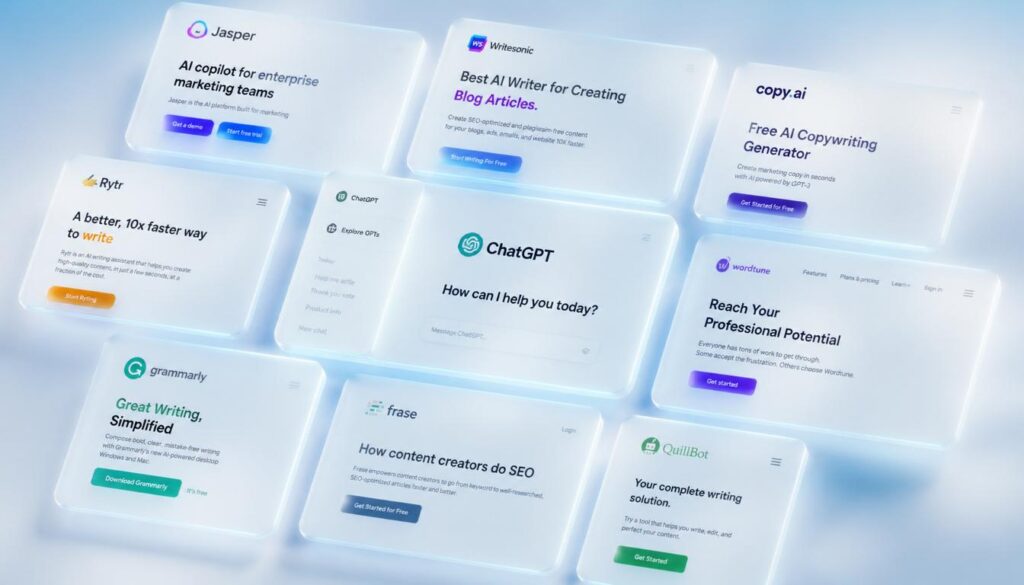
1. ChatGPT (Free Plan by OpenAI)
ChatGPT remains the most versatile free AI tool for content creation Available today. The free plan runs on GPT-4o mini and handles blog outlines, social captions, email drafts, product descriptions, and brainstorming sessions with surprising depth. What separates ChatGPT from other free tools is the quality of its conversational Memory within a session. You can refine, redirect, and iterate without starting over. That makes it ideal for long-form content workflows.
Best for: Blog writers, newsletter creators, and anyone who needs a fast-Thinking writing partner.
Free limit: Unlimited messages on GPT-4o mini; limited access to GPT-4o.
2. Google Gemini (Free via Google Account)
Google Gemini is a free AI tool built directly into the Google Ecosystem. It connects with Google Docs, Gmail, and Google Search which makes it uniquely powerful for Research-heavy content creation. Unlike ChatGPT, Gemini can pull in live web data, making it stronger for fact-checking, Trend research, and content that needs up-to-Date information. If your content strategy depends on current events or fast-moving niches, Gemini Earns its place at the top.
Best for: Content creators who live inside Google Workspace.
Free limit: Free with any Google account; Gemini Advanced requires a subscription.
3. Copy.ai (Free Plan)
Copy.ai is one of the Original AI copywriting tools, and its free plan still holds real value. You get access to over 90 templates from blog intros and Instagram captions to sales emails and YouTube scripts. The platform uses a workflow model, meaning you fill in context fields and the AI generates structured output based on your inputs. That makes it faster and more predictable than open-ended chat tools for specific copy tasks.
Best for: Marketers, E-commerce store owners, and social media managers who need copy at volume.
Free limit: 2,000 words per month on the free plan.
4. Canva AI (Magic Write — Free Plan)
Canva is Already the go-to free tool for visual content. Magic Write, its AI text generator, pushes it into full content creation territory. You can generate captions, presentation copy, and short-form text directly inside your design canvas. The real Advantage is integration. You write and design in one place, which cuts the copy-paste cycle that slows most content workflows. For Instagram content creation tools, Canva AI is hard to beat when you want visuals and words together.
Best for: Social media creators, designers, and small business owners.
Free limit: 50 Magic Write uses included in the free Canva plan.
5. Writesonic (Free Plan)
Writesonic offers one of the most capable free tiers Among AI content creation platforms. The free plan includes access to its Article Writer, AI Blog Builder, and Chatsonic a web-connected chatbot similar to Gemini. Chatsonic is especially useful for content with a news angle because it pulls real-time data. The article writer produces structured long-form drafts with SEO in mind, making it a legitimate free AI tool for bloggers who care about ranking.
Best for: Bloggers and SEO-focused content creators.
Free limit: 10,000 words per month on the free plan.
6. Notion AI (Limited Free Access)
Notion AI turns your note-taking and project management tool into a content machine. It can summarize meeting notes into blog ideas, rewrite rough drafts, generate social posts from long articles, and create content calendars automatically. If you already use Notion to manage your content workflow, adding AI to the mix costs nothing extra on the free plan’s trial allocation. The content Automation built into Notion AI makes it one of the quietest productivity multipliers available.
Best for: Content strategists and creators who manage editorial workflows.
Free limit: 20 AI responses included before a paid upgrade is required.
7. Rytr (Free Plan)
Rytr is a lightweight AI copywriting tool with a surprisingly capable free plan. It generates blog sections, email subject lines, product descriptions, and ad copy using over 40 use-case templates across 30 languages. The interface is clean and fast no learning curve. For beginners who want to try AI-powered content generation without commitment, Rytr is one of the easiest starting points available.
Best for: Beginners, freelancers, and small business owners writing their own content.
Free limit: 10,000 characters per month.
8. Simplified (Free Plan)
Simplified is a complete free content creation App that combines an AI writer, Graphic designer, video editor, and social media scheduler in one platform. That breadth makes it unusually powerful for solo creators managing every content channel alone. The AI writer handles everything from long-form blog posts to short ad copy. The scheduler connects directly to Instagram, Facebook, Twitter, and LinkedIn making content automation from creation to publishing a single-platform process.
Best for: Solo creators and small teams managing multiple content channels.
Free limit: Generous free plan with limited AI credits per month.
9. Bing Chat / Microsoft Copilot (Free)
Microsoft Copilot, powered by GPT-4, is available completely free through Bing. It generates text, answers research questions with live web citations, and handles creative content tasks with no account required. For content creators who need fast AI support without signing up for anything, Copilot is the most accessible option on this list. It is not the deepest tool, but it is zero-friction open a browser and start generating.
Best for: Occasional content tasks and quick research-backed writing.
Free limit: Fully free with a Microsoft account.
10. ContentBot (Free Trial)
ContentBot is a dedicated AI content automation platform built for marketers and bloggers. Its automatic article generator and AI blog builder can produce full drafts from a single keyword or topic input. While the free tier is limited, it offers enough output to evaluate whether AI-driven content fits your workflow before committing to any paid plan. The content creation automation features including auto-posting and workflow triggers make it one of the more advanced tools on this list for serious content operations.
Best for: Marketers and agencies exploring content automation at scale.
Free limit: 5,000 words on a free trial.
Free vs Paid AI Tools: Is the Free Version Good Enough?
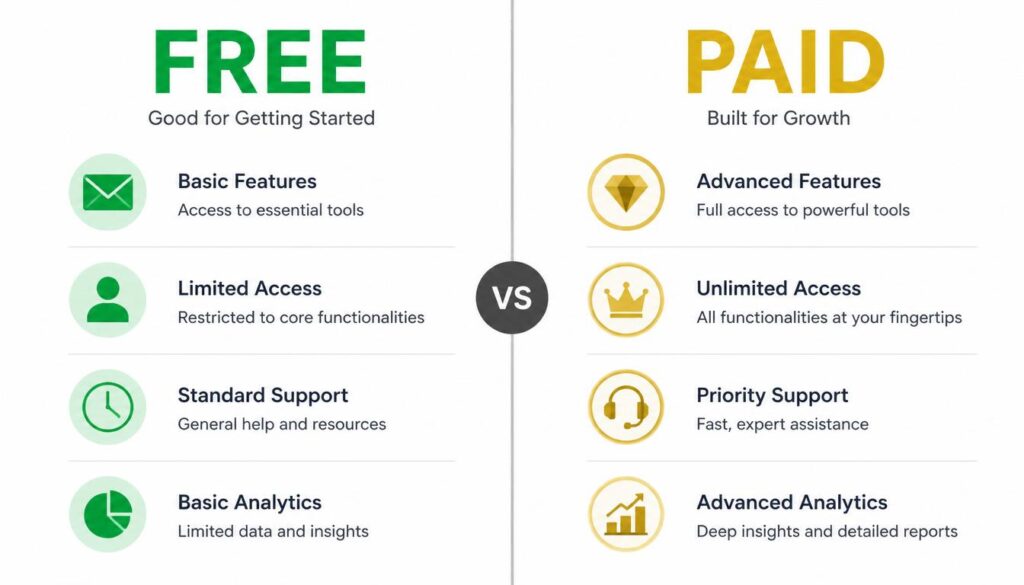
This question comes up constantly, and the honest answer is: it depends on your volume.
| Feature | Free AI Tools | Paid AI Tools |
|---|---|---|
| Word/character limits | Yes (often 2K–10K/month) | Unlimited or high caps |
| Output quality | Good for most tasks | Higher consistency |
| Advanced models (GPT-4, Claude) | Limited access | Full access |
| SEO features | Basic | Advanced (Surfer, Frase integration) |
| Team collaboration | Rarely included | Usually included |
| Customer support | Community/docs only | Priority support |
For a solo creator publishing 3–5 pieces per week, the free tiers on ChatGPT, Writesonic, and Simplified cover most needs. Once you scale past that or need consistent brand voice across a team paid plans earn their cost back quickly.
The smart move is to start free, build your AI content workflow, then upgrade only the tools you actually use every day.
How to Use Free AI Tools for Content Creation: A Step-by-Step Workflow
Most creators make AI harder than it needs to be. Here is a simple workflow that works across every tool on this list.
Step 1: Define your content goal Before prompting any AI tool, write one sentence: “I want to create [content type] for [audience] about [topic] to achieve [goal].” That sentence becomes your prompt foundation.
Step 2: Generate a structure first Ask the AI for an outline before asking for full content. Outlines are faster to correct than completed drafts. Fix the skeleton before adding muscle.
Step 3: Write section by section Feed Each section of the outline back to the AI as a separate prompt. This keeps outputs focused and easier to review. Long single-prompt requests often produce generic, bloated results.
Step 4: Edit for voice AI drafts need your voice added in. Read every paragraph out loud. Anything that sounds stiff or robotic rewrite it. This step separates content that converts from content that just exists.
Step 5: Run a final SEO check Use a free SEO tool like Ubersuggest or Google Search Console to confirm your target keyword appears naturally in the title, first 100 words, and at least two headings. AI-generated content often under-uses keywords or stuffs them awkwardly — manual checking catches both problems.
Step 6: Publish and track Use a free scheduler like Buffer’s free plan or Simplified to publish across platforms. Track performance in Google Analytics or native platform insights after 2–4 weeks to see what resonates.
Which Free AI Tool Is Best for Your Content Type?

Not every tool fits every content format. Here is how they stack up by use case.
Blog posts and long-form articles: Writesonic and ChatGPT lead here. Both generate structured, readable long-form drafts with strong coherence across sections.
Social media captions: Copy.ai and Simplified are built for short-form copy at volume. Canva AI wins when you want caption and visual in the same workflow.
Ad copy and sales pages: Copy.ai and Rytr have the most ad-specific templates. Their output is tighter and more conversion-focused than general-purpose tools.
Email newsletters: ChatGPT and Notion AI handle email drafts well, especially when you feed them bullet-point notes to expand. The conversational refinement in ChatGPT is particularly useful for matching a consistent newsletter voice.
YouTube scripts: ChatGPT, Writesonic, and Copy.ai all offer YouTube script templates. Feed them your video title and three talking points you will have a workable script in under five minutes.
Are Free AI Tools Good Enough for SEO Content?
The short answer is yes with a human editor in the loop.
AI tools like Writesonic and ChatGPT can produce SEO-structured content, use target keywords naturally, and follow heading hierarchies. What they cannot do on their own is:
- Conduct real keyword research
- Verify that statistics are accurate and current
- Add genuine E-E-A-T signals (experience, expertise, authority, trust)
- Match a brand’s specific tone consistently over hundreds of pieces
Pair any free AI tool with a free SEO tool like Google Keyword Planner or Ubersuggest, fact-check every data point before publishing, and add at least one original insight or personal perspective per post. That combination produces content that ranks not just content that exists.
From my experience testing AI-generated SEO articles, the ones that rank on Google’s first page are always the ones where a human made strategic editorial decisions on top of the AI’s draft. The AI gets you 70% there. The human judgment gets you the other 30%.
What to Avoid When Using Free AI Content Creation Tools
Free tools come with real limitations that can hurt your content if you ignore them.
Do not publish raw AI output. Every platform’s terms of service allow AI-generated content, but Google’s helpful content guidelines reward original, experience-based writing. Raw output reads flat and ranks poorly.
Do not trust AI-generated statistics. AI tools hallucinate they generate plausible-sounding data that is completely fabricated. Always verify any number, study, or claim before publishing. A single false statistic can destroy credibility.
Do not use the same prompt for every piece. Generic prompts produce generic content. Spend two extra minutes crafting a specific, detailed prompt. The output quality difference is significant.
Do not ignore word limits on free plans. Running out of credits mid-project stalls your workflow. Track usage weekly and rotate between two or three free tools if your volume is high.
FAQ: Free AI Tools for Content Creation
Q: What is the best free AI tool for content creation in 2025?
A: ChatGPT’s free plan is the most versatile free AI tool for content creation available in 2025. It handles blog posts, social media captions, email drafts, and brainstorming sessions with no cost. For SEO-focused long-form content, Writesonic’s free plan is a strong second choice. The best option depends on your content type and volume needs.
Q: Can I use free AI tools to create content that ranks on Google?
A: Yes, free AI tools for content creation can help you produce content that ranks on Google, but human editing is essential. AI generates strong structural drafts, but Google’s helpful content system rewards original insights, accurate data, and genuine expertise. Use AI to build the draft, then layer in your experience and fact-checked sources.
Q: Are there truly free AI tools with no hidden costs?
A: Several platforms offer genuinely free tiers not just trials. ChatGPT, Google Gemini, Canva AI, Rytr, and Microsoft Copilot all have free plans with real usable limits. Most cap usage by word count or monthly credits, but for a solo creator or small business, these limits cover light-to-moderate content needs.
Q: What is the difference between free AI content tools and paid ones?
A: Paid AI content creation platforms offer higher word limits, access to more advanced language models, better consistency across long documents, SEO integration with tools like Surfer SEO or Frase, and team collaboration features. Free tools are excellent for individual creators and testing workflows, while paid plans become worthwhile when publishing volume or team size increases.
Q: Can AI tools replace a human content writer?
A: AI tools for content creation cannot fully replace a skilled human content writer and that is not likely to change soon. AI produces fast, structured first drafts, but it lacks genuine experience, nuanced judgment, original research, and the ability to build an authentic brand voice. The most effective content in 2025 combines AI speed with human editorial intelligence.
Q: Which free AI tool is best for social media content?
A: Copy.ai and Simplified are the strongest free AI tools for social media content creation. Copy.ai offers 90+ templates for captions, hashtags, and ad copy. Simplified adds visual design and scheduling in the same workflow. For Instagram-specific content, Canva AI integrates visuals and text in one platform, which saves significant production time.
Q: How many words can I generate per month with free AI tools?
A: Free AI tool word limits vary by platform. Writesonic offers 10,000 words per month, Rytr offers 10,000 characters, Copy.ai provides 2,000 words, and Canva AI includes 50 Magic Write uses. ChatGPT and Google Gemini do not impose strict word limits on their free plans but may throttle usage during peak times.
Conclusion
The three things worth remembering from this guide: free AI tools for content creation are genuinely capable in 2025, no single tool does everything, and human editing is still the difference between content that ranks and content that gets ignored.
You do not need a budget to compete anymore. ChatGPT, Writesonic, Copy.ai, and Canva AI together cover every major content format — at zero cost. The creators winning right now are not the ones with the biggest tool budgets. They are the ones who built smart AI workflows and stuck with them. Start with one tool from this list today. Build a single content workflow around it. Once that feels natural, add a second tool. That is how sustainable AI-powered content creation actually gets built one smart step at a time.
Which tool are you trying first? Drop a comment on the AIHustlHQ post, or check out our guide on the best AI tools for social media to take your content strategy further.