Author name: Ahmad Majid

Hi! I'm Majid Ahmad , founder of AI Hustle HQ. Over the past 3 years, I've tested 50+ side hustles and AI tools, generating over $150K in passive income. I specialize in helping beginners find profitable AI-powered business ideas with minimal startup costs.

SELLING PHOTO
Side Hustles

Sell Photos Online: Make Real Money in 2026

A practical, No Fluff guide to turning your camera roll into income which platforms Actually pay, what photos sell, and how to avoid the mistakes that get beginners rejected. If you’ve got a Decent camera, a phone, or Even just an eye for a good shot, you can Learn how to make money selling photos online. It won’t make you rich overnight, but Thousands of photographers earn a steady side income some even replace a full time salary by licensing their images through stock photography marketplaces. This guide skips the hype. You’ll learn exactly which platforms pay, what kind of photos Actually sell, how licensing works, and the Mistakes that get most beginners rejected in their first week. What Is Stock Photography, and How Does It Actually Pay You? Stock photography is the business of licensing your images to businesses, Marketers, Bloggers, and Designers who need visuals but don’t want to hire a photographer. You upload a photo once, and Every time someone downloads or licenses it, you earn a royalty. One photo can sell dozens or hundreds of times over its lifetime. You don’t sell the photo itself you sell the right to use it under specific terms. That’s the core idea Behind photo licensing, and it’s why a single sunset shot from your last vacation could quietly earn you money for years. Two license types you’ll see everywhere: How Much Can You Actually Earn Selling Photos Online? Most beginners earn very little in their first few months often $0 to $20 because portfolios need volume and time to gain visibility. Photographers with 500+ well tagged images can realistically see $50 to $300 a month. Top contributors with Thousands of images and strong niches (business, lifestyle, technology) Report $1,000 to $5,000+ monthly, but that’s built over years, not weeks. The honest Math a single Royalty free download might pay you $0.25 to $3 depending on the platform and your contributor tier. That sounds small, but it’s per download, on autopilot, from a photo you shot once. Volume and consistency not luck are what turn cents into real income. Best Websites to Sell Photos Online (Compared Honestly) Platform Best For Commission to Photographer Exclusivity Required Beginner Friendly Shutterstock High volume, steady sales 15%–40% (rises with lifetime earnings) No Yes Adobe Stock Photographers already using Adobe tools 33% flat No Yes Getty Images Premium/editorial work 20%–45% depending on contract Often yes Harder to get in Alamy Wide variety, including niche subjects Up to 50% No Yes Dreamstime Beginners building a first portfolio 25%–50% (tiered) No Yes Picfair Photographers who want to set their own prices You set your margin No Yes Expert tip: Don’t pick just one. Most successful contributors upload the same photo (where licensing terms allow) to 3–4 non exclusive platforms like Shutterstock, Adobe Stock, and Dreamstime at once, multiplying exposure without extra shooting. What Kind of Photos Actually Sell? Buyers are usually Marketers, Bloggers, and Businesses looking for images that support a message not Artistic showpieces. That’s why the best selling categories are often surprisingly ordinary: Avoid heavily edited “art” shots with filters, watermarks, or artistic color grading unless you’re targeting Alamy or Getty’s editorial creative niches specifically. Buyers want clean, usable, realistic images they can drop into a webpage or ad. Do You Need a DSLR to Sell Stock Photos? No you don’t need a DSLR to start. Many contributors earn steady income using an iPhone or Samsung Galaxy, since modern smartphone cameras shoot in resolutions well above most stock site minimums (usually 4MP and up). What actually matters more than the camera is lighting, focus, and composition. That said, a DSLR or Mirrorless camera does help once you’re targeting premium platforms like Getty Images, which often expect RAW files and more control over depth of field and exposure. If you’re serious about scaling this into real income, a mid-range camera is a good investment after your first few sales not before. Step by Step: How to Start Selling Photos Online Why Photos Get Rejected (and How to Avoid It) Rejections are almost always technical, not artistic. The most common reasons: Common mistake to avoid: Submitting 50 photos from one photoshoot without reviewing them first. Reviewers notice repetitive, low effort batches, and it can affect your approval rate going forward. Curate before you upload quality over quantity, especially early on. Pros and Cons of Selling Photos Online Pros Cons Passive income once photos are uploaded Income builds slowly, especially in month one Low startup cost a phone is enough to begin Royalty rates per download can feel small Scales without extra work per sale Requires ongoing shooting to keep growing Multiple platforms multiply one photo’s reach Rejections and metadata work take real effort No client management or invoicing required Market is competitive in popular niches Expert Tips to Increase Your Photo Sales Frequently Asked Questions Can I sell photos taken with my phone? Yes. Most stock platforms accept smartphone photos as long as they meet minimum resolution and quality standards — sharp focus, good lighting, and no visible noise. Which website pays the most for photos? It depends on your niche and volume. Alamy and Getty Images can pay more per sale, but Shutterstock and Adobe Stock generally offer more consistent volume for beginners. How much do stock photographers earn? Earnings range widely from a few dollars a month for beginners to several thousand a month for contributors with large, well-optimized portfolios built over years. Is stock photography still profitable in 2026? Yes, though it’s more competitive than a decade ago. Photographers who focus on underserved niches and strong metadata still build meaningful income. What photos sell best online? Business, lifestyle, technology, food, and diverse everyday life images tend to outsell artistic or heavily stylized shots. Do I need a DSLR to sell stock photos? No. A modern smartphone is enough to start, though a DSLR or mirrorless camera helps for premium or editorial platforms later on. Can beginners sell stock photos? Yes. Most major platforms,

get paid to watch tiktok
Side Hustles

Get Paid to Watch TikTok (And What’s a Scam)

You’ve probably seen it on your own For You Page a video promising you can get paid just for watching TikTok. Maybe it flashed a number like “$1,200 a week” or Asked you to check your “Eligibility” by typing in your username. Here’s the honest, Three second answer: TikTok itself does not pay you to watch videos. But a small number of legitimate third party platforms will pay you small Amounts for watching, reviewing, or testing content and a much larger number of copycat sites are actively scamming people using this exact search term right now. This guide separates the two, with real platforms, real payout numbers, and the specific scam sites you should walk away from the moment you see them. Can You Get Paid to Watch TikTok? Yes, but only through third-party platforms not TikTok itself. TikTok only pays eligible creators through programs like Creator Rewards, and those payouts are for posting content, not watching it. If you want to earn from watching, your real options are micro task apps (Swagbucks, InboxDollars, JumpTask), paid content evaluator roles (Telus International, Appen), or TikTok Lite’s point system in a handful of countries. Expect a few dollars an hour, not a full income. Why This Question Is Everywhere Right Now TikTok pulls in Billions of Monthly views, and watching it is already free entertainment for most of us. So the pitch writes itself what if all that scrolling paid you back? That’s Exactly the hook scammers have leaned into over the past year, running viral videos with captions like “just realized you can get paid to watch TikTok” that lead straight into fake Eligibility checks and subscription traps. At the same time, there genuinely are people earning small amounts of money doing tasks that involve watching short form video content. The confusion between these two realities is why this topic needs a clear eyed breakdown, not another vague list of “make money online” tips. Does TikTok Pay You Just for Watching Videos? No TikTok’s own monetization tools the Creator Rewards Program, the older Creator Fund, and the Creativity Program Beta all pay creators for the performance of videos they post, not for the act of watching. To even qualify, you generally need to be 18 or older, have at least 10,000 followers, and have logged 100,000 video views on your own content in the past 30 days. If someone tells you TikTok will pay you directly for scrolling and watching, that claim doesn’t match how the platform’s monetization actually works, full stop. Legit Ways to Get Paid to Watch TikTok (Ranked by Effort) These are the Realistic paths that actually pay, ordered from easiest to start to highest earning ceiling. 1. Micro-Task and Reward Apps This is the closest thing to “get paid to watch TikTok” that actually exists. Platforms like Swagbucks, InboxDollars, JumpTask, and Freecash pay small amounts for completing short tasks, some of which involve watching video clips, including TikTok-style content, alongside surveys and simple app tests. 2. Paid Content Evaluator Roles Companies like Telus International, Appen, and Lionbridge hire remote workers to review social content including TikTok style videos for quality, relevance, and policy compliance. These are often listed as “Social Media Content Rater” or “Search Engine Evaluator” positions. 3. TikTok Lite’s Watch and Earn Points TikTok Lite, a lighter version of the app, includes a points system that rewards daily watch time and app usage, redeemable for gift cards or, in some regions, cash via PayPal. It’s not available everywhere. 4. Trend Research and Content Analysis Brands and agencies pay people to watch TikTok strategically spotting emerging sounds, hashtags, and formats before they peak and report those insights. This is closer to freelance market research than passive watching. 5. The One Off Viral Job (Know Before You Chase It) In 2023, marketing agency Ubiquitous ran a widely covered campaign paying three selected people $1,000 each to watch 10 hours of TikTok and log emerging trends over three days. It’s a real, verifiable case but the application window closed in May 2023 and hasn’t reopened as an ongoing program since. If you see this story shared as if it’s a live opportunity today, treat it as historical, not something you can apply for right now. Comparison: Legit Platforms at a Glance Platform What You Do Typical Payout Minimum Cashout Best For Swagbucks Watch videos, surveys, offers $1–$5/hour ~$3 (gift card) Casual, global users InboxDollars Watch curated video playlists $1–$3/hour $30 Consistent daily users (US) JumpTask Watch clips, app tests, micro-tasks Small crypto payouts ~$0.30 Fast, frequent small cashouts Freecash Video tasks, surveys, offers Varies Low Global, flexible payout methods Telus International / Appen Content/social media evaluation $12–$18/hour Standard payroll terms Legitimate part-time remote work TikTok Lite In-app watch-time points A few dollars/week Varies by region UK/EU/select Asia users only Red Flags: How to Spot a “Watch TikTok for Cash” Scam A wave of copycat sites often using names that sound official, like TokOption, TikApprove, TikDia, Tiknez, and Tok2k have been actively running this exact scam. They follow a near Identical script, so once you know the pattern, they’re easy to spot. Walk away immediately if a site or offer does any of the following: Legitimate platforms never charge you to start earning, and they never need your TikTok login to pay you. If a site does either, it isn’t a real opportunity. How Much Can You Realistically Earn? Time Invested Daily Micro-Task Apps Content Evaluator Role TikTok Lite (where available) 20–30 minutes $0.50–$2 Not applicable (hourly job) Under $1 1 hour $1–$5 $12–$18 $1–$2 Full part-time hours (10–15 hrs/week) $10–$50/week $120–$270/week Not designed for this The honest takeaway: this is pocket money territory unless you land a genuine evaluator role, which functions as a real part-time job rather than passive watching. Common Mistakes to Avoid Trusting a site because it “looks official.” Scam pages routinely copy TikTok’s colors, logo style, and language. Visual polish tells you nothing about legitimacy. Paying to “activate” your earnings. No legitimate platform,

Passive income with Amazon using affiliate marketing, KDP, FBA, and Merch
Side Hustles

Passive Income with Amazon: 15 Proven Ways to Earn in 2026

Passive income with Amazon means building income streams that keep paying you after the heavy lifting is done. The most popular Routes are Amazon Associates, Kindle Direct Publishing (KDP), Merch on Demand, Amazon FBA, the Amazon Influencer Program, audiobook publishing through ACX/Audible, and selling digital products that complement Amazon listings. None of these are truly “set it and forget it,” but several can generate real recurring income once you’ve put in the upfront work. Why More People Are Turning to Amazon for Passive Income Relying on a single paycheck feels riskier than it used to, which is why so many people are building income streams that keep earning long after the initial effort is over.Amazon is one of the largest Marketplaces on the planet, with hundreds of millions of customers shopping on it every month. That scale and trust is exactly why it’s become a launchpad for beginners, creators, and Entrepreneurs who want to earn without inventing a brand-new product or launching a full company from scratch. Whether you’re a student, a freelancer, a blogger, or someone just looking to diversify your income, there’s an Amazon-based option that fits your budget and skill level. Is Passive Income with Amazon Really Passive? yes, but with realistic expectations. No online income stream runs itself from day one. Writing a book, designing a product, building a storefront, or setting up a store all take real work up front. What changes is what happens after that work is done many of these Methods keep generating income with relatively little ongoing effort. A better way to think about it: passive income isn’t “money for nothing.” It’s “money today, for work you already did.” Amazon Passive Income Methods at a Glance 1. Amazon Associates (Affiliate Marketing) Best for: Bloggers, website owners, YouTubers, Pinterest creators, email marketers. This is generally the easiest entry point into Amazon passive income. You’re not building or shipping anything you’re Recommending products Amazon already sells, and earning a commission when someone buys through your link. Say you run a blog about home offices. You could recommend Desks, Monitors, and chairs, and Earn a small commission on every sale that comes through your links. How it works: Pro tips: Why it works: People already trust Amazon to deliver. If your content actually answers the question someone’s searching for, it can keep earning commissions for months or years with almost no extra work. A note on numbers: Amazon’s commission rates vary by product category and change from time to time, so it’s worth checking Amazon’s current rate card rather than assuming a fixed percentage. 2. Publish Books with Amazon KDP Kindle Direct Publishing lets anyone self publish ebooks and paperbacks without going through a traditional publisher. You write the book once; Amazon handles printing (for paperbacks), delivery, and payment processing. Every sale earns you a royalty. Popular book ideas: Advantages Worth knowing: the “low-content book” niche (blank journals, simple planners) is far more crowded than it was a few years ago. Books that offer genuine originality or expertise tend to hold up better long-term. 3. Sell Custom Designs with Amazon Merch on Demand If you can design, Merch on Demand lets you upload artwork for T-shirts, Hoodies, tote bags, and phone cases. Amazon prints, ships, and handles customer service you earn a royalty on each sale. Popular design niches: funny quotes, pet lovers, fitness, teachers, Nurses, gaming, holidays, family gifts, motivational sayings. Tips for success: 4. Build an Amazon Influencer Storefront If you already have an Audience on YouTube, Instagram, TikTok, or Facebook, the Amazon Influencer Program lets you build a storefront of your favorite products, organized into shoppable collections no need to drop a fresh affiliate link into every single post. Good storefront categories: home Office essentials, Tech gadgets, Beauty products, camera gear, fitness equipment, Travel accessories, kitchen tools, study supplies. Example: a fitness creator might organize collections like “Home Gym Equipment,” “Healthy Kitchen Products,” “Running Accessories,” and “Workout Recovery Tools.” As new followers discover the content, the storefront keeps earning commissions in the background. 5. Build Passive Income with Amazon FBA Fulfillment by Amazon (FBA) lets you sell physical products while Amazon stores your inventory, ships orders, handles returns, and manages customer service. It takes more capital up front than affiliate marketing or KDP, but the ceiling is higher. Unlike dropshipping, FBA lets you build an actual brand around your product. Once your listing is live and optimized, Amazon takes over most of the fulfillment work. How it works: Strong product categories: Category Competition Profit Potential Home & Kitchen Medium High Pet Supplies Medium High Office Products Low Medium Baby Products High High Fitness Accessories Medium High Car Accessories Medium Medium Pros: Amazon handles fulfillment, Prime eligibility attracts more buyers, real long-term brand potential, and generally the highest income ceiling on this list. Cons: higher startup costs, inventory risk, tougher competition, and ongoing work to manage stock, pricing, and reviews. FBA is the least “hands-off” method here it’s better described as semi-passive than fully passive. Expert tip: start with a small, focused product line that solves one specific problem well, rather than competing head on with big brands on generic items. 6. Publish Audiobooks Through ACX/Audible If you’ve already written a book or plan to publish one through KDP turning it into an audiobook is a natural next step. Audiobooks for independent authors are typically produced and distributed through ACX (Audiobook Creation Exchange), Amazon’s platform for getting titles onto Audible, Amazon, and iTunes. Publish once, and you can earn royalties every time someone buys or listens. Popular audiobook categories: self improvement, personal finance, productivity, business, fiction, children’s books, language learning. Why it works: a lot of people prefer listening while commuting, exercising, or doing chores. Offering your content in audio as well as text expands your audience and adds a second royalty stream from the same underlying work. 7. Sell Handmade Products on Amazon Handmade If you make things by hand, Amazon Handmade puts you in front of shoppers specifically looking

phone showing rewards app next to amazon gift card
Side Hustles

How to Earn Free Amazon Gift Cards: 15 Legit Ways That Actually Pay

You don’t need a coupon or a lucky sweepstakes entry to build up Amazon credit. You need a handful of legitimate reward platforms, a little consistency, and a way to spot the scams that flood this space. Below is a complete, no fluff breakdown of what actually works, what to avoid, and how to redeem what you earn. The most reliable ways to How to Earn Free Amazon Gift Cards are survey sites (Swagbucks, Survey Junkie, InboxDollars), receipt scanning apps (Fetch, Ibotta), cashback browser extensions (Rakuten), and Amazon’s own Trade In program. Most people can realistically earn $20–$100+ per year through consistent, low effort use of two or three of these at once. None require upfront payment, and all convert points or cash into Amazon gift card codes. Possible to Get Amazon Gift Cards for Free? Yes but free means in exchange for your time, data, or old electronics, not for nothing.Every legitimate method on this list pays you in one of three ways: you complete a task (survey, video, game), you get rewarded for something you’re already doing (shopping, scanning receipts), or you trade in something you own (an old phone, unused gift cards). None of them require you to pay money upfront, and none require your Social Security number or bank login. If a site asks for either of those, close the tab. How to Tell a Legit Site From a Scam This space is full of copycat “free gift card generator” pages that don’t pay out anything. Before you sign up anywhere, run it through this checklist: 9 Ways to Earn Free Amazon Gift Cards 1. Take Paid Surveys (Swagbucks, Survey Junkie, InboxDollars) What it is: Companies pay research firms for consumer opinions, and those firms pay you a small amount per completed survey. It’s the most well known method for a reason it’s genuinely one of the fastest ways to hit a $5–$10 Amazon gift card threshold. How to do it: Expert tip: Answer screening questions honestly, even if it disqualifies you from a survey. Trying to “game” the screener to qualify for more surveys usually gets your account flagged, not rewarded. Common mistake: Expecting this to replace real income. Realistically, expect $1–$5 per hour of active survey time treat it as a side activity, not a job. 2. Scan Receipts With Fetch Rewards or Ibotta What it is: These apps pay you points for grocery and retail purchases making. You scan or upload your receipt, and the app matches items to point offers. How to do it: Expert tip: Submit receipts within a few days of purchase. Most apps have a submission window, and the same shopping trip won’t count twice. 3. Use a Cashback Browser Extension (Rakuten) What it is: Cashback platforms pay you a percentage of what you spend at partner retailers, funded by referral commissions the store already pays the platform. How to do it: Common mistake: Forgetting to activate the extension for before checkout. If you shop first and activate after the most platforms won’t credit the purchase. 4. Trade In Old Electronics Through Amazon Trade-In What it is: Amazon will buy back eligible phones, tablets, game consoles, and smart devices directly for Amazon gift card credit no third-party marketplace needed. How to do it: Expert tip: Trade-in values drop the moment a new model launches. If you’re planning to upgrade, check the trade-in value for your current device before the new release date, not after. 5. Try Amazon Mechanical Turk (MTurk) What it is: Amazon’s own micro-task marketplace, where businesses pay individuals to complete small digital tasks data labeling, transcription, quick surveys — that are hard to automate. How to do it: Common mistake: Accepting every task available. Low-paying tasks with long instructions are rarely worth the time — filter by reward-to-time ratio, not just availability. 6. Join a GPT (Get Paid To) or Offer Wall Site (Idle-Empire, Branded Surveys) What it is: These platforms bundle multiple Earning methods surveys, offer walls, games, video watching into a single points system that you redeem for gift cards, including Amazon. How to do it: Expert tip: Check the site’s public payout total and review count before committing time. A platform that publishes years of Trustpilot history and payout numbers is a stronger bet than a brand-new site making big promises. 7. Watch Videos and Play Games for Points What it is: Lowereffort, lower payout tasks built into most survey and GPT platforms. You won’t get rich doing this, but it’s genuinely passive good for background earning while doing something else. How to do it: Common mistake: Treating this as a primary earning method. It’s a bonus layered onto other methods, not a standalone strategy. 8. Refer Friends What it is: Nearly every platform on this list pays a referral bonus either a flat amount when your referral signs up, or a percentage of what they earn going forward. How to do it: 9. Use Amazon’s Own Promotions What it is: Amazon periodically runs its own gift card bonus promotions reload bonuses, trade-in bonuses, or promotional credit for specific actions like signing up for Amazon Music or linking a new payment method. How to do it: Mistakes to Avoid How to Redeem Your Points for an Amazon Gift Card Frequently Asked Questions Is it actually possible to get free Amazon gift cards? Yes. Legitimate survey sites, cashback apps, and Amazon’s own trade-in and promotional programs all pay out real Amazon gift card codes. The tradeoff is your time, data, or an item you already own not money out of your pocket. How long does it take to earn a $25 Amazon gift card? It depends on the method and how consistently you use it, but combining two or three methods (surveys plus receipt scanning, for example) typically gets most people to $25 within a few weeks of regular use. Do I have to give my Social Security number to join a survey site? No. Legitimate survey and reward platforms never ask for

Affiliate Marketing vs Paid Surveys
Side Hustles

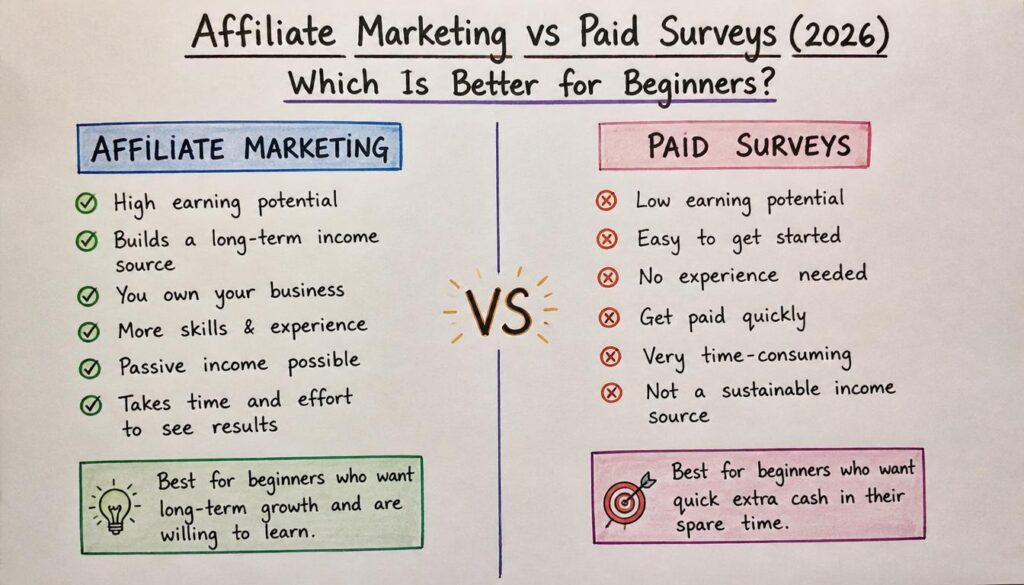
Affiliate Marketing vs Paid Surveys (2026): Which Is Better for Beginners to Make Money Online?

Making money online has never been more Accessible. Whether you’re looking to earn extra cash after work, ease out of your 9-to-5, or build a long term online business, you’ve probably come across two popular routes: Affiliate marketing VS paid surveys. Both let you earn from home, but they work in completely different ways. Paid surveys are one of the Easiest ways to get started because they require no experience and no upfront investment you sign up, Answer surveys, and receive rewards or cash. Affiliate marketing, on the other hand, means promoting products or services and earning a commission whenever someone buys through your referral link. So which one is actually better? If you want quick, simple earnings, paid surveys are easier to start. If your goal is a scalable income with real long-term potential, affiliate marketing is usually the stronger choice. This guide compares both in detail how they work, income potential, required skills, pros and cons, and which is the better fit depending on your situation. Affiliate marketing is generally the better long-term online income strategy because it offers scalable, and potentially passive, earnings. Paid surveys are better suited to earning small amounts of extra money in your spare time. The right choice depends on your goals, available time, and willingness to learn new skills. Table of Contents What Is Affiliate Marketing? Affiliate marketing is a business model where you earn a commission by recommending products or services from Another company. Instead of creating your own product, managing inventory, or handling customer support, you focus on connecting potential buyers with solutions to their problems. When someone clicks your unique Affiliate link and completes a qualifying purchase, you earn a commission. Businesses like this model because it lets them reach new customers without paying for advertising upfront affiliates only get paid when they actually generate results. How it works, step by step: Unlike paid surveys, your income isn’t tied directly to hours worked. A single well written Article or video can keep generating commissions long after it’s published. Common ways to promote affiliate products: The goal across all of these is the same: publish useful content that helps people make informed buying decisions. Benefits of affiliate marketing include low startup costs, a flexible schedule, no product creation or inventory to manage, the chance to earn passive income, and the freedom to work from anywhere. Success does require patience, consistent effort, and a willingness to learn digital marketing skills. What Are Paid Surveys? Paid surveys are a form of online market research. Companies want consumer opinions before launching products, improving services, or shaping ad campaigns, and rather than running in person focus groups, they work with survey platforms to gather that feedback online. Participants are rewarded for sharing opinions through questionnaires that usually take anywhere from a few minutes to half an hour. How it works, step by step: Survey opportunities depend on factors like age, location, occupation, shopping habits, and household characteristics which is why companies pay for this data in the first place: it helps them improve products, test new ideas, measure satisfaction, and understand buying habits before a launch. Benefits of paid surveys include free registration, no prior experience required, a flexible schedule, and the ability to work from home with nothing more than a phone or computer. The trade-off is a lower earning ceiling compared to affiliate marketing but for making a little extra money in your free time, surveys remain a convenient option. The Biggest Differences Although both fall under the “make money online” umbrella, they serve very different purposes. Affiliate marketing is essentially building a digital business. Effort you put in today publishing a helpful blog post or recording a product review can continue generating commissions for months or years. Paid surveys, by contrast, are task-based. You earn only for the surveys you complete, and once you stop participating, the earnings stop too. This is the core distinction: affiliate marketing is scalable over time, while paid surveys are better suited to short-term, supplemental income. Which Is Easier to Start? For absolute beginners, paid surveys have the lower barrier to entry. There’s no website, Marketing knowledge, or technical skill required you register, complete your profile, and start answering surveys that match your demographics. Affiliate marketing takes more preparation. You’ll need to learn how to Attract an Audience, create valuable content, and understand the basics of digital marketing. The learning curve can feel steep at first, but it’s also what opens the door to significantly greater long-term earning potential. Income Potential Comparison Affiliate marketing rewards you for driving sales or qualified leads. Depending on the program, you might earn a percentage of each sale or a fixed commission per action. Your income depends on the products you promote, how much traffic your content gets, your audience’s trust in your recommendations, your conversion rate, and the program’s commission structure. Most beginners don’t earn their first commission for several weeks or months. But as your content library grows, your earning potential tends to grow with it — articles, videos, and posts can keep attracting visitors long after publication, which is why affiliate marketing is considered one of the few genuinely scalable online business models. Paid surveys offer a more predictable but capped model. You’re rewarded per completed survey, with amounts varying by length, complexity, and target audience. Earnings depend on how many surveys are available, whether you qualify, how often you participate, your demographic profile, and your location. Most platforms are built to provide supplemental income rather than a full salary — and when you stop completing surveys, the income stops with it. Time Commitment Affiliate marketing demands more upfront work: learning SEO, writing articles, creating videos, building a website or social presence, and understanding your audience. This front-loaded effort is exactly why it’s often described as a long-term business rather than a quick side gig the payoff is that successful content keeps attracting visitors well after it’s published. Paid surveys are the opposite: immediate tasks with

Elite Survey Site Pros and Cons
Side Hustles

Elite Survey Site Pros and Cons (2026): Honest Review + Is It Legit to Earn Money?

If you’ve been looking for ways to make extra money online, chances are you’ve come across Elite Survey Site. It promises a simple way to earn rewards by sharing your opinions through online surveys but before you sign up, one question matters more than any other: Is Elite Survey Site actually worth your time? Not every survey platform delivers on its promises. Some pay fairly and offer steady opportunities, while others come with limited surveys or strict qualification requirements that leave users frustrated. This guide takes an honest look at Elite Survey Site Pros and Cons, its real earning potential, its strengths and weaknesses, and whether it deserves a spot in your side-hustle lineup. Whether you’re a student, a stay-at-home parent, a freelancer between projects, or just someone hunting for a little extra income, this review will help you decide with realistic expectations. What Is Elite Survey Site? Elite Survey Site is an online rewards platform that connects everyday users with companies looking for consumer feedback. Businesses depend on real opinions to shape products, refine services, and test marketing ideas and rather than paying for expensive research firms, they turn to survey platforms that reward members directly for their input. In other words, your opinion has value because brands need honest feedback before they launch or improve what they sell. Beyond standard paid surveys, members may also come across: What’s actually available to you depends on your country, your profile details, and your eligibility for specific studies. How Does Elite Survey Site Work? The platform is built with beginners in mind, and most people can get set up in just a few minutes. Step 1: Create Your Free Account Sign-up typically asks for basic details your Name, email, country, age, and a few demographic questions. Accurate answers here directly improve how many surveys you’ll qualify for later. Step 2: Complete Your Profile This step matters more than most people realize. Companies are often looking for specific audiences parents, students, business owners, pet owners, travelers, gamers, or online shoppers. A fully filled-out profile helps the platform match you with surveys you’re actually eligible for. Step 3: Receive Survey Invitations Once your profile is in place, invitations start rolling in based on your demographic match. Each one usually lists the estimated time to complete, the reward you’ll earn, and any qualification requirements. Shorter surveys tend to pay less, while longer research studies usually offer better rewards. Step 4: Complete Surveys Honestly Survey providers run quality checks to catch inconsistent or rushed answers. Avoid clicking randomly, skimming through questions, or contradicting your earlier responses honest, consistent answers keep you eligible for future invitations. Step 5: Redeem Your Rewards Once you hit the minimum payout threshold, you can cash out through whatever methods the platform supports in your region — commonly PayPal, gift cards, bank transfers, or digital reward cards. Who Should Use Elite Survey Site? Paid survey platforms were never meant to replace full-time work. They’re best treated as a flexible way to fill spare time with a bit of extra income. Elite Survey Site tends to work well for: Pros of Elite Survey Site 1. Free to join. Legitimate survey platforms shouldn’t charge anything to sign up, and Elite Survey Site follows that standard. 2. Beginner-friendly. No writing, design, or marketing skills required if you can answer honestly, you qualify. 3. Flexible schedule. Work during a lunch break, your commute, or a weekend afternoon. There are no mandatory hours. 4. Work from anywhere. All you need is an internet connection, whether you’re at home, in a coffee shop, or traveling. 5. No financial investment. Unlike business models that require inventory or ad spend, paid surveys don’t ask for any upfront money. 6. Simple user experience. Most dashboards make it easy to browse surveys, track rewards, and redeem earnings without technical know-how. 7. A chance to influence real products. Many users like knowing their feedback shapes products before they hit the market — a nice bonus on top of the rewards themselves. 8. A low-risk introduction to online income. For people new to earning online, survey sites are a gentle starting point before exploring bigger opportunities like freelancing, affiliate marketing, or content creation. Cons of Elite Survey Site 1. Survey availability isn’t guaranteed. Invitations depend heavily on your demographics some days bring several options, others bring none. 2. Qualification screening. It’s common to spend several minutes on screening questions only to find out you don’t qualify for the full survey. 3. Limited income potential. Surveys are supplemental income at best, not a substitute for a steady paycheck. 4. Geographic restrictions. Users in the U.S. tend to see more opportunities, since many research campaigns specifically target American consumers. 5. Minimum payout requirements. Depending on how often you qualify, reaching the payout threshold can take a while. 6. Earnings vary widely. Location, age, household size, occupation, and profile completeness all affect how much any two users might earn — there’s no fixed rate. How Much Can You Realistically Earn? There’s no way around it: it depends. Your earnings hinge on how many surveys you’re offered, your demographic profile, how much time you put in, your qualification rate, and the reward value of each study. For most people, Elite Survey Site is best viewed as a source of occasional spending money rather than dependable monthly income. Many experienced users boost their overall earnings by joining several reputable survey platforms at once instead of relying on just one. Key takeaways before you decide: Tips to Maximize Your Earnings 1. Complete your profile 100%. This is the single biggest factor in how many invitations you receive. Keep it updated whenever your job, household, or marital status changes. 2. Check the platform daily. Survey slots fill quickly, so logging in once or twice a day helps you catch higher-paying opportunities before they’re gone. 3. Answer honestly every time. Quality-control systems flag inconsistent or rushed responses, which can shrink your future invitations. Thoughtful, honest answers keep the invitations coming.

How to Use ChatGPT for Content Creation Writing
Ai Tools, AI Writing Tools

How to Use ChatGPT for Content Creation Writing

To use ChatGPT for content creation writing, give it specific context (Audience, Tone, structure, and Goal) rather than a vague topic, use it for ideation and first drafts rather than final copy, and always Edit for facts, voice, and original insight before publishing. ChatGPT works best as a drafting and brainstorming partner not a finished content machine. If you’ve typed “write a blog post about [topic]” into ChatGPT and gotten back something that reads like every other Article on the internet, you’re not doing Anything wrong you’re just missing a process. ChatGPT can genuinely speed up content creation, but only when you treat it like a writing partner that needs direction, not a vending machine that needs a coin. This guide walks through exactly how to use ChatGPT for content creation writing: the prompts that work, the ChatGPT features most people never touch, the mistakes that make AI writing obvious, and the honest limits of what it can and can’t do for you. Why ChatGPT Alone Isn’t Enough (and Why That’s Okay) Here’s the part most guides skip: ChatGPT doesn’t know your Brand, your Audience, or your industry unless you tell it every single time, in every single chat. It also can’t verify facts, and it will confidently state things that are wrong. None of that means it’s not worth using. It means you Need a process around it. Think of ChatGPT the way a good Editor thinks of a junior writer: capable of a strong first pass, but not ready to publish without a review. Used that way, it can cut your writing time significantly. Used as a replacement for editorial judgment, it produces exactly the generic, forgettable content you’ve probably already run into. Step 1: Set Up ChatGPT Before You Write Anything Most people skip this step and Wonder why every conversation starts from zero. ChatGPT has three features specifically built to fix that. Expert tip: Paste 2–3 examples of your best-performing content into a Project’s files before you start writing anything new. ChatGPT will reference the tone and structure automatically instead of defaulting to generic AI phrasing. Step 2: Use ChatGPT for Content Ideation Quick answer: For content ideas, give ChatGPT your audience, their specific pain points, and your content goal — then ask for tactical, not generic, topics. Vague prompts produce vague topic lists. Prompt Template — Content Ideation Once you have a list, don’t just pick the first one that sounds good. Run each title through a keyword tool (even a free one like Google’s autocomplete or “People Also Ask” boxes) to check whether people are actually searching for it. Common mistake: Asking for “blog ideas about [broad topic]” with no audience detail. You’ll get a list that could apply to any company in any industry which means it won’t rank or convert for yours. Step 3: Research With ChatGPT (Carefully) Quick answer: ChatGPT can compile research quickly, but it can also invent statistics and sources that sound real but aren’t. Always ask it to flag uncertain claims, and verify every number before it goes in your article. Here’s a research workflow that keeps you honest: Warning: Never publish a statistic, quote, or study citation from ChatGPT without independently confirming it exists. Fabricated sources are one of the fastest ways to damage your credibility and your SEO rankings if a reader or competitor calls it out. Step 4: Write the First Draft ChatGPT writes better first drafts when you give it a full brief audience, Tone, structure, word count, and what to avoid rather than a single sentence. Feed it section by section for long-form content rather than asking for everything at once. Prompt Template — First Draft Why section by section works better: ChatGPT tends to lose track of instructions in very long single responses. For anything over roughly 1,500 words, ask for one section at a time. You’ll get more consistent tone and fewer dropped instructions than asking for the whole piece in one shot. Step 5: Edit for Voice, Facts, and Original Value This is the step that separates content that ranks from content that gets ignored. A ChatGPT draft is a skeleton the muscle has to come from you. What to add during editing: Common AI writing tells to remove: AI Pattern Human Fix “In today’s fast-paced digital landscape…” Cut it — start with the actual point Overuse of “moreover,” “furthermore,” “additionally” Use simple transitions or none at all “It’s not just about X, it’s about Y” Say the actual thing directly Perfectly symmetrical lists (always exactly 3 or 5 points) Let some sections run 2 points, others 7 Overly balanced “on one hand / on the other hand” hedging Take an actual position Step 6: Optimize for SEO and AI Overviews Quick answer: Ask ChatGPT to help with keyword placement and meta descriptions, but don’t rely on it for search intent or ranking strategy pair it with a real SERP check of what’s currently ranking. Use ChatGPT for: Don’t rely on ChatGPT for: Step 7: Repurpose Content Efficiently Once an article is published, ChatGPT is genuinely useful for reshaping it into other formats as long as you tell it exactly what each platform needs. Prompt Template — Repurposing Expert tip: Repurpose the same article into 2–3 different post styles (a personal story angle, a listicle angle, a contrarian-take angle) rather than one straight summary. Different framings perform differently even from identical source material. Mistakes to Avoid When Using ChatGPT for Content Creation When ChatGPT Isn’t the Right Tool ChatGPT is strong for ideation, first drafts, and repurposing. It’s weaker for: ChatGPT vs. Other AI Writing Tools Tool Best For Limitation ChatGPT Ideation, drafting, repurposing, general writing Can lose context in long chats; no built-in brand memory across projects unless set up manually Claude Research-heavy writing, nuanced instructions, longer context retention Less widely integrated into marketing tools Gemini Writing tied to Google Workspace and Search Style consistency varies by prompt Jasper / purpose-built AI writing platforms Teams publishing high volumes

App That Pays You to Walk
AI Productivity Tools

10 Best App That Pays You to Walk in 2026 (Earn Money While Walking)

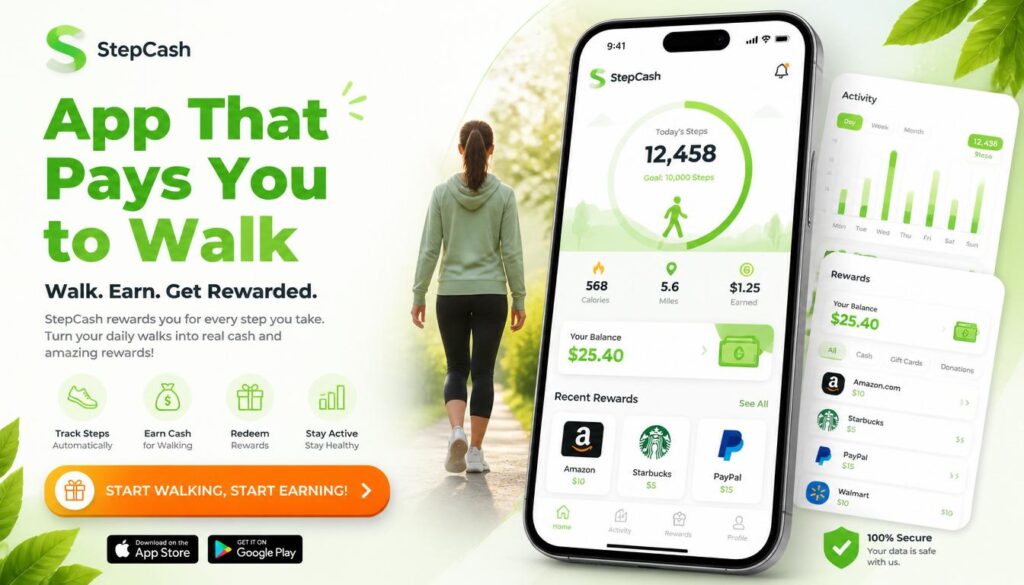
You already walk to the Mailbox, the Store, and around the block with the Dog. What if that same walk quietly put a little cash in your pocket? Yes ! there really is an app that pays you to walk. Several, in fact. They use your phone’s built-in step counter to track your movement and reward you with cash, PayPal Transfers, Gift cards, or charity donations for hitting daily step goals. None of them will replace your paycheck, but they turn steps you’re already taking into small, real rewards. This guide breaks down the best apps that pay you to walk in 2026, exactly how much you can Realistically expect to earn, how the tracking works, and how to Avoid apps that waste your time or your data. The best all-around app that pays you to walk is Sweatcoin for name recognition and marketplace variety, StepBet for the highest cash upside if you don’t mind risking a small stake, and Evidation for the most reliable PayPal payouts. Realistic earnings across most walking apps run $5–$40 per month, not the $100/day claims you see on social media. Key Takeaways How Do Walking Apps That Pay You Actually Work? Walking apps use your smartphone’s built in sensors mainly the Accelerometer and Pedometer to detect and count your steps, then convert that activity into points, coins, or cash. Some apps also use GPS to confirm you’re actually moving outdoors rather than shaking your phone to fake steps. Here’s what’s happening under the hood: Sensor What It Does Accelerometer Detects movement and orientation to count steps Pedometer (hardware) Dedicated step-counting chip in newer phones, uses less battery Gyroscope Adds rotational data to improve step accuracy GPS Confirms outdoor movement and estimates distance/pace Barometer Measures elevation changes on phones that support it Bluetooth Syncs data from a connected fitness tracker or smartwatch Once your steps are verified, the app converts them into a reward using one of three business models: This is worth understanding before you sign up: if an app isn’t charging you a subscription, it’s very likely earning money from your data or your attention. That’s not necessarily a bad trade, but it’s one you should make with your eyes open. If data privacy matters to you, look for apps that are upfront about how they use your information, and avoid ones that ask for permissions unrelated to step tracking (like access to your contacts or camera). Best Apps That Pay You to Walk in 2026 Here’s how the top walking apps compare at a glance before we break each one down individually. 1. StepBet — Best for Highest Earning Potential StepBet flips the usual model instead of the app paying you directly, you place a small bet on yourself. Join a challenge, commit to a step goal over roughly six weeks, and if you hit your Targets, you split the prize pool with everyone else who also succeeded. How it works: Most games require a $10–$40 entry fee. StepBet takes a cut (historically around 15%) from the pot, and the rest is split among winners. There’s a real chance to come out ahead some users report turning a $40 stake into $50+ but you also risk losing your stake if you miss even one weekly goal. Pros: Cons: Best for: People who are already consistent walkers and want real stakes to stay motivated, and who are comfortable with a bit of financial risk. 2. Sweatcoin — Best for Brand Recognition and Rewards Variety Sweatcoin is the most recognized name in this space, with tens of millions of users. It converts your outdoor steps into “Sweatcoins,” a digital currency you can redeem in its marketplace for products, gift cards, and occasional cash-out offers through partner promotions. How it works: Roughly every 1,000 outdoor steps earns you about one Sweatcoin. GPS is required to confirm the steps happened outside, so treadmill walking generally won’t count. Outdoor verification also means Sweatcoin uses more battery than GPS-free alternatives. Pros: Cons: Best for: Casual walkers who want variety in what they redeem rewards for, rather than a straightforward cash payout. 3. Evidation Best for Reliable PayPal Cash Evidation (formerly Achievement) rewards more than just walking it also credits you for logging sleep, completing health surveys, and syncing data from other Fitness apps. It’s built Around health research partnerships, which is part of why its payouts tend to be more consistent than pure step counting apps. How it works: You earn up to about 40 points a day for completing health-related tasks, including walking. Once you reach 10,000 points, you can redeem them for PayPal cash, gift cards, bank deposits, or charity donations. Pros: Cons: Best for: People who already track sleep and fitness data and want to be rewarded for the full picture, not just steps. 4. WeWard — Best for Consistent Small Cash Rewards WeWard converts steps into points called “Wards,” which you can redeem for PayPal or Venmo cash, gift cards, or charitable donations. It’s built around daily and weekly challenges that boost your earning rate if you stay active. How it works: You earn roughly 25 Wards per day at baseline, climbing to around 88 Wards once you level up. The exact Ward-to-dollar conversion isn’t fully transparent, but most users report earning $1–$3 per month, with heavier stacking of challenges pushing that higher. Pros: Cons: Best for: Walkers who want a straightforward cash option and don’t mind checking in on the app daily. 5. WinWalk — Best for Privacy and Battery Life WinWalk stands out because it doesn’t use GPS at all, relying purely on your phone’s pedometer and accelerometer. That means it won’t track your location, and it’s noticeably lighter on your battery than GPS-based competitors. How it works: You earn one coin for every 100 steps, up to a cap of 100 coins per day (roughly 10,000 steps). Coins are redeemable for gift cards once you build up enough of a balance, typically around 20,000 coins per reward. Pros: Cons: Best

What Is SEO Content Writing
Ai Tools, AI SEO Tools, AI Writing Tools

How to Write SEO Content People Actually Want to Read (2026 Guide)

SEO content writing is the process of creating articles that satisfy both search engines and real readers. It combines keyword research, search intent matching, clear structure, and E-E-A-T signals so your content ranks on Google, gets cited in AI Overviews, and Actually helps the person who clicked on it. If you’ve ever published a blog post and heard nothing but crickets, this guide fixes that. You’ll learn the exact steps to research, write, and optimize content that ranks no fluff, no jargon. What Is SEO Content Writing, Really? SEO content writing means writing with two readers in mind at once: the human who typed a question into Google, and the algorithm deciding whether your Answer deserves a spot on page one. It’s not about stuffing a keyword into every paragraph. It’s about Answering a specific question better than anyone else has answered it, then structuring that answer so search engines and AI tools can find, understand, and trust it. Good SEO content writing does three things: Miss any one of these, and your content struggles no matter how well-written it is. SEO Content Writing vs. Regular Content Writing People often confuse the two. Here’s the difference in practice. Regular Content Writing SEO Content Writing Starting point An idea or opinion Keyword and search intent research Structure Flexible, narrative-driven Clear H2/H3 hierarchy built for scanning Goal Express an idea Rank, get cited, and convert Length Whatever the story needs Matched to what’s already ranking Success measure Engagement, shares Organic traffic, rankings, AI citations Regular content can still rank if it happens to match what people search for. SEO content writing removes the guesswork by starting with research instead of hoping for the best. Why SEO Content Writing Matters More in 2026 Search has split into two lanes: traditional Google results and AI-generated answers from tools like ChatGPT, Gemini, and Perplexity. Both lanes reward the same underlying habits clear structure, real expertise, and content that actually solves the problem. Three shifts make this more important than ever: AI Overviews now sit above organic results. If your content isn’t structured to be quoted directly, an AI summary can answer the question before anyone reaches your page. Google’s Helpful Content system penalizes thin, keyword-stuffed writing. Content built to please an algorithm instead of a person tends to lose visibility over time. Trust decides everything. Google’s own quality guidelines describe trustworthiness as the most important piece of E-E-A-T — content can be technically accurate and still rank poorly if it doesn’t read as credible. The upside: organic search still delivers some of the highest returns in marketing, because a well-optimized page can keep attracting visitors for years without ongoing ad spend. How to Write SEO Content That Ranks: A 9-Step Process Step 1: Research Keywords Your Audience Actually Types Start with a free tool like Google Keyword Planner, or a paid one like Semrush or Ahrefs. Type in your general topic and look for: Practical takeaway: pick one primary keyword per article. Trying to rank one page for five unrelated terms dilutes your focus and confuses search engines about what the page is actually about. Step 2: Match Search Intent Before You Write a Word Search intent falls into four buckets: Google your target keyword and look at what’s already ranking. If the top 10 results are all how to guides, write a how to guide. If they’re all comparison posts, a listicle won’t rank, no matter how good it is. Practical Takeaway: let the current search results dictate your content format, not your personal preference. Step 3: Build an Outline Before You Draft An outline forces you to plan coverage instead of writing in circles. A solid SEO outline includes: This is also where you decide on your “information gain” — the original insight, example, or data point that makes your article worth reading over the other nine already ranking. Step 4: Write for Readers First, Structure for Machines Second Draft your content using short paragraphs (two to three sentences), plain language, and a logical flow from problem to solution. Aim for a 7th–8th grade reading level Simple doesn’t mean simplistic, it means nobody has to re-read your sentence to understand it. Use your primary keyword naturally in: Everywhere else, favor synonyms and related phrases over repeating the exact keyword. Search engines understand context now; they don’t need the same three words hammered into every line. Step 5: Optimize Your On-Page Elements Three small elements decide whether people click your result at all. Element Best Practice Title tag Keyword near the front, under 60 characters Meta description 150–160 characters, active voice, includes a soft CTA URL slug Short, hyphenated, includes the keyword, no dates Practical takeaway: write five title options and pick the one that would make you click if you saw it in a stranger’s search results. Step 6: Build In E-E-A-T Signals E-E-A-T stands for Experience, Expertise, Authoritativeness, and Trustworthiness Google’s framework for judging whether content deserves to rank, especially on topics that affect people’s money, health, or safety. Add real weight to your content by: Practical takeaway: if you can’t back up a claim with a source or firsthand experience, cut it or soften it. Vague authority reads as no authority. Step 7: Optimize for AI Overviews and Featured Snippets This is the step most guides skip, and it’s increasingly the difference between getting traffic and getting summarized without a click. Practical takeaway: after you draft a section, ask yourself if an AI tool could lift that paragraph word-for-word as a correct, standalone answer. If not, tighten it. Step 8: Add Internal and External Links Internal links help search engines understand how your content connects to the rest of your site, and they keep readers exploring instead of leaving. External links to credible sources back up your claims and signal that you did real research. Aim for two to five relevant internal links per 1,000 words, and only link where it genuinely helps the reader — forced links hurt more

Best keyword research tools compared in 2026
Ai Tools, AI SEO Tools

Best Keyword Research Tools in 2026 (Free & Paid, Compared)

Picking the wrong keyword research tool wastes Months. You end up chasing search volumes that don’t exist, writing about topics your competitors already own, or missing the exact questions your customers are typing into Google and ChatGPT. This guide compares the keyword research tools that are actually worth your time in 2026, including which ones are free, which are worth paying for, and how to pick the right one for your situation. What Is a Keyword Research Tool? A keyword research tool is software that shows you the words and phrases people type into search engines, along with data like Monthly search volume, competition level, and search intent. It helps you decide what to write about and which terms are realistic to rank for. Most keyword research tools pull data from one of three places: Google’s own advertising system (like Google Keyword Planner), clickstream data from real user behavior (like Similarweb), or a mix of both plus their own crawled search results (like Semrush and Ahrefs). None of these sources is perfect. Google’s numbers are ranges, not exact figures, unless you’re actively running ads. Clickstream data is an estimate based on a sample of users. Crawled data can lag behind sudden spikes in interest. That’s why experienced SEOs rarely trust one number from one tool. They use a keyword research tool to generate ideas and rough volume estimates, then confirm real performance later using Google Search Console, which shows what’s actually happening on their own site. What to Look for in a Keyword Research Tool Quick answer: The best keyword research tools combine four things: a large keyword database, Accurate search volume, clear search intent labeling, and a way to see what your competitors already rank for. Anything missing one of these will leave gaps in your strategy. Before you commit to a tool, check it against this list: The Best Keyword Research Tools, Compared Here’s a side-by-side view of the tools worth your attention this year. Tool Best For Free Option Starting Paid Price Standout Feature Google Keyword Planner Free, direct-from-Google data Yes (needs Google Ads account) Free Real Google search data, no third-party estimation Google Search Console Existing sites, real performance data Yes Free Shows keywords you already rank for, with real clicks Semrush All-round SEO, agencies Limited (10 searches/day) ~$139.95/mo Massive database with AI intent classification Ahrefs Competitor keyword gap analysis Limited free tool Paid plans vary Traffic potential metric, huge crawled index Similarweb Real clickstream-based volume Limited free generator Paid plans vary Non-clustered, real-user monthly search volume Moz Keyword Explorer Accurate difficulty scoring 3 searches/day ~$99/mo Difficulty score based on real ranking-page authority Ubersuggest Beginners, small budgets 3 searches/day ~$29/mo Simple interface, content idea suggestions KWFinder (Mangools) Long-tail keywords on a budget Limited Budget-friendly Clean UI built for beginners AlsoAsked People Also Ask & AI Overview research Limited free searches Paid tiers Visual map of real PAA question chains Note on accuracy: No two tools will show you the exact same search volume for the same keyword — that’s normal. What matters more is consistency: pick one or two tools and use them to compare keywords against each other, not to chase an exact number. Free Keyword Research Tools Worth Using Quick answer: If your budget is zero, combine Google Keyword Planner for volume ranges, Google Search Console for real performance data on your own site, and AlsoAsked or Google Autocomplete for question-based long-tail ideas. Together they cover most of what a paid tool does. Expert tip: Run the same seed keyword through two or three free tools before you commit to a content topic. If a keyword shows decent volume in Keyword Planner but zero related questions in AlsoAsked, the topic may be too narrow to build a full article around. Paid Keyword Research Tools Worth Paying For Quick answer: Upgrade to a paid tool once you’re publishing regularly and need competitor keyword gaps, clustering, and rank tracking in one place. Semrush and Ahrefs cover the most ground; Similarweb and Moz are strong on specific strengths (real clickstream volume and difficulty accuracy). Common mistake: Buying the most expensive tool before you have a content calendar to use it on. A $139/month tool sitting mostly idle is a worse investment than a $29/month tool you actually open every week. How to Do Keyword Research, Step by Step Quick answer: Start with a broad seed keyword, expand it into a full list using a keyword tool, filter by search intent and realistic difficulty, then check what’s already ranking before you commit to writing. Keyword Research for AI Search Quick answer: Keyword research now has to account for how people search inside AI tools like Google AI Overviews, ChatGPT, and Perplexity — not just the traditional blue-link results. These platforms favor content that answers a question directly and clearly, often within the first few sentences of a section. This is the part most keyword guides still skip. A few practical adjustments: Common Keyword Research Mistakes to Avoid How to Choose the Right Tool for You If you are… Start with A brand-new blogger with no budget Google Keyword Planner + Google Autocomplete + AlsoAsked A small business with some budget Ubersuggest or KWFinder A growing content team Semrush or Ahrefs An agency managing multiple clients Semrush or Ahrefs (workflow and reporting depth) Focused on real, unmodeled search volume Similarweb Focused on keyword difficulty accuracy Moz Keyword Explorer FAQs What is the best keyword research tool overall? There’s no single “best” tool for everyone — Semrush and Ahrefs lead for all-round depth, Similarweb leads for real clickstream-based volume, and Google Keyword Planner remains the best free, direct-from-Google option. Are free keyword research tools accurate enough to use? Free tools like Google Keyword Planner and Search Console are accurate for their intended purpose, but Keyword Planner shows volume ranges rather than exact figures unless you’re running active ad spend. Do I need a paid keyword research tool to rank on Google? No. Many sites rank well using only free

Scroll to Top