AI Writing Tools

Discover the best AI writing tools for content creation, copywriting, and editing. Compare features, pricing, and use cases to find the right AI writer for blogs, ads, and more.

How to Use ChatGPT for Content Creation Writing
Ai Tools, AI Writing Tools

How to Use ChatGPT for Content Creation Writing

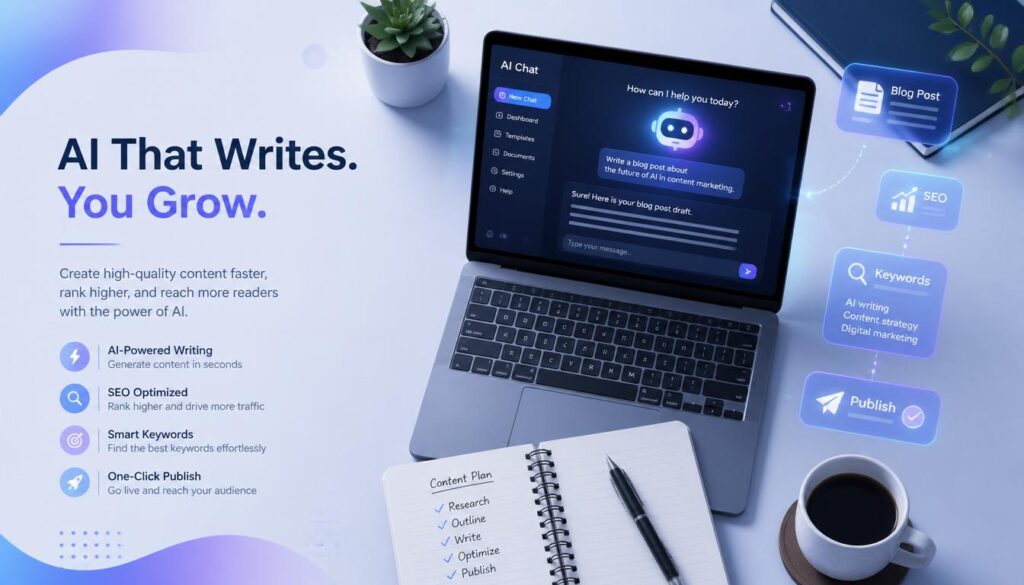
To use ChatGPT for content creation writing, give it specific context (Audience, Tone, structure, and Goal) rather than a vague topic, use it for ideation and first drafts rather than final copy, and always Edit for facts, voice, and original insight before publishing. ChatGPT works best as a drafting and brainstorming partner not a finished content machine. If you’ve typed “write a blog post about [topic]” into ChatGPT and gotten back something that reads like every other Article on the internet, you’re not doing Anything wrong you’re just missing a process. ChatGPT can genuinely speed up content creation, but only when you treat it like a writing partner that needs direction, not a vending machine that needs a coin. This guide walks through exactly how to use ChatGPT for content creation writing: the prompts that work, the ChatGPT features most people never touch, the mistakes that make AI writing obvious, and the honest limits of what it can and can’t do for you. Why ChatGPT Alone Isn’t Enough (and Why That’s Okay) Here’s the part most guides skip: ChatGPT doesn’t know your Brand, your Audience, or your industry unless you tell it every single time, in every single chat. It also can’t verify facts, and it will confidently state things that are wrong. None of that means it’s not worth using. It means you Need a process around it. Think of ChatGPT the way a good Editor thinks of a junior writer: capable of a strong first pass, but not ready to publish without a review. Used that way, it can cut your writing time significantly. Used as a replacement for editorial judgment, it produces exactly the generic, forgettable content you’ve probably already run into. Step 1: Set Up ChatGPT Before You Write Anything Most people skip this step and Wonder why every conversation starts from zero. ChatGPT has three features specifically built to fix that. Expert tip: Paste 2–3 examples of your best-performing content into a Project’s files before you start writing anything new. ChatGPT will reference the tone and structure automatically instead of defaulting to generic AI phrasing. Step 2: Use ChatGPT for Content Ideation Quick answer: For content ideas, give ChatGPT your audience, their specific pain points, and your content goal — then ask for tactical, not generic, topics. Vague prompts produce vague topic lists. Prompt Template — Content Ideation Once you have a list, don’t just pick the first one that sounds good. Run each title through a keyword tool (even a free one like Google’s autocomplete or “People Also Ask” boxes) to check whether people are actually searching for it. Common mistake: Asking for “blog ideas about [broad topic]” with no audience detail. You’ll get a list that could apply to any company in any industry which means it won’t rank or convert for yours. Step 3: Research With ChatGPT (Carefully) Quick answer: ChatGPT can compile research quickly, but it can also invent statistics and sources that sound real but aren’t. Always ask it to flag uncertain claims, and verify every number before it goes in your article. Here’s a research workflow that keeps you honest: Warning: Never publish a statistic, quote, or study citation from ChatGPT without independently confirming it exists. Fabricated sources are one of the fastest ways to damage your credibility and your SEO rankings if a reader or competitor calls it out. Step 4: Write the First Draft ChatGPT writes better first drafts when you give it a full brief audience, Tone, structure, word count, and what to avoid rather than a single sentence. Feed it section by section for long-form content rather than asking for everything at once. Prompt Template — First Draft Why section by section works better: ChatGPT tends to lose track of instructions in very long single responses. For anything over roughly 1,500 words, ask for one section at a time. You’ll get more consistent tone and fewer dropped instructions than asking for the whole piece in one shot. Step 5: Edit for Voice, Facts, and Original Value This is the step that separates content that ranks from content that gets ignored. A ChatGPT draft is a skeleton the muscle has to come from you. What to add during editing: Common AI writing tells to remove: AI Pattern Human Fix “In today’s fast-paced digital landscape…” Cut it — start with the actual point Overuse of “moreover,” “furthermore,” “additionally” Use simple transitions or none at all “It’s not just about X, it’s about Y” Say the actual thing directly Perfectly symmetrical lists (always exactly 3 or 5 points) Let some sections run 2 points, others 7 Overly balanced “on one hand / on the other hand” hedging Take an actual position Step 6: Optimize for SEO and AI Overviews Quick answer: Ask ChatGPT to help with keyword placement and meta descriptions, but don’t rely on it for search intent or ranking strategy pair it with a real SERP check of what’s currently ranking. Use ChatGPT for: Don’t rely on ChatGPT for: Step 7: Repurpose Content Efficiently Once an article is published, ChatGPT is genuinely useful for reshaping it into other formats as long as you tell it exactly what each platform needs. Prompt Template — Repurposing Expert tip: Repurpose the same article into 2–3 different post styles (a personal story angle, a listicle angle, a contrarian-take angle) rather than one straight summary. Different framings perform differently even from identical source material. Mistakes to Avoid When Using ChatGPT for Content Creation When ChatGPT Isn’t the Right Tool ChatGPT is strong for ideation, first drafts, and repurposing. It’s weaker for: ChatGPT vs. Other AI Writing Tools Tool Best For Limitation ChatGPT Ideation, drafting, repurposing, general writing Can lose context in long chats; no built-in brand memory across projects unless set up manually Claude Research-heavy writing, nuanced instructions, longer context retention Less widely integrated into marketing tools Gemini Writing tied to Google Workspace and Search Style consistency varies by prompt Jasper / purpose-built AI writing platforms Teams publishing high volumes


What Is SEO Content Writing
Ai Tools, AI SEO Tools, AI Writing Tools

How to Write SEO Content People Actually Want to Read (2026 Guide)

SEO content writing is the process of creating articles that satisfy both search engines and real readers. It combines keyword research, search intent matching, clear structure, and E-E-A-T signals so your content ranks on Google, gets cited in AI Overviews, and Actually helps the person who clicked on it. If you’ve ever published a blog post and heard nothing but crickets, this guide fixes that. You’ll learn the exact steps to research, write, and optimize content that ranks no fluff, no jargon. What Is SEO Content Writing, Really? SEO content writing means writing with two readers in mind at once: the human who typed a question into Google, and the algorithm deciding whether your Answer deserves a spot on page one. It’s not about stuffing a keyword into every paragraph. It’s about Answering a specific question better than anyone else has answered it, then structuring that answer so search engines and AI tools can find, understand, and trust it. Good SEO content writing does three things: Miss any one of these, and your content struggles no matter how well-written it is. SEO Content Writing vs. Regular Content Writing People often confuse the two. Here’s the difference in practice. Regular Content Writing SEO Content Writing Starting point An idea or opinion Keyword and search intent research Structure Flexible, narrative-driven Clear H2/H3 hierarchy built for scanning Goal Express an idea Rank, get cited, and convert Length Whatever the story needs Matched to what’s already ranking Success measure Engagement, shares Organic traffic, rankings, AI citations Regular content can still rank if it happens to match what people search for. SEO content writing removes the guesswork by starting with research instead of hoping for the best. Why SEO Content Writing Matters More in 2026 Search has split into two lanes: traditional Google results and AI-generated answers from tools like ChatGPT, Gemini, and Perplexity. Both lanes reward the same underlying habits clear structure, real expertise, and content that actually solves the problem. Three shifts make this more important than ever: AI Overviews now sit above organic results. If your content isn’t structured to be quoted directly, an AI summary can answer the question before anyone reaches your page. Google’s Helpful Content system penalizes thin, keyword-stuffed writing. Content built to please an algorithm instead of a person tends to lose visibility over time. Trust decides everything. Google’s own quality guidelines describe trustworthiness as the most important piece of E-E-A-T — content can be technically accurate and still rank poorly if it doesn’t read as credible. The upside: organic search still delivers some of the highest returns in marketing, because a well-optimized page can keep attracting visitors for years without ongoing ad spend. How to Write SEO Content That Ranks: A 9-Step Process Step 1: Research Keywords Your Audience Actually Types Start with a free tool like Google Keyword Planner, or a paid one like Semrush or Ahrefs. Type in your general topic and look for: Practical takeaway: pick one primary keyword per article. Trying to rank one page for five unrelated terms dilutes your focus and confuses search engines about what the page is actually about. Step 2: Match Search Intent Before You Write a Word Search intent falls into four buckets: Google your target keyword and look at what’s already ranking. If the top 10 results are all how to guides, write a how to guide. If they’re all comparison posts, a listicle won’t rank, no matter how good it is. Practical Takeaway: let the current search results dictate your content format, not your personal preference. Step 3: Build an Outline Before You Draft An outline forces you to plan coverage instead of writing in circles. A solid SEO outline includes: This is also where you decide on your “information gain” — the original insight, example, or data point that makes your article worth reading over the other nine already ranking. Step 4: Write for Readers First, Structure for Machines Second Draft your content using short paragraphs (two to three sentences), plain language, and a logical flow from problem to solution. Aim for a 7th–8th grade reading level Simple doesn’t mean simplistic, it means nobody has to re-read your sentence to understand it. Use your primary keyword naturally in: Everywhere else, favor synonyms and related phrases over repeating the exact keyword. Search engines understand context now; they don’t need the same three words hammered into every line. Step 5: Optimize Your On-Page Elements Three small elements decide whether people click your result at all. Element Best Practice Title tag Keyword near the front, under 60 characters Meta description 150–160 characters, active voice, includes a soft CTA URL slug Short, hyphenated, includes the keyword, no dates Practical takeaway: write five title options and pick the one that would make you click if you saw it in a stranger’s search results. Step 6: Build In E-E-A-T Signals E-E-A-T stands for Experience, Expertise, Authoritativeness, and Trustworthiness Google’s framework for judging whether content deserves to rank, especially on topics that affect people’s money, health, or safety. Add real weight to your content by: Practical takeaway: if you can’t back up a claim with a source or firsthand experience, cut it or soften it. Vague authority reads as no authority. Step 7: Optimize for AI Overviews and Featured Snippets This is the step most guides skip, and it’s increasingly the difference between getting traffic and getting summarized without a click. Practical takeaway: after you draft a section, ask yourself if an AI tool could lift that paragraph word-for-word as a correct, standalone answer. If not, tighten it. Step 8: Add Internal and External Links Internal links help search engines understand how your content connects to the rest of your site, and they keep readers exploring instead of leaving. External links to credible sources back up your claims and signal that you did real research. Aim for two to five relevant internal links per 1,000 words, and only link where it genuinely helps the reader — forced links hurt more

HOW TO Write Engaging Content
Ai Tools, AI Writing Tools

How to Write Engaging Content (That People Actually Finish Reading)

The Average reader decides whether to keep reading or leave within the first two sentences. That’s it how to write engaging content Two sentences to earn someone’s time and attention. If you’ve ever published a blog post, an email, or a social caption that felt “fine” but didn’t get read, shared, or remembered, you’re not alone. Most Advice about writing Engaging content is vague “be conversational,” “add personality,” “hook your reader.” None of that tells you what to actually do. This post fixes that. Below are 9 concrete Techniques, a Table you can use as a Quick reference, the most common mistakes that quietly kill Engagement, and a simple test to check your own writing before you hit publish. In short: to write Engaging content, use active voice, speak directly to the reader with “you,” open with a specific detail or moment of tension instead of a general statement, and break your paragraphs into short, scannable chunks. Engaging writing creates “forward pull” a reason for the reader to keep going, sentence after sentence. What Makes Writing Engaging, Really? Engagement isn’t about being clever or funny. It’s about giving the reader a reason to take the next step to read the next sentence, then the next paragraph, then the whole piece. Boring writing tells the Reader everything up front and gives them no reason to Continue. Engaging writing creates small, Constant pulls forward: a Question left unanswered, a detail that needs explaining, a story that hasn’t finished yet. Every sentence should either answer a question the reader just had, or raise a new one. That’s the whole game. Once you understand this, the specific techniques below start to make a lot more sense — they’re not random tricks, they’re all different ways of creating that forward pull. 9 Techniques to Make Your Content More Engaging 1. Use Active Voice, Not Passive Active voice puts the person doing the Action first. It’s shorter, clearer, and more direct which means less work for your reader’s brain. The active version is more honest, more human, and easier to read out loud. That’s usually a good sign it’s also easier to read silently. 2. Speak Directly to the Reader Using “you” turns a general statement into a personal one. It makes the reader feel like the content is written for them specifically, not for some Abstract audience. 3. Open With a Specific Detail, Not a General Statement Vague openings (“In today’s fast-paced world…”) give the reader nothing to hold onto. A specific detail — a number, a moment, a small scene — gives them something concrete right away. 4. Create Tension or an Unanswered Question Tension is what makes someone keep reading. If you answer every question the moment you raise it, there’s no reason to continue. Hold back just enough to keep the reader curious. For example, instead of immediately explaining why a technique works, mention that it works first — then explain why a paragraph or two later. 5. Use Real Numbers and Specifics “A lot of readers leave early” is forgettable. “60% of readers leave within the first 15 seconds” is not. Specific numbers, even estimates, make your writing feel more credible and easier to remember. 6. Break Paragraphs Into Short, Scannable Chunks Online readers skim before they commit to reading. A wall of text signals effort, and most readers don’t want to invest effort before they know if it’s worth it. Keep paragraphs to 2–4 sentences. Use white space generously. If a paragraph looks intimidating on the screen, it probably needs to be split. 7. End Paragraphs With a Reason to Keep Reading The last sentence of a paragraph does more work than people realize. It’s either a natural stopping point (bad) or a nudge toward the next paragraph (good). 8. Tell a Story Instead of Explaining a Concept People remember stories far better than they remember abstract explanations. If you can illustrate a point with a specific example, a mini-story, or a real scenario, do that instead of stating the concept directly. Compare “Short sentences improve readability” with “I cut a 40-word sentence down to 12 words, and my time-on-page doubled.” The second one sticks. 9. Cut Filler Qualifiers Words like “often,” “sometimes,” “in many cases,” and “it could be argued that” soften your writing and slow the reader down. Say the thing directly. You can always add nuance in the next sentence if you need to. Comparison Table: Techniques at a Glance Use this as a quick reference while you edit your next draft. Technique What It Does Quick Example Active voice Makes writing direct and clear “We fixed it” vs. “It was fixed” Direct address (“you”) Makes the reader feel personally spoken to “You’ll notice…” vs. “Readers will notice…” Specific opening Gives the reader something concrete right away A moment or number vs. a vague claim Tension/unanswered question Creates a reason to keep reading Mention a result before explaining why Real numbers Builds credibility and memorability “60% of readers” vs. “most readers” Short paragraphs Reduces the effort needed to keep reading 2–4 sentences per paragraph Strong paragraph endings Pulls the reader into the next section End on a question or a preview Storytelling Makes abstract points memorable A real example instead of a claim Cutting filler qualifiers Makes statements land with more confidence Remove “often,” “sometimes,” “can” 5 Mistakes That Kill Reader Engagement How to Test If Your Writing Is Engaging Before you publish, run this quick check: This isn’t a perfect science, but it catches most of the problems that make writing feel flat. FAQ What makes writing engaging? Engaging writing gives the reader a reason to keep going — through specific details, active voice, direct address, and small moments of tension that pull them into the next sentence. How do I make my blog content less boring? Start with a specific detail instead of a general statement, use active voice, and keep paragraphs short. Cutting filler qualifiers also makes writing feel more direct and confident.

Best AI Writing Tools for Bloggers in 2026 (Tested and Ranked)
AI Writing Tools, Ai Tools

6 Best AI Writing Tools for Bloggers in 2026

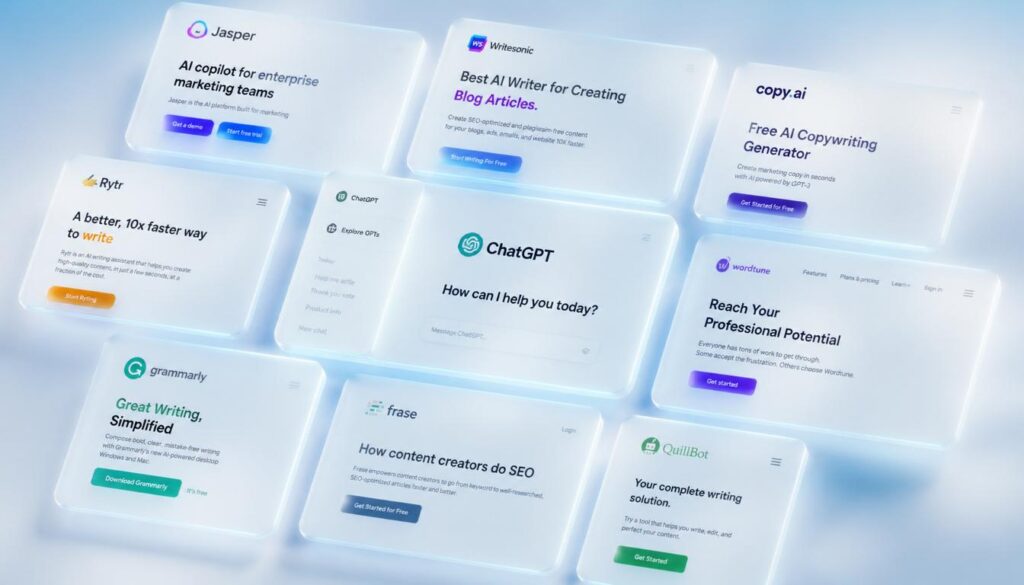
The best AI writing tools for Bloggers in 2026 are ChatGPT, Claude, Jasper, Writesonic, and Copy.ai. These tools help Bloggers write faster, improve SEO content quality, and beat writer’s block Many with a free plan Available. Bloggers who use AI writing tools report saving 3 to 5 hours per week on content creation Alone. Blogging used to mean spending six hours writing a single Article researching, outlining, drafting, editing, and praying it would rank. According to a 2024 HubSpot survey, 68% of bloggers say producing enough content consistently is their biggest challenge. That number has barely moved in five years. If you know the feeling of staring at a half-finished draft at midnight, wondering whether the post is even good enough to publish this guide is written for you. The struggle is not a lack of ideas. It is time, energy, and the grinding reality of doing it all alone. This post breaks down the best AI writing tools for bloggers available right now what each one does well, where it falls short, how much it costs, and exactly which type of blogger will get the most out of it. By the end, you will know which tool fits your workflow and how to use it to publish more without working more. What Are AI Writing Tools for Bloggers? AI writing tools are software platforms powered by large language Models (LLMs) that help you produce written content faster and with less effort. They use natural language processing to understand your prompts, follow instructions, and generate coherent text from a short paragraph to a full 3,000-word blog post. For bloggers specifically, these tools are not just Autocomplete on steroids. The best ones understand search intent, can structure content around a target keyword, suggest headings, write introductions, and even produce full drafts that require only light editing before publishing. There are several categories of AI writing tools in the Market today. Some are general-purpose Assistants like ChatGPT and Claude that handle any type of writing task. Others are purpose-built for content creators and Bloggers tools like Jasper and Writesonic come loaded with blog-specific templates and SEO integrations. Knowing which category fits your needs determines which tool you should use. Most platforms follow a freemium pricing model. You can start for free with limited usage and upgrade when you need more output or advanced features. For a solo blogger, free tiers are often enough to transform your weekly content output. Why Bloggers Need AI Writing Tools in 2025 The content game has changed significantly. Search engines Reward Depth, consistency, and Topical Authority. To rank for competitive keywords today, a single thin post is not Enough you need a cluster of well-structured, semantically complete articles covering your topic from every angle. That volume of content is Nearly impossible to produce manually on a one-person budget. AI content writing tools close that gap. A blogger who used to publish two posts per week can now publish four or five without burning out, because AI handles the first draft and the heavy structural lifting. According to Semrush’s 2024 State of Content Marketing report, Blogs that publish at least one article per week get 3.5 times more traffic than those that post monthly. AI makes that publishing frequency Achievable even for solo operators who do not have a writing team behind them. Beyond output volume, AI tools help with SEO content optimization. Many integrate directly with keyword Research data, suggest related terms, check reading level, and score your content against top-ranking competitors before you publish. That combination of speed and SEO intelligence is what makes these tools indispensable for serious bloggers right no Best AI Writing Tools for Bloggers in 2026: Full Breakdown Best AI Writing Tools for Bloggers: Side-by-Side Comparison Here is a quick comparison so you can find the right fit based on your budget, use case, and content volume needs: Tool Best For Free Plan Paid From SEO Integration Long-Form Quality ChatGPT All-around writing Yes $20/mo Manual prompting Excellent Claude Long-form, tone control Yes $20/mo Manual prompting Excellent Jasper Pro bloggers / agencies Trial only $49/mo Surfer SEO built-in Very Good Writesonic Free drafts + web data Yes $16/mo Basic keywords Good Copy.ai Multi-channel creators Yes (2K) $49/mo Template-based Good Koala AI SEO niche bloggers No $9/mo SERP-aware output Very Good How to Choose the Right AI Writing Tool for Your Blog With so many options, the easiest way to choose is to match the tool to your specific situation rather than looking for a universal best pick. If You Are Just Starting Out Start with the free tiers on ChatGPT and Claude. Use ChatGPT for brainstorming, outlines, and quick drafts. Use Claude when you need a full, coherent long-form article with consistent tone. Both are completely free to start, and together they cover 90% of a beginner blogger’s content needs. Do not buy any paid tool until you have published at least ten posts using the free versions. By that point, you will know exactly which limitations are actually costing you time and that tells you which upgrade is worth paying for. If You Are Focused on SEO and Organic Traffic Koala AI or Jasper with Surfer SEO integration is where you want to be. Both tools are designed around ranking they produce content that mirrors the structure, depth, and keyword distribution of top-ranking pages for your target query. The investment is real but so is the return. Bloggers who use AI-powered content generation tools paired with SEO data consistently report faster ranking timelines than those relying on manual writing or generic AI output. If You Run a Multi-Channel Content Operation Copy.ai gives you one platform for blog posts, social captions, email newsletters, and ad copy. If you are managing all of those channels solo, the template library saves significant time that you would otherwise spend switching between tools and re-prompting general-purpose AI assistants for different formats How to Use AI Writing Tools in Your Blogging Workflow: Step by Step A tool

FREE AI TOOL FOR CONTENT CREATION
AI Writing Tools, Ai Tools

10 Best Free AI Tools for Content Creators 2026

Free AI tools for content creation are software platforms that use artificial intelligence to help you write blog posts, generate social media captions, create ad copy, and automate publishing at zero cost. Top free options in 2026 include ChatGPT, Google Gemini, Copy.ai, Canva AI, and Writesonic’s free plan. Here is a number that should stop you mid-scroll: content creators who use AI tools produce content 3x faster than those who do not, According to a 2024 HubSpot report. Three times faster using tools that cost nothing. If you have been spending four hours writing one blog post, staring at a blank caption box for Instagram, or paying a freelancer for copy you could generate yourself, you already know the pain. Time runs out. Ideas dry up. The content calendar never stops demanding more. This guide breaks down the best free AI tools for content creation available right now what each one actually does, who it is best for, and how to start using them today. No fluff, no filler. Just what works. What Are Free AI Tools for Content Creation? Artificial intelligence has quietly Turned content creation into a skill Anyone can Execute at scale. These Tools use large language models (LLMs) and machine learning to Generate text, suggest ideas, Rewrite drafts, and even schedule posts all from a browser tab. The best part? A solid tier of these tools is completely free. Not free-trial free. Actually free, with usable limits that cover most solo creators and small businesses. Think of these platforms like a junior content team working inside your laptop. You bring the strategy and the brand voice. The AI brings speed, structure, and a never-Ending supply of first drafts.From my experience working with content Automation tools, the biggest mistake beginners make is expecting AI to replace thinking. It does not. It replaces the blank page which, for most creators, is the real enemy. The 10 Best Free AI Tools for Content Creation in 2026 1. ChatGPT (Free Plan by OpenAI) ChatGPT remains the most versatile free AI tool for content creation Available today. The free plan runs on GPT-4o mini and handles blog outlines, social captions, email drafts, product descriptions, and brainstorming sessions with surprising depth. What separates ChatGPT from other free tools is the quality of its conversational Memory within a session. You can refine, redirect, and iterate without starting over. That makes it ideal for long-form content workflows. Best for: Blog writers, newsletter creators, and anyone who needs a fast-Thinking writing partner. Free limit: Unlimited messages on GPT-4o mini; limited access to GPT-4o. 2. Google Gemini (Free via Google Account) Google Gemini is a free AI tool built directly into the Google Ecosystem. It connects with Google Docs, Gmail, and Google Search which makes it uniquely powerful for Research-heavy content creation. Unlike ChatGPT, Gemini can pull in live web data, making it stronger for fact-checking, Trend research, and content that needs up-to-Date information. If your content strategy depends on current events or fast-moving niches, Gemini Earns its place at the top. Best for: Content creators who live inside Google Workspace. Free limit: Free with any Google account; Gemini Advanced requires a subscription. 3. Copy.ai (Free Plan) Copy.ai is one of the Original AI copywriting tools, and its free plan still holds real value. You get access to over 90 templates from blog intros and Instagram captions to sales emails and YouTube scripts. The platform uses a workflow model, meaning you fill in context fields and the AI generates structured output based on your inputs. That makes it faster and more predictable than open-ended chat tools for specific copy tasks. Best for: Marketers, E-commerce store owners, and social media managers who need copy at volume. Free limit: 2,000 words per month on the free plan. 4. Canva AI (Magic Write — Free Plan) Canva is Already the go-to free tool for visual content. Magic Write, its AI text generator, pushes it into full content creation territory. You can generate captions, presentation copy, and short-form text directly inside your design canvas. The real Advantage is integration. You write and design in one place, which cuts the copy-paste cycle that slows most content workflows. For Instagram content creation tools, Canva AI is hard to beat when you want visuals and words together. Best for: Social media creators, designers, and small business owners. Free limit: 50 Magic Write uses included in the free Canva plan. 5. Writesonic (Free Plan) Writesonic offers one of the most capable free tiers Among AI content creation platforms. The free plan includes access to its Article Writer, AI Blog Builder, and Chatsonic a web-connected chatbot similar to Gemini. Chatsonic is especially useful for content with a news angle because it pulls real-time data. The article writer produces structured long-form drafts with SEO in mind, making it a legitimate free AI tool for bloggers who care about ranking. Best for: Bloggers and SEO-focused content creators. Free limit: 10,000 words per month on the free plan. 6. Notion AI (Limited Free Access) Notion AI turns your note-taking and project management tool into a content machine. It can summarize meeting notes into blog ideas, rewrite rough drafts, generate social posts from long articles, and create content calendars automatically. If you already use Notion to manage your content workflow, adding AI to the mix costs nothing extra on the free plan’s trial allocation. The content Automation built into Notion AI makes it one of the quietest productivity multipliers available. Best for: Content strategists and creators who manage editorial workflows. Free limit: 20 AI responses included before a paid upgrade is required. 7. Rytr (Free Plan) Rytr is a lightweight AI copywriting tool with a surprisingly capable free plan. It generates blog sections, email subject lines, product descriptions, and ad copy using over 40 use-case templates across 30 languages. The interface is clean and fast no learning curve. For beginners who want to try AI-powered content generation without commitment, Rytr is one of the easiest starting points available.

letter writing side hustle
Side Hustles, AI Writing Tools

Letter Writing Side Hustle: Earn From Home in 2026

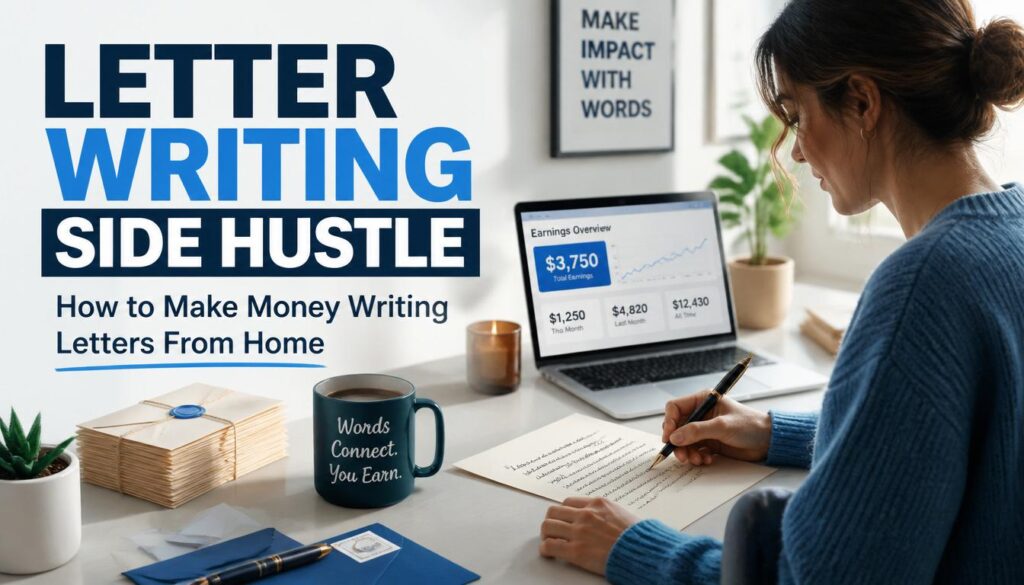
I want to tell you something that most side hustle articles skip right over. Writing letters for money is a real thing. Not a gimmick, not a get-rich-quick scheme, not something that only works if you already have thousands of followers. Real people are sitting at kitchen tables and spare bedrooms right now, writing letters on their laptops, and getting paid for it. Some are pulling in a few hundred dollars a month. Others have turned it into a full-time income. I know that sounds too simple. And honestly, when I first heard about people charging $100 for a single cover letter or $5 for a handwritten note to a stranger, I was skeptical too. But the more you dig into it, the more it makes sense. Think about who actually needs letters written. Job seekers who freeze up every time they open a blank document. Couples who know exactly how they feel but cannot find the words to say it out loud, let alone write them down beautifully. Business owners who send out the same boring email template to every prospect and wonder why nobody responds. Real estate agents who want to reach homeowners personally but simply do not have time to sit down and write each one by hand. These people are already out there looking for help. They are already spending money on Fiverr, Etsy, and Upwork for exactly this service. The only question is whether you are going to be the one they hire. This guide is going to walk you through everything. What kinds of letters you can sell, how to price them, where to find clients, how much you can realistically earn, and what separates the letter writers who make good money from the ones who give up after a month. What Is a Letter Writing Side Hustle? Put simply, a letter writing side hustle means you write letters for other people and they pay you for it. That covers a wider range of work than most people expect. On one end of the spectrum, you have handwritten note services where companies send you text on your phone, you copy it neatly onto paper in your own handwriting, and mail it back. It pays $3 to $5 per letter and requires zero creativity. On the other end, you have high-level sales copywriting where a single letter can take a few hours to write and pay anywhere from $500 to several thousand dollars. In between, there is a whole world of personal letters, cover letters, business correspondence, wedding vows, sympathy notes, recommendation letters, real estate prospecting letters, and more. Different niches attract different clients and different rates, but all of them fall under the umbrella of getting paid to write letters. What makes this a particularly good side hustle for writers is the low barrier to entry. You do not need a business license, a fancy website, or a large following. You need decent writing skills, a way to accept payment, and a listing on one of the platforms we will cover later in this article. Why Letter Writing Is Making a Comeback There is something a little ironic about the fact that AI is partly responsible for making handwritten and personalized letters more valuable. But here we are. When AI tools became capable of producing decent blog posts and marketing copy, companies started pumping out enormous volumes of generic content. The result? Readers started ignoring it. Inboxes became so full of templated emails that anything even slightly personal started standing out by comparison. Handwritten letters, which were already unusual in a digital world, became genuinely remarkable. Direct mail response rates have climbed steadily over the past few years for exactly this reason. People open physical letters. They read them. They respond to them. Real estate agents who switched from digital outreach to handwritten prospecting letters started seeing response rates they had not seen in years. Meanwhile, the personal side of letter writing never really went anywhere. People have always needed help finding the right words for hard moments or important ones. Proposing to someone. Apologizing to a parent. Writing vows at a wedding. Sending condolences after a loss. These are situations where words matter enormously and most people feel they are not up to the task. That is where a good letter writer becomes genuinely valuable, not just convenient. A few other things have come together to make this a better time than ever to start a letter writing side hustle: Types of Letter Writing Services You Can Sell One of the best things about this side hustle is that you can choose the type of letter writing that actually suits your personality and strengths. Here is a breakdown of the main categories and what makes each one worth considering. Love Letters People hire love letter writers more often than you might think. Not because they do not care about their partner, but because they care so much that they are terrified of getting it wrong. A man who has been with his wife for twenty years wants to write something for their anniversary that actually captures what she means to him. He sits down, stares at a blank page for an hour, writes three sentences, deletes them, and eventually goes looking for help. That is your client. And he will happily pay $50 to $150 for a letter that sounds like him but says what he has been trying to say for years. Love letter writing on Fiverr and Etsy has a loyal client base with strong repeat business. Once someone has a good experience, they come back for anniversaries, Valentine’s Day, apologies, and birthdays. This is one of the easier niches to build long-term client relationships in. Apology Letters Writing a genuine apology is surprisingly hard. Most people either go too far and make it about themselves, or they do not go far enough and come across as defensive. A well-written apology letter acknowledges what happened, shows real understanding of the

Scroll to Top