AI Productivity Tools

Boost your workflow with AI productivity tools for task management, scheduling, note-taking, and automation designed to save time and effort.

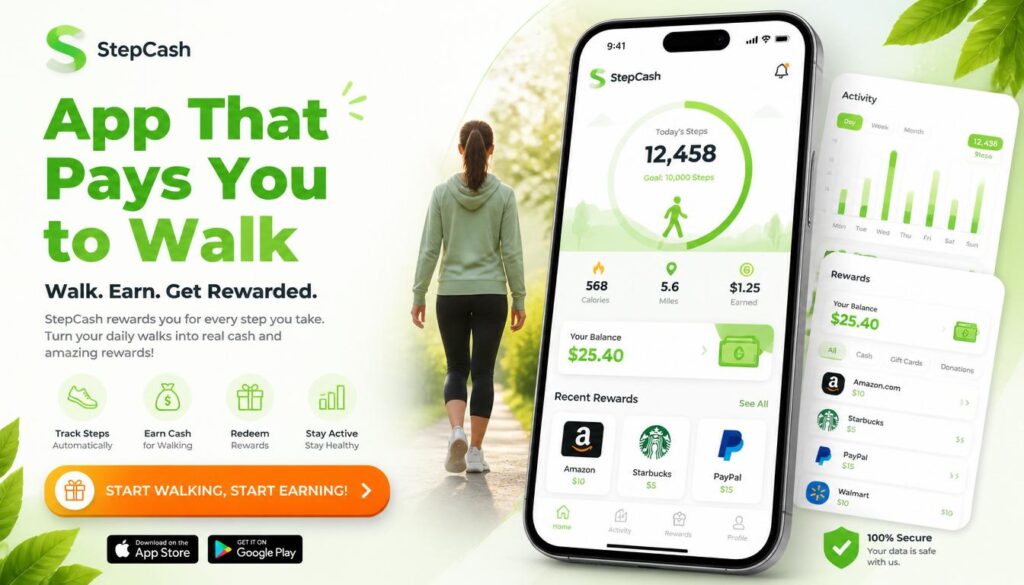
App That Pays You to Walk
AI Productivity Tools

10 Best App That Pays You to Walk in 2026 (Earn Money While Walking)

You already walk to the Mailbox, the Store, and around the block with the Dog. What if that same walk quietly put a little cash in your pocket? Yes ! there really is an app that pays you to walk. Several, in fact. They use your phone’s built-in step counter to track your movement and reward you with cash, PayPal Transfers, Gift cards, or charity donations for hitting daily step goals. None of them will replace your paycheck, but they turn steps you’re already taking into small, real rewards. This guide breaks down the best apps that pay you to walk in 2026, exactly how much you can Realistically expect to earn, how the tracking works, and how to Avoid apps that waste your time or your data. The best all-around app that pays you to walk is Sweatcoin for name recognition and marketplace variety, StepBet for the highest cash upside if you don’t mind risking a small stake, and Evidation for the most reliable PayPal payouts. Realistic earnings across most walking apps run $5–$40 per month, not the $100/day claims you see on social media. Key Takeaways How Do Walking Apps That Pay You Actually Work? Walking apps use your smartphone’s built in sensors mainly the Accelerometer and Pedometer to detect and count your steps, then convert that activity into points, coins, or cash. Some apps also use GPS to confirm you’re actually moving outdoors rather than shaking your phone to fake steps. Here’s what’s happening under the hood: Sensor What It Does Accelerometer Detects movement and orientation to count steps Pedometer (hardware) Dedicated step-counting chip in newer phones, uses less battery Gyroscope Adds rotational data to improve step accuracy GPS Confirms outdoor movement and estimates distance/pace Barometer Measures elevation changes on phones that support it Bluetooth Syncs data from a connected fitness tracker or smartwatch Once your steps are verified, the app converts them into a reward using one of three business models: This is worth understanding before you sign up: if an app isn’t charging you a subscription, it’s very likely earning money from your data or your attention. That’s not necessarily a bad trade, but it’s one you should make with your eyes open. If data privacy matters to you, look for apps that are upfront about how they use your information, and avoid ones that ask for permissions unrelated to step tracking (like access to your contacts or camera). Best Apps That Pay You to Walk in 2026 Here’s how the top walking apps compare at a glance before we break each one down individually. 1. StepBet — Best for Highest Earning Potential StepBet flips the usual model instead of the app paying you directly, you place a small bet on yourself. Join a challenge, commit to a step goal over roughly six weeks, and if you hit your Targets, you split the prize pool with everyone else who also succeeded. How it works: Most games require a $10–$40 entry fee. StepBet takes a cut (historically around 15%) from the pot, and the rest is split among winners. There’s a real chance to come out ahead some users report turning a $40 stake into $50+ but you also risk losing your stake if you miss even one weekly goal. Pros: Cons: Best for: People who are already consistent walkers and want real stakes to stay motivated, and who are comfortable with a bit of financial risk. 2. Sweatcoin — Best for Brand Recognition and Rewards Variety Sweatcoin is the most recognized name in this space, with tens of millions of users. It converts your outdoor steps into “Sweatcoins,” a digital currency you can redeem in its marketplace for products, gift cards, and occasional cash-out offers through partner promotions. How it works: Roughly every 1,000 outdoor steps earns you about one Sweatcoin. GPS is required to confirm the steps happened outside, so treadmill walking generally won’t count. Outdoor verification also means Sweatcoin uses more battery than GPS-free alternatives. Pros: Cons: Best for: Casual walkers who want variety in what they redeem rewards for, rather than a straightforward cash payout. 3. Evidation Best for Reliable PayPal Cash Evidation (formerly Achievement) rewards more than just walking it also credits you for logging sleep, completing health surveys, and syncing data from other Fitness apps. It’s built Around health research partnerships, which is part of why its payouts tend to be more consistent than pure step counting apps. How it works: You earn up to about 40 points a day for completing health-related tasks, including walking. Once you reach 10,000 points, you can redeem them for PayPal cash, gift cards, bank deposits, or charity donations. Pros: Cons: Best for: People who already track sleep and fitness data and want to be rewarded for the full picture, not just steps. 4. WeWard — Best for Consistent Small Cash Rewards WeWard converts steps into points called “Wards,” which you can redeem for PayPal or Venmo cash, gift cards, or charitable donations. It’s built around daily and weekly challenges that boost your earning rate if you stay active. How it works: You earn roughly 25 Wards per day at baseline, climbing to around 88 Wards once you level up. The exact Ward-to-dollar conversion isn’t fully transparent, but most users report earning $1–$3 per month, with heavier stacking of challenges pushing that higher. Pros: Cons: Best for: Walkers who want a straightforward cash option and don’t mind checking in on the app daily. 5. WinWalk — Best for Privacy and Battery Life WinWalk stands out because it doesn’t use GPS at all, relying purely on your phone’s pedometer and accelerometer. That means it won’t track your location, and it’s noticeably lighter on your battery than GPS-based competitors. How it works: You earn one coin for every 100 steps, up to a cap of 100 coins per day (roughly 10,000 steps). Coins are redeemable for gift cards once you build up enough of a balance, typically around 20,000 coins per reward. Pros: Cons: Best

How to learn to use AI
AI Productivity Tools, Ai Tools

How to learn to use AI: A complete beginner’s guide for 2026

The fastest way How to learn to use AI is to pick one general-purpose tool (like ChatGPT, Claude, or Gemini), spend 15–20 minutes a day using it for a real task you already do, and learn prompting through practice rather than theory. Most people who follow this approach report feeling comfortable within two to four weeks, according to informal surveys from online learning platforms like Coursera and LinkedIn Learning. You don’t need a technical background, a certification, or expensive software to get started. This guide walks through exactly how to learn how to use AI, step by step, using free and low-cost resources available to anyone in the United States right now. What does it Actually mean to learn to use AI “Learning to use AI” doesn’t mean learning to code or build machine learning models. For almost everyone, it means learning to use AI tools chatbots, writing assistants, image generators, and productivity apps — to get better results in less time. There are three practical skill levels worth knowing: Most beginners only need the first two levels to see real time savings. A 2024 McKinsey survey found that employees using generative AI tools saved an average of about four hours per week on routine tasks — a useful benchmark for what “learning to use AI” is actually worth to you. Takeaway: Set your goal at “applied use” first. Trying to jump straight to advanced workflows before you’re comfortable with the basics is the number one reason people give up. How to learn to use AI step by step This is the core process. If you only read one section, read this one. Step 1: Pick one AI tool and commit to it Don’t try to learn five tools at once. Choose one general-purpose assistant and use it exclusively for the first two weeks. In the US market, the three most common starting points are: Pick whichever one you already have easiest access to. The tool matters far less than the consistency of use. Step 2: Learn prompting basics — not prompt engineering courses You don’t need a $200 prompt engineering course. You need to learn four habits: Example in practice: A small business owner in Ohio wanted better product descriptions for her Etsy shop. Her first prompt, “write a product description for a candle,” produced generic copy. After adding context — her brand tone, target customer, and a real example of a description she liked — the AI’s third attempt was good enough to publish with minor edits. That’s the whole skill: iterate, don’t restart. Step 3: Practice on tasks you already do Skip tutorials that teach AI in the abstract. Instead, bring your real weekly tasks to the tool: A Pew Research Center report from 2025 found that roughly 34% of US adults had used an AI chatbot, but only about half of those used it for anything beyond casual questions — the gap between “tried it” and “learned it” comes almost entirely from this practice step. Step 4: Build a five-day-a-week habit for one month Skill retention with AI tools follows the same pattern as any new software: frequency beats duration. Ten focused minutes a day for 20 days will teach you more than one three-hour weekend session. Takeaway: Block 15 minutes on your calendar, same time each day, for the next 20 workdays, and use that time only for real tasks — not experimentation. How to learn to use AI for free You can learn everything covered so far without spending a dollar. Free resources worth using, specifically for US-based learners: Paid courses (typically $30–$150 on platforms like Udemy or Coursera) can be worth it if you want structure and accountability, but they are not necessary to reach basic competence. Takeaway: Spend zero dollars for your first 30 days. Only pay for a course if you hit a specific wall a free resource can’t solve. How to use AI to learn faster (using AI to learn AI) One underused trick: use the AI tool itself as your tutor for learning the AI tool. This is faster than searching for separate tutorials. Try prompts like: This approach works because the tool can tailor explanations to your actual skill level in real time, something static tutorials can’t do. A 2023 Stanford study on AI tutoring found students using conversational AI for self-paced learning progressed roughly 2x faster on comprehension checks compared to reading static material alone — a strong argument for learning AI this way specifically. Takeaway: Before searching YouTube for “how to prompt ChatGPT,” just ask the chatbot to teach you directly. Common mistakes people make when learning to use AI Avoiding these will cut your learning curve significantly: Takeaway: Pick one mistake from this list that sounds like you, and fix just that one this week. How long does it take to learn to use AI Based on typical beginner timelines reported across online learning platforms and workplace training programs: Skill level Typical time to reach it Comfortable asking basic questions 1–3 days Confident using AI for regular work tasks 2–4 weeks Combining AI with other tools/workflows 2–3 months These ranges assume the 15-minutes-a-day habit from Step 4 above. People who use AI tools sporadically — once every week or two — often take three to four times longer to reach the same comfort level, since prompting skills fade without regular use. Takeaway: Judge your progress in weeks, not days, and don’t compare your week-one results to someone else’s month-three results. How to use AI to learn a language, code, or any new skill Once you know how to learn to use AI for everyday tasks, the same habits transfer directly to learning a new skill. People increasingly use AI to learn a new language, learn to code, or pick up a subject like math or writing, and the method barely changes. Here’s the pattern that works across skills: A 2024 Duolingo report noted that learners using AI-powered conversation practice completed roughly 20% more practice

best apps for student
Ai Tools, AI Productivity Tools

15 Best Apps for Students to Stay Organized in 2026

The best Apps for students in 2026 help with four Things organizing Assignments, Taking better class notes, staying focused during study sessions, and Managing deadlines without burning out. Notion and Todoist lead the productivity category, OneNote and Evernote dominate note taking, Forest and Pomofocus help with focus, and tools like Grammarly and Quizlet AI speed up writing and revision. The trick isn’t downloading all of them it’s picking one tool per problem and sticking with it long enough to build a routine. Why Students Need a Real System, Not Just More Apps Being a student in 2026 means juggling more digital noise than any previous generation. Between online coursework, group chats, shared documents, part-time jobs, and exam prep, it’s easy to feel like you’re always one notification behind. Educators have pointed out that students who consistently use structured productivity tools tend to report better time management and noticeably lower academic stress compared to those who rely on memory alone. The problem most students run into isn’t a lack of tools. It’s the opposite. One app for notes, another for deadlines, a third for focus, a fourth somebody recommended on TikTok and within a month, keeping track of the apps becomes its own chore. Instead of saving time, the system eats it. A smaller, well-chosen set of tools solves this. You don’t need fifteen apps open at once. You need one for scheduling, one for notes, and one for focus used consistently. This guide walks through the strongest options in each category for 2026, with practical notes on who each tool actually fits. At a Glance: Top Apps Compared App Best For Free Plan AI Features Multi-Device Notion All-in-one organization Yes Yes Yes Todoist Task management Yes Limited Yes Google Calendar Scheduling Yes No Yes Grammarly Writing help Yes Yes Yes Forest Staying focused Yes No Mobile Quizlet Flashcards & revision Yes Yes Yes OneNote Class notes Yes No Yes Otter AI Lecture transcription Yes Yes Yes Use this as a starting point before testing anything in depth it’ll save you from downloading five apps that all do roughly the same job. Best Productivity Apps for Students Productivity apps work because they take the mental load off your brain. Instead of holding every deadline, every reading assignment, and every study session in your head, you offload it to a system that reminds you automatically. That matters most during exam season, when the number of moving pieces multiplies fast. Todoist Todoist is built for students who keep forgetting small but important deadlines a quiz on Thursday, a reading due Monday, a project check-in buried three weeks out. The interface stays uncluttered even once you’re tracking five or six classes at once. One feature worth highlighting is recurring tasks. You can set up a weekly reminder for a problem set or lab report once, and it regenerates automatically every week without re-entering it. What makes it useful day to day: The biggest advantage in practice is setup speed. Most students can get a working system running in well under ten minutes, which matters if you’re the type who abandons an app the moment it feels complicated. Notion Notion has become a default recommendation for students because it merges note-taking, planning, and database-style organization into a single workspace. A student juggling five courses can build assignment trackers, semester-long note pages, exam prep boards, and shared project dashboards all inside one tool. That flexibility is also its biggest risk. Because Notion can do almost anything, it’s easy to spend hours building an elaborate system instead of actually studying. The fix is starting with a simple template a basic weekly planner or class tracker rather than trying to design the “perfect” setup on day one. Notion vs. Todoist Feature Notion Todoist Best for Full organization Fast task tracking Learning curve Medium Easy Notes Excellent Limited Scheduling Good Excellent Collaboration Strong Strong If you like customizing and building your own system, Notion fits better. If you just want deadlines tracked with minimal setup, Todoist is the quicker win. Trello Trello swaps lists for visual boards, which feels less stressful than a traditional to-do list for a lot of students. Each assignment becomes a card that moves across columns typically something like To Do, In Progress, and Done. This setup works especially well for visual learners and for anyone managing a long-term project with multiple stages. A student prepping for finals, for instance, might give each subject its own column and watch tasks shift toward “Done” as the week progresses which turns out to be a surprisingly effective motivator during a stressful stretch. Once tasks are under control, the next common bottleneck is notes. Good scheduling only goes so far if your class notes are scattered across five different places. Best Note Taking Apps for Class Notes Disorganized notes cost students hours every month, usually right before an exam when it matters most. The most common mistake is spreading notes across random documents, screenshots, and message threads a system that works fine in week one and completely breaks down by week ten. OneNote OneNote functions like a digital notebook built specifically with classes in mind. Students can split notebooks by subject and section, then mix typed notes, scanned PDFs, images, and even audio in the same page. The standout feature is consolidation: a single page for one lecture can hold typed notes, a recording, a screenshot of a slide, and the related homework file. That alone removes a lot of the chaos that usually surfaces during exam week. Evernote Evernote leans heavily into search and organization. For research-heavy classes, that’s a real advantage being able to search “cell respiration” and instantly pull up every related note from the whole semester saves serious time during revision. It also syncs reliably across devices, which matters if you’re moving between a laptop in lecture, a tablet at the library, and a phone on the bus. GoodNotes GoodNotes is especially popular with iPad users who prefer handwriting to typing. Research on

Droven IO AI Automation Tools
Ai Tools, AI Productivity Tools

Droven IO AI Automation Tools Review for 2026

Droven IO AI Automation tools refer to an Educational platform that helps Businesses Research, compare, and plan AI workflow Automation before committing to a tool. It covers platforms like Zapier, Make, and n8n Explaining how AI Automation works, which use cases fit best, and how to pick the right tool for your business needs. Most people searching this keyword expect to land on a dashboard. Instead, they find four nearly identical Articles saying the same vague things about “intelligent workflows” and “business Efficiency.” That Frustration is real and it happens because no one has bothered to explain what Droven.io Actually is and how it connects to the tools your business Needs right now. If you’ve been trying to figure out whether Droven IO is software you can use, a comparison site, or just a Content blog you’re asking exactly the right Question. The answer matters before you spend a single hour reading about it. This guide covers everything clearly: what Droven.io actually is, which AI automation tools it covers, how those tools compare side by side, real use cases with measurable outcomes, and who should (and shouldn’t) bother with it. No filler. No repetition. What Are Droven IO AI Automation Tools? Before Anything else, let’s clear up the confusion that every competing Article avoids. Droven.io is not a standalone Automation software platform. You cannot log in, build a workflow, and press run on Droven.io the way you would on Zapier or Make. It functions primarily as an informational and Educational resource a place where businesses learn about AI Automation tools, compare options, and plan their approach before buying or building anything. Think of it like this: Droven.io is the Guide at the front of the store, not the product on the shelf. It explains what AI automation does, which tools handle which tasks, and how different platforms fit different business sizes. That distinction changes how you use it. Quick Answer Callout Question Answer Is Droven.io real automation software? No — it’s an informational/educational platform Can you run workflows on Droven.io directly? No — you use tools it covers (Zapier, Make, n8n, etc.) Is it free to access? Yes — all content is free Who is it best for? Teams researching AI automation before buying The value of Droven IO AI automation tools content is real but only if you understand what it is. Businesses that treat it as a planning resource rather than a software product get far more out of it. Is Droven.io a Real Automation Platform or an Information Resource? This is the question no competitor Answers honestly. Here’s the breakdown. Droven.io sits in the same category as sites like G2, Capterra, or HubSpot’s blog it explains, reviews, and compares AI automation tools rather than building or hosting them. The platform produces guides on workflow Automation, no-code Tools, AI decision-Making systems, and Digital Transformation. Businesses use this content to understand the landscape before they commit budget. That doesn’t make it useless Quite the opposite. Most companies fail at Automation not because they can’t find tools, but because they don’t understand which category of tool fits their Actual problem. A chatbot, a workflow builder, a Document extraction tool, and a no-code automation platform can all claim AI capabilities, but they solve completely different problems. Droven.io helps teams slow down enough to ask the right question: not “which AI tool is best?” but “which type of tool matches the process I’m trying to fix?” From a practical standpoint, here’s how to use it correctly. Use Droven.io when you’re in the research and planning phase mapping your current workflow, identifying bottlenecks, comparing tool categories, and preparing questions for vendor calls. Then move to Zapier, Make, or n8n when you’re ready to actually build. How Droven IO AI Automation Tools Improve Business Productivity The productivity case for AI Automation is strong but it’s specific, not universal. According to McKinsey’s 2024 Automation research, businesses that automate repetitive workflows report an average of 10–15 hours saved per Employee per week on Administrative tasks. That number only materializes when companies automate the right tasks. Droven IO AI automation tools content focuses on five core productivity gains that apply across industries. 1. Time saved on repetitive tasks. Tasks like sending follow-up Emails, updating CRM records, scheduling posts, and generating weekly reports don’t require human judgment they require consistency. Automation handles these without fatigue, error, or delay. A marketing team that Automates campaign scheduling, for example, can reallocate those hours to strategy and creative work. 2. Fewer human errors in data handling. Manual data entry is one of the top sources of business errors. When a customer submits a form and a human copies that data into a CRM, a spreadsheet, and an email thread, mistakes happen. Automated workflows eliminate that chain entirely the data moves once, correctly, every time. 3. Scalability without proportional hiring costs. A business handling 100 customer inquiries a day can’t simply 10x to 1,000 by hiring 10x more staff. AI Automation tools allow that same team to manage higher volume by routing, categorizing, and responding to routine requests automatically. The human team handles only what actually requires human input. 4. Workflow integration across disconnected tools. Most businesses use 10 to 15 different software applications. When those don’t talk to each other, employees manually bridge the gaps. AI automation tools connect these systems so when a deal closes in a CRM, the finance tool generates an invoice, the project management tool creates a new project, and the client gets a welcome email. All automatically. 5. Smarter decisions with real-time analytics. Automation platforms don’t just move data they analyze it. Businesses get dashboards showing where workflows slow down, which customer segments respond best, and where errors concentrate. That visibility leads to faster, more accurate decisions. Key Features of AI Automation Platforms Covered by Droven.io Smart Workflow Automation Workflow Automation is the backbone of every AI Automation platform. At its core, it works like this: a trigger happens (a form gets submitted, an Email

NotebookLM vs Elicit for Literature Review
AI Productivity Tools, Ai Tools

NotebookLM vs Elicit: Which AI Tool Wins for Literature Review?

NotebookLM and Elicit handle different stages of a Literature review. Elicit searches millions of Academic papers to help you find and screen sources. Notebook LM works only with Documents you already have, turning them into summaries and study Materials. Most students get better results using both tools Together, not picking just one. Here’s a number that should change how you think about this comparison , researchers analyzing AI-Assisted literature reviews have found that the bottleneck isn’t finding information anymore, it’s organizing what you’ve already found. That single fact explains why so many “NotebookLM vs Elicit” searches end with frustration. People Expect one tool to win outright, the way Coke beats Pepsi. It doesn’t work that way here. If you’ve spent the last hour bouncing between tabs trying to figure out which tool to commit to before your deadline closes in, you’re not alone, and you’re not missing something obvious. These two tools were built to solve Different problems, and most comparison Articles blur that line because they’re trying to sell you one of them. We’re not selling Either tool. AI Hustle HQ doesn’t have a partnership with Google or Elicit, so what follows is a Straight comparison built Around one question: which tool Actually helps you finish your NotebookLM vs Elicit for literature review, on your timeline, without getting flagged for Academic Dishonesty. By the end of this guide, you’ll know exactly which tool fits which stage of your work, what each one actually costs to use seriously, and whether you need one of them or both. NotebookLM vs Elicit — Quick Verdict Table Before the deep dive, here’s the short version for anyone skimming on a phone at midnight. Category Winner Finding new papers Elicit Understanding papers you already have NotebookLM Systematic review screening Elicit Audio and study material generation NotebookLM Free tier generosity NotebookLM Structured data extraction Elicit Best for a single thesis chapter on a budget Both, used together If you only remember one thing from this table: Elicit is your search engine, NotebookLM is your study partner. They’re not competing for the same job. NotebookLM vs Elicit: What’s the Actual Difference? The core difference comes down to where Each tool starts. Elicit begins with a research question and goes looking for papers across a Massive Academic database. You type something like “what does research say about sleep deprivation and memory in college students,” and Elicit returns a ranked list of relevant studies with extracted data points. NotebookLM begins with Documents you’ve Already collected. You upload PDFs, paste in lecture notes, or link a Google Doc, and NotebookLM Answers questions strictly based on what you gave it. It has no independent access to Academic Databases and can’t go find a Tenth paper if you’ve only uploaded nine. Think of it like grocery shopping versus cooking. Elicit is the trip to the store, picking out the right ingredients from Thousands of options. NotebookLM is what happens once you’re home with the ingredients already on the Counter, turning them into something useful. You genuinely need both steps to make a meal, and trying to skip one usually means a worse result. This distinction matters more than most comparison articles admit, because it changes which tool actually solves your problem depending on where you are in your literature review. Elicit vs NotebookLM for Finding Papers (Discovery) In the NotebookLM vs Elicit comparison, this category isn’t close. Elicit searches a Database of well over 100 million Academic papers using semantic search, meaning it understands the meaning behind your question rather than just matching keywords. Type in a specific research question, and Elicit reranks results by relevance, often shortlisting the 50 or so papers that actually matter out of thousands of possible matches. That shortlisting step is where Elicit earns its keep. Manually scanning through search results on Google Scholar, reading abstract after abstract to figure out what’s actually relevant, can eat an entire afternoon. Elicit compresses that into minutes by surfacing the papers most likely to answer your specific question, along with a quick summary of what each one found. NotebookLM, by contrast, has no discovery function at all. It cannot search the internet or any academic database on its own. If you open a blank NotebookLM notebook with zero sources uploaded, it has nothing to say about your topic, because there is genuinely nothing there for it to work from. This is worth verifying directly on each tool’s website before you commit, since AI products update their features constantly and search capabilities are exactly the kind of feature that could change between when this is written and when you’re reading it. But as of now, if you’re still in the “what papers should I even be reading” stage, Elicit is doing a job NotebookLM was never built to do. Picture two students starting the same psychology thesis on attachment style and relationship satisfaction. One opens NotebookLM first, stares at an empty notebook, and realizes there’s nothing to upload yet because she hasn’t found any papers. The other opens Elicit, types the actual research question, and has a ranked shortlist of 40 candidate papers within a couple of minutes. That gap, the difference between an empty workspace and a working shortlist, is the entire value of the discovery stage, and it’s why starting with the wrong tool can cost you an entire evening before you’ve made any real progress. It’s also worth understanding why Elicit’s search behaves differently than a standard database search. Traditional academic search tools like Google Scholar match keywords. Type “memory consolidation sleep” and you get every paper containing those exact words, regardless of whether the paper is actually about your specific question. Elicit’s semantic search instead tries to understand the meaning behind your question, which means it can surface a highly relevant paper even if it uses different terminology than what you searched for. This matters enormously in fields where the same concept gets described with five different academic terms depending on which subfield published the

free ai tools for literature review
Ai Tools, AI Productivity Tools

9 Free AI Tools for Literature Students in 2026

It’s 11 p.m. Your literature review is due in three weeks. You’ve got 40 browser tabs open, a Half-finished outline, and a professor who put “no AI-generated content” in bold letters on the syllabus. The best free AI tools for literature review in 2026 include Semantic Scholar, Elicit, Consensus, and NotebookLM. Each tool searches real Academic databases and shows its sources, instead of generating Text from Memory like ChatGPT does. This helps students avoid fake citations, save research time, and stay within academic integrity rules. Here’s the thing nobody tells you in that Syllabus warning there’s a massive Difference between using AI to write your literature review and using AI to find and organize the sources for it. One gets you flagged. The other is just research, done faster. Researchers using AI Assisted Literature review methods report cutting screening time significantly while keeping academic quality intact, According to multiple 2025-2026 studies on AI-assisted research workflows. If you’re staring down a Thesis chapter, a semester paper, or a systematic review with a Deadline that feels impossible, This guide walks you through nine free AI tools for literature review that Actually cite real papers plus how to use them without triggering a single academic integrity flag. Will Using AI Tools Get Your Literature Review Flagged? Short Answer: Not if you use the right kind of tool the right way. Your professor’s “no AI-generated content” rule is almost always about AI writing your sentences, not AI helping you find sources. Think about it like a calculator. Nobody accuses a student of cheating on a Math Test for using a calculator to add numbers the concern is whether you understand the Math, not whether you pressed buttons. AI tools for literature Review work the same way. They search Databases, summarize papers, and organize findings. You still have to read the key papers, evaluate the arguments, and write the actual analysis in your own words. The tools on this list are different from ChatGPT in one critical way they cite real, verifiable sources instead of Generating text from Memory. That distinction matters Enormously to your professor, even if they never say it explicitly. Most Universities now have written AI policies that distinguish between AI-Assisted research and AI generated writing Cambridge, for Example, allows students to use AI tools for personal study and research support, while still requiring original analysis and writing. Check your own university’s policy but in general, using a tool to discover 50 relevant papers is Treated very differently than asking ChatGPT to write your discussion section. The one Thing you should never skip Disclosure. If your department asks you to note which tools you used, a single sentence in your Methodology section (“Literature search was supported by Semantic Scholar and Elicit, with all sources manually verified”) covers you completely. The 100% Free Stack (No Credit Card Required) If you don’t have time to evaluate nine different Tools tonight, here’s the shortcut. These four cost nothing, Require no credit card, and cover the entire research process from search to summary. Start with Semantic Scholar to find your initial papers, drop the PDFs into NotebookLM to get organized summaries, and use Consensus when you need a fast gut-check on what the research actually says about a specific claim. That’s a full research workflow without spending a dollar. 9 Free AI Tools for Literature Review, Ranked This list focuses on tools with genuinely usable free tiers not products that dangle one free search before locking you into a paywall. 1. Semantic Scholar Semantic Scholar is built by the Allen Institute for AI and indexes over 200 Million Academic papers across every discipline. It’s the closest thing to a free, AI-powered Google Scholar. Its standout feature is the “TLDR” function a one-sentence, AI-generated summary that sits right in your search results, so you can scan dozens of papers in minutes instead of opening each one. The citation graph also shows you which papers influenced which, helping you trace how an idea developed over time. Best for: the very first stage of your search, when you’re still figuring out what’s even out there. Limitation: summaries occasionally miss field-specific nuance, so don’t skip reading your top 10-15 papers in full. 2. Elicit (Free Tier) Elicit Answers research questions by pulling structured data directly from papers, rather than just returning a list of links. Ask it something specific “What are the documented effects of sleep deprivation on memory consolidation in college-age adults?” and it extracts findings, methods, and sample sizes from Matching studies into a comparison table. The free tier gives you a working number of credits each Month, enough for a solid first pass on a thesis chapter. Every claim Elicit generates is tied to a sentence level citation from the actual paper, which is exactly the kind of source traceability your professor wants to see. Best for: systematic comparison once you’ve narrowed down to 20-30 key papers. Pro tip: ask narrow, specific questions instead of broad topics you’ll get sharper, more usable results. 3. Consensus Consensus pulls answers exclusively from peer-reviewed research and shows you a “consensus meter” a visual breakdown of how many studies say yes, no, or it’s complicated to your research question. This is the fastest way to get an evidence-backed answer when you’re still forming your thesis statement or trying to figure out if a claim you read somewhere is actually supported by research. It’s not a replacement for deep reading, but it’s an excellent first filter. Best for: early-stage hypothesis testing and debate prep. Limitation: it only covers indexed, peer-reviewed work, so very recent or niche papers may not show up. 4. NotebookLM NotebookLM is different from the other tools here because it works only with what you upload. Drop in 20 PDFs, a few lecture slides, and your professor’s feedback notes, and it grounds every answer strictly in those documents no outside information, no guessing. This matters enormously for academic integrity. Because NotebookLM can’t pull from anything except your uploaded

AI study tools better than ChatGPT
Ai Tools, AI Productivity Tools

10 Best AI Study Tools That Are Better Than ChatGPT

Most students discover ChatGPT’s limits the hard way Mid-research-paper, staring at a hallucinated citation that looks real until you go to find it. If you’ve been relying on ChatGPT for serious academic work, you’ve probably hit that wall. The AI study tools better than ChatGPT aren’t a secret, but most students don’t know which one to reach for, or when. This guide fixes that. We tested 10 specialized tools across 30 real Academic tasks, Research papers, Exam prep, Lecture notes, Math problems and Ranked them by what they actually do better. The short answer: The best AI study tools better than ChatGPT for students in 2026 include Perplexity AI for cited research, Claude for long-form academic writing, Google NotebookLM for source-grounded study sessions, Quizlet AI for active recall flashcards, and Wolfram Alpha for STEM problem-solving. Unlike ChatGPT, these tools are purpose-built for specific academic tasks and offer free tiers. Why ChatGPT Isn’t Enough for Serious Students in 2026 ChatGPT is genuinely useful. That’s not the argument here. The problem is that students use it as a one-size-fits-all academic Assistant and it wasn’t built for that role. When you need cited research, organized notes, or Flashcards that actually stick before an exam, a general-purpose chatbot starts showing its seams. The smarter move is using specialized tools for specific tasks. But first, it helps to understand exactly where ChatGPT falls short. The 5 Core Limitations That Make Students Search for Alternatives 1. No real-time citations. ChatGPT’s free plan has a training cutoff and no live web access. When it does attempt citations, they’re often fabricated plausible-looking references that don’t actually exist. For a research paper, that’s not a minor inconvenience; it’s an academic integrity risk. 2. Session Amnesia. Every new ChatGPT conversation starts from zero. The lecture notes you pasted last Tuesday? Gone. The Essay draft you built over three sessions? You’d need to re-upload everything. Students managing five courses can’t afford that friction every time they open a new tab. 3. No lecture capture. ChatGPT cannot record, Transcribe, or process live audio. That means an entire category of student content 60-minute lectures, office hours, seminars is completely inaccessible to it unless you do the transcription manually first. 4. Hallucinations in academic contexts. General AI models are prone to confident-sounding errors on niche academic topics obscure historical events, advanced chemistry, legal precedents. The more specialized your subject, the higher the risk. For students in STEM or law, this matters a lot. 5. No structured study output. ChatGPT can generate text. It cannot automatically turn that text into flashcard decks, spaced repetition schedules, or organized note systems. You always have to do the last-mile structuring yourself. What Great AI Study Tools Do That ChatGPT Cannot The best ChatGPT alternatives for students solve the specific problems above. They don’t try to do everything they do one thing exceptionally well. Persistent note storage means your content is there when you return. Auto flashcard generation turns passive notes into active study material without any extra steps. Source-verified answers give you citations you can actually check. Real-time lecture recording captures everything your professor says, even when your typing can’t keep up. The science backs this up. Karpicke and Roediger (2008) demonstrated in Science that retrieval practice actively recalling information rather than re-reading produces dramatically stronger long-term retention. The tools in this guide are built around that principle. ChatGPT, by design, is not. What AI Study Tools Are Better Than ChatGPT in 2026? The best AI study tools that are better than ChatGPT in 2026 are purpose-built for academic workflows research with citations, persistent notes, flashcard generation, lecture transcription, and structured writing support. No single tool replaces ChatGPT entirely; the right approach is a targeted stack where each tool handles the task it was designed for. Here’s how all 10 compare at a glance: Tool Best For Free Plan? Beats ChatGPT At Starting Price Perplexity AI Research with citations ✅ Yes Real-time cited answers Free / $9/mo (student) Claude Long academic writing ✅ Yes Context depth, reasoning Free / $20/mo Pro Google NotebookLM Source-grounded Q&A ✅ Yes (fully) Zero hallucination on your docs Free Quizlet AI Flashcards & active recall ✅ Yes Spaced repetition study output Free / $35.99/yr Notion AI Notes & study planning ✅ Limited Persistent, organized knowledge Free / $10/mo Grammarly Writing polish & plagiarism ✅ Limited Academic writing quality Free / $12/mo Google Gemini Real-time research ✅ Yes Live web access, Google integration Free / $20/mo Wolfram Alpha Math & STEM problems ✅ Limited Computational accuracy Free / $7.99/mo Otter.ai Lecture transcription ✅ Limited Live audio capture Free / $10/mo Khanmigo Socratic tutoring ✅ Yes Guided concept-building Free The 10 Best AI Study Tools Better Than ChatGPT — Tested and Ranked We ran each tool through 30 academic tasks: writing a research paper with proper citations, creating flashcards from raw lecture notes, solving calculus problems, summarizing a 40-page PDF, and generating essay outlines, among others. Here’s what we found. 1. Perplexity AI: Best for Research Papers With Citations Perplexity AI is an AI-native search engine that answers your questions and shows you the source for every claim in the same interface, in real time. Unlike ChatGPT, it doesn’t generate citations from memory; it retrieves them live from the web. Where it beats ChatGPT: every answer comes with numbered source citations you can click and verify. The Academic Focus mode narrows searches to peer-reviewed papers and scholarly sources, which is a feature no general-purpose chatbot offers. When we tested it on a literature review task, it surfaced six relevant studies with accurate citations in under two minutes a task that took 25 minutes with ChatGPT (including fact-checking time). Best student use cases: Free plan: Generous daily usage with real-time web access included. Pro searches are limited on the free tier (approximately 5 per day), but standard searches are unlimited. Honest limitation: Perplexity is weaker for creative or long-form writing tasks. It’s a research tool, not a writing assistant don’t expect polished essay drafts from

ai real estate title search tool
Ai Tools, AI Productivity Tools

10 AI Real Estate Title Search Tool That Saves Hours

Picture this: you’ve worked a deal for six weeks, the buyers are ecstatic, the sellers are ready to move  and then a title issue surfaces on closing day that nobody caught. An old contractor lien. An unresolved judgment from a previous owner. The deal collapses. That scenario plays out more often than it should. Traditional title searches are slow, manual, and dangerously dependent on human attention across hundreds of pages of property records. For real estate agents and brokers who juggle multiple transactions at once, that’s a liability you can’t afford. An AI real estate title search tool changes the equation entirely. It scans public records, detects liens, traces ownership chains, and flags risk  in a fraction of the time it takes a human abstractor to get through page one. This guide breaks down exactly how these tools work, what to look for when choosing one, and how agents are already using them to close more deals with fewer surprises. What Is an AI Real Estate Title Search Tool? The Core Technology Explained An AI real estate title search tool is software that uses machine learning, natural language processing, and optical character recognition (OCR) to automate the process of examining property records. Instead of a human manually reviewing deeds, court filings, tax records, and lien documents one by one, the AI reads, interprets, and cross-references all of it simultaneously. Most property records weren’t created with automation in mind. Scanned documents, inconsistent county filing formats, and decades-old handwritten deeds are the norm. OCR converts those messy physical documents into machine-readable text. From there, NLP models extract the relevant data grantor and grantee names, transaction dates, dollar amounts, encumbrances and machine learning algorithms piece the ownership timeline together. The result is a structured, searchable title report that would take a trained abstractor days to produce manually, delivered in hours or sometimes minutes. How It Differs from Traditional Title Search Traditional title searches rely heavily on human expertise and access to physical or digitized county records. A title examiner manually traces the chain of ownership, checks for liens, looks for easements, and reviews court judgments. It’s thorough work, but it’s slow and it costs money  typically between $500 and $2,000 per property depending on the market and complexity. AI-powered title searches automate the pre-screening layer of that process. The system scans across all uploaded documents simultaneously rather than reviewing records one at a time. What makes this particularly powerful is that the AI cross-references every detail at once  a subtle discrepancy in ownership history that a human might overlook gets flagged because the system checks every record against every other record in the same pass. That said, AI tools work best alongside human oversight, not as a complete replacement for it. Complex legal interpretations still benefit from a licensed professional’s eye. Think of the AI as the abstractor who never gets tired and never misses a page. Why Real Estate Agents and Brokers Need This Technology Now The Competitive Reality in 2026 The industry has moved. According to the National Association of Realtors, 72% of agents now consider AI tools part of their daily workflow. Buyers in 2026 expect faster closings and fewer delays. When a traditional title search takes three to five business days and an AI-driven search delivers results in hours, the agents and brokerages using AI have a structural advantage their competitors simply can’t match with manual processes. Think about what that means in a competitive multiple-offer situation. Your buyer can complete due diligence faster, which means you can move toward a clear-to-close status before competing agents have even started their title work. That’s not a marginal edge  that’s the difference between a client who gets the house and a client who loses it. The professionals who treated AI title tools as optional in 2023 are finding in 2026 that the market has already moved past them. Catching up now matters. Closing Timeline Acceleration The ripple effect of faster title searches runs through every stage of the transaction. Buyers experience less waiting and less anxiety. Sellers move to closing faster. Lenders get the documentation they need sooner. And you, as the agent or broker, can manage more transactions simultaneously without sacrificing the quality of your due diligence. Here’s a concrete example: a brokerage processing 30 transactions a month with a traditional title workflow might have five to eight deals in a holding pattern at any given time, waiting on title clearance. With an AI title search tool cutting that wait time by two or three days per transaction, that’s 150 to 240 fewer waiting days per month across the pipeline. That’s real capacity you get back. Key Features to Look for in an AI Real Estate Title Search Tool Lien Detection and Encumbrance Search The most critical function of any AI title search tool is its ability to detect every financial claim or legal obligation attached to a property. That means outstanding mortgage balances, unpaid contractor bills, federal and state tax liens, HOA assessments, and court-ordered judgments. These are the items that can legally transfer to a new buyer if they go undetected. The best tools use proprietary risk-scoring models that evaluate lien history and known title defects against property-specific patterns. They don’t just find the liens  they flag them, categorize them by severity, and present them in a format that’s immediately actionable for your team or your title company. Easements also need to show up clearly. If a utility company or neighboring landowner has legal rights over a portion of the property, your buyer needs to know that before closing, not after. Chain of Title and Ownership Verification Chain of title search automation is where AI genuinely separates itself from manual processes. A human examiner can miss a subtle discrepancy buried in a 40-year ownership history. An AI cross-references every grantor, grantee, transaction date, and recorded instrument number across all documents in the same search pass. Look for tools that capture: A solid ownership verification feature gives you

Scroll to Top