The fastest way How to learn to use AI is to pick one general-purpose tool (like ChatGPT, Claude, or Gemini), spend 15–20 minutes a day using it for a real task you already do, and learn prompting through practice rather than theory. Most people who follow this approach report feeling comfortable within two to four weeks, according to informal surveys from online learning platforms like Coursera and LinkedIn Learning. You don’t need a technical background, a certification, or expensive software to get started.
This guide walks through exactly how to learn how to use AI, step by step, using free and low-cost resources available to anyone in the United States right now.
What does it Actually mean to learn to use AI
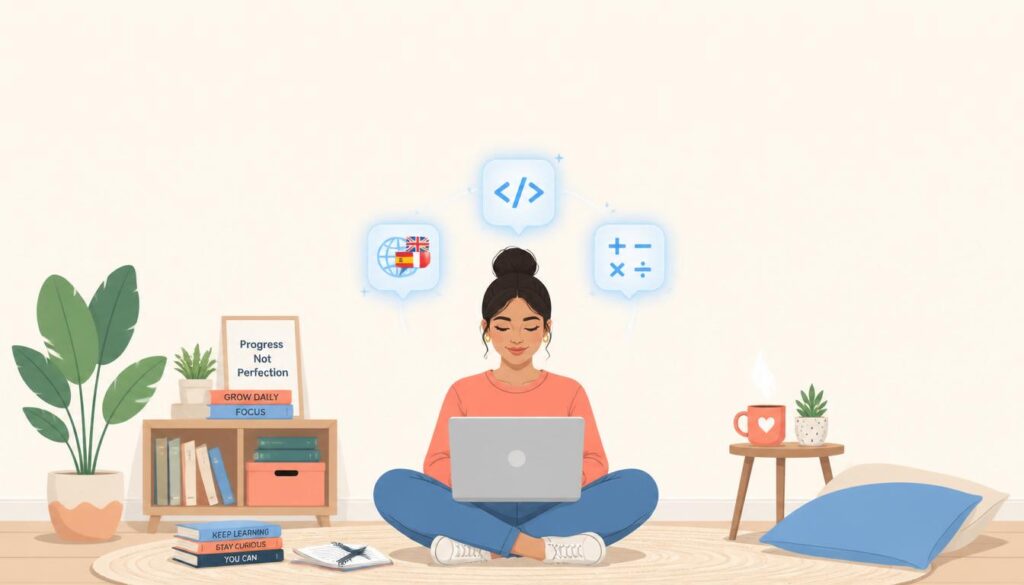
“Learning to use AI” doesn’t mean learning to code or build machine learning models. For almost everyone, it means learning to use AI tools chatbots, writing assistants, image generators, and productivity apps — to get better results in less time.
There are three practical skill levels worth knowing:
- Basic use: Asking a chatbot questions and getting usable answers.
- Applied use: Using AI for specific work tasks drafting emails, summarizing documents, analyzing spreadsheets.
- Workflow use: Combining AI tools with your existing apps (email, calendar, spreadsheets) to automate repetitive work.
Most beginners only need the first two levels to see real time savings. A 2024 McKinsey survey found that employees using generative AI tools saved an average of about four hours per week on routine tasks — a useful benchmark for what “learning to use AI” is actually worth to you.
Takeaway: Set your goal at “applied use” first. Trying to jump straight to advanced workflows before you’re comfortable with the basics is the number one reason people give up.
How to learn to use AI step by step
This is the core process. If you only read one section, read this one.
Step 1: Pick one AI tool and commit to it
Don’t try to learn five tools at once. Choose one general-purpose assistant and use it exclusively for the first two weeks. In the US market, the three most common starting points are:
- ChatGPT (free tier available; Plus plan is $20/month) — best all-around starting point.
- Claude (free tier available; Pro plan is $20/month) — strong for writing and document work.
- Google Gemini (free with a Google account) — convenient if you already use Gmail and Google Docs.
Pick whichever one you already have easiest access to. The tool matters far less than the consistency of use.
Step 2: Learn prompting basics — not prompt engineering courses
You don’t need a $200 prompt engineering course. You need to learn four habits:
- Give context (who you are, what you’re trying to accomplish).
- State the format you want (a list, a table, a short paragraph, a step-by-step plan).
- Ask follow-up questions instead of starting a new chat when a response falls short.
- Ask the AI to critique or improve its own answer — this alone improves output quality significantly.
Example in practice: A small business owner in Ohio wanted better product descriptions for her Etsy shop. Her first prompt, “write a product description for a candle,” produced generic copy. After adding context — her brand tone, target customer, and a real example of a description she liked — the AI’s third attempt was good enough to publish with minor edits. That’s the whole skill: iterate, don’t restart.
Step 3: Practice on tasks you already do
Skip tutorials that teach AI in the abstract. Instead, bring your real weekly tasks to the tool:
- Draft an email you were going to write anyway.
- Summarize a long PDF or article.
- Turn meeting notes into a to-do list.
- Brainstorm options before a decision (meal plans, gift ideas, project outlines).
A Pew Research Center report from 2025 found that roughly 34% of US adults had used an AI chatbot, but only about half of those used it for anything beyond casual questions — the gap between “tried it” and “learned it” comes almost entirely from this practice step.
Step 4: Build a five-day-a-week habit for one month
Skill retention with AI tools follows the same pattern as any new software: frequency beats duration. Ten focused minutes a day for 20 days will teach you more than one three-hour weekend session.
Takeaway: Block 15 minutes on your calendar, same time each day, for the next 20 workdays, and use that time only for real tasks — not experimentation.
How to learn to use AI for free
You can learn everything covered so far without spending a dollar. Free resources worth using, specifically for US-based learners:
- Free tiers of ChatGPT, Claude, and Gemini — sufficient for 90% of beginner use cases.
- Google’s free “AI Essentials” course on Coursera — a few hours, no cost to audit.
- YouTube channels from tool makers themselves (OpenAI, Anthropic, Google) — short, current, and free.
- Your local public library — many US library systems, including branches in the New York Public Library and Los Angeles Public Library networks, now run free in-person AI literacy workshops for patrons.
Paid courses (typically $30–$150 on platforms like Udemy or Coursera) can be worth it if you want structure and accountability, but they are not necessary to reach basic competence.
Takeaway: Spend zero dollars for your first 30 days. Only pay for a course if you hit a specific wall a free resource can’t solve.
How to use AI to learn faster (using AI to learn AI)
One underused trick: use the AI tool itself as your tutor for learning the AI tool. This is faster than searching for separate tutorials.
Try prompts like:
- “I’m a complete beginner. Give me a 15-minute lesson on how to write better prompts, then quiz me.”
- “Here’s a task I do every week [describe it]. Show me three ways you could help with it.”
- “Explain what you can and can’t do reliably, so I don’t waste time on the wrong tasks.”
This approach works because the tool can tailor explanations to your actual skill level in real time, something static tutorials can’t do. A 2023 Stanford study on AI tutoring found students using conversational AI for self-paced learning progressed roughly 2x faster on comprehension checks compared to reading static material alone — a strong argument for learning AI this way specifically.
Takeaway: Before searching YouTube for “how to prompt ChatGPT,” just ask the chatbot to teach you directly.
Common mistakes people make when learning to use AI
Avoiding these will cut your learning curve significantly:
- Expecting a perfect answer on the first try. Treat the first response as a draft, not a final answer.
- Using vague prompts. “Help me with my resume” gets a worse result than “Rewrite this resume bullet to emphasize leadership, for a marketing manager role.”
- Trusting factual claims without checking them. AI tools can state incorrect information confidently; always verify names, dates, statistics, and legal or medical claims independently.
- Switching tools constantly. Comparing five tools before you’ve mastered one slows learning down.
- Never revisiting old chats. Your best prompts are often buried in past conversations — reuse and refine them instead of starting from scratch each time.
Takeaway: Pick one mistake from this list that sounds like you, and fix just that one this week.
How long does it take to learn to use AI
Based on typical beginner timelines reported across online learning platforms and workplace training programs:
| Skill level | Typical time to reach it |
|---|---|
| Comfortable asking basic questions | 1–3 days |
| Confident using AI for regular work tasks | 2–4 weeks |
| Combining AI with other tools/workflows | 2–3 months |
These ranges assume the 15-minutes-a-day habit from Step 4 above. People who use AI tools sporadically — once every week or two — often take three to four times longer to reach the same comfort level, since prompting skills fade without regular use.
Takeaway: Judge your progress in weeks, not days, and don’t compare your week-one results to someone else’s month-three results.
How to use AI to learn a language, code, or any new skill
Once you know how to learn to use AI for everyday tasks, the same habits transfer directly to learning a new skill. People increasingly use AI to learn a new language, learn to code, or pick up a subject like math or writing, and the method barely changes.
Here’s the pattern that works across skills:
- To learn a language: Ask the AI to role-play a conversation at your level, then correct your grammar in real time. Apps like Duolingo now build this in, but a plain chatbot works just as well for free.
- To learn coding: Paste a small piece of code and ask the AI to explain it line by line, then ask it to give you a slightly harder version to try yourself.
- To learn math or writing: Ask the AI to walk through one problem step by step, then generate three similar practice problems without solving them for you.
A 2024 Duolingo report noted that learners using AI-powered conversation practice completed roughly 20% more practice sessions per month than those using static lessons alone — a sign that interactive, AI-guided practice keeps people more engaged than one-way tutorials.
Case in practice: A community college student learning Python used ChatGPT to explain error messages instead of searching forums. Within three weeks, she was writing basic scripts independently — the AI acted as a patient tutor available at 11 p.m., not a replacement for the course itself.
Takeaway: Whatever skill you’re learning next, use AI as a tutor that explains and quizzes you — not as a shortcut that does the work for you.
Conclusion: your next step to learn to use AI
Learning to use AI isn’t a one-time course you finish — it’s a habit you build in small, consistent sessions. Start with one tool, practice on real tasks you already do, and give yourself two to four weeks before judging your progress. That’s genuinely how to learn to use AI in a way that sticks, whether your goal is saving time at work, learning a language, or picking up coding basics.
The people who get the most out of AI tools aren’t the ones who read the most guides — they’re the ones who opened the tool today and used it on something real. Do that with one task right now, and you’ll already be ahead of where you were an hour ago.
Frequently asked questions
How do I start learning to use AI if I have no technical background? Start with a free chatbot like ChatGPT, Claude, or Gemini, and use it for a task you already do this week — like drafting an email or summarizing a document. No coding or technical knowledge is required for this level of use.
How long does it take to learn to use AI tools well? Most people feel comfortable with basic tasks within a few days and confident using AI regularly for work within two to four weeks, assuming short daily practice sessions rather than occasional long ones.
Can I really learn to use AI for free? Yes. Free tiers of major AI chatbots, free courses like Google’s AI Essentials on Coursera, and free library workshops in many US cities cover everything a beginner needs before any paid course becomes necessary.